Scan Settings
35
2
❒ When using Internet Fax transmis-
sion, documents are sent at “De-
tail” resolution, even if you have
specified “Super Fine”. To send a
document at “Super Fine”, config-
ure the Full Mode when register-
ing the destinations in the Address
Book. See p.61 “T.37 Full Mode”.
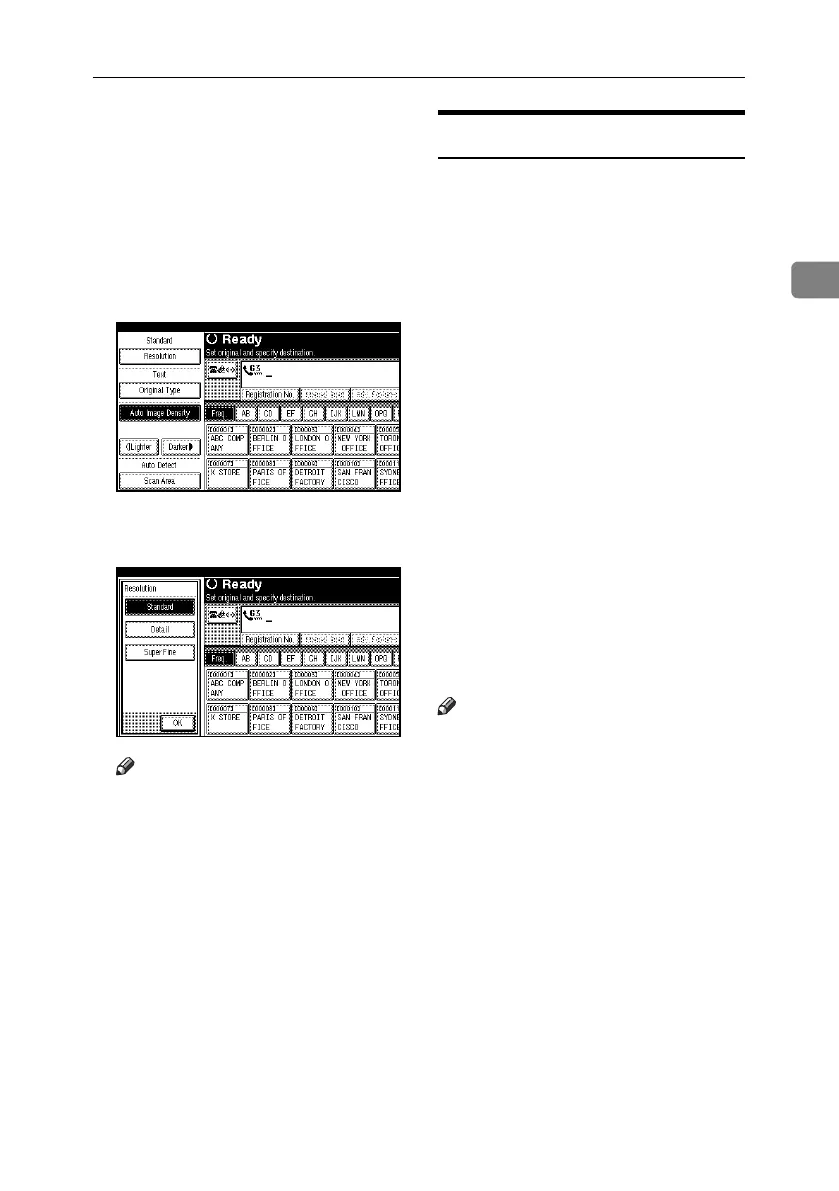
A Press [Resolution].
B Select the resolution you require,
and then press [OK].
Note
❒ If you install the optional ex-
pansion memory, “Super Fine”
appears in the Resolution box.
Original Type
If the original contains photographs,
illustrations, or diagrams with com-
plex shading patterns or grays, select
the appropriate original type to opti-
mize image clarity.
❖ Text
Select [Text] to send high-contrast
black-and-white image originals.
Use this setting when you only
want to send clearer text, even if
the original contains text and pho-
tographs.
❖ Text / Photo
Select [Text / Photo] to send an orig-
inal containing both a high-con-
trast black-and-white image, such
as text, and a halftone image, such
as a photograph.
❖ Photo
Select [Photo] to send an original
containing a halftone image, such
as a photograph or a color original.
Note
❒ If you select [Text / Photo] or [Photo],
the transmission will take longer
than when [Text] is selected.
❒ If you send a fax document with
[Text / Photo] or [Photo] and the
background of the received image
is dirty, reduce the density setting
and resend the fax. See p.36 “Im-
age Density (Contrast)”.
❒ You can set the original type that is
selected right after the machine is
turned on or the {Clear Modes} key
is pressed, with [Original Type Priori-
ty] under Gen. Settings/Adjust.
See p.145 “General Settings/Ad-
justment”, Facsimile Reference <Ad-
vanced Features> .
RussianC4-EN_Combine-F_FM.book Page 35 Wednesday, April 27, 2005 2:01 PM



 To Next Page