Faxing
28
2
Immediate Transmission
Limitation
❒ Internet Fax is executed in only
Memory Transmission that starts
transmission automatically after
storing documents in memory. If
you specify Immediate Transmis-
sion in Internet Fax, the mode is
switched to Memory Transmission
while an e-mail address is being
entered.
Note
❒ Documents are not stored in memory.
❒ You cannot send the same document
to multiple destinations (broadcast-
ing). Memory Transmission allows
this function.
❒ For details about how to confirm
the transmission result, see p.31
“Confirming Transmission”.
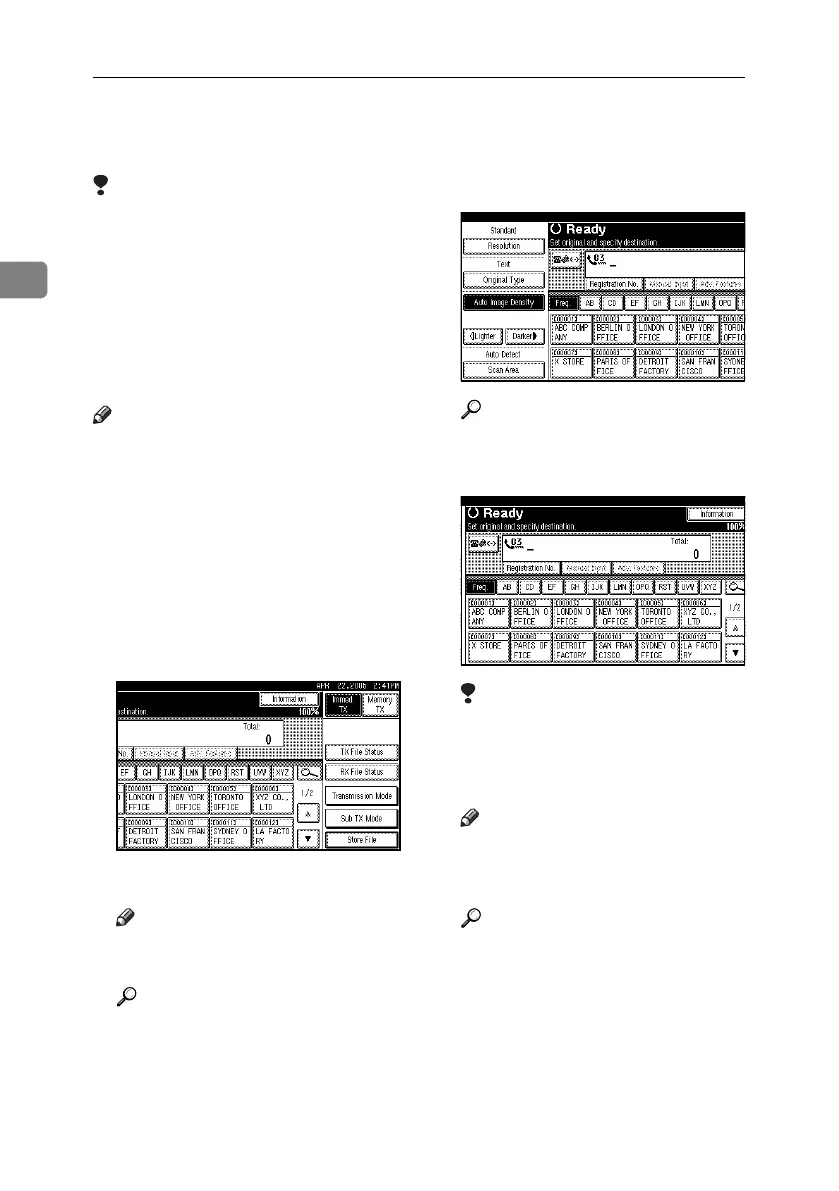
A Make sure that [Immed. TX] is select-
ed.
B Place the original.
Note
❒ The original can be placed anytime
before the {Start} key is pressed.
Reference
p.15 “Placing Originals”
C Select the scan settings you require.
Reference
p.34 “Scan Settings”
D Specify a destination.
Limitation
❒ Group cannot be used for Im-
mediate Transmission. The ma-
chine automatically changes to
Memory Transmission.
Note
❒ If you make a mistake, press the
{Clear/Stop} key, and then enter
the correct number.
Reference
p.39 “Entering a Fax Number”
p.43 “Entering an IP-Fax Desti-
nation”
p.39 “Specifying a Destination”
p.47 “Chain Dial”, Facsimile Ref-
erence <Advanced Features>
p.47 “Redial”, Facsimile Refer-
ence <Advanced Features>
RussianC4-EN_Combine-F_FM.book Page 28 Wednesday, April 27, 2005 2:01 PM



 To Next Page