Specifying a Destination
45
2
Registering Entered
Destinations to the Address
Book
You can register a fax number, e-mail
address, or IP-Fax destination to the
Address Book.
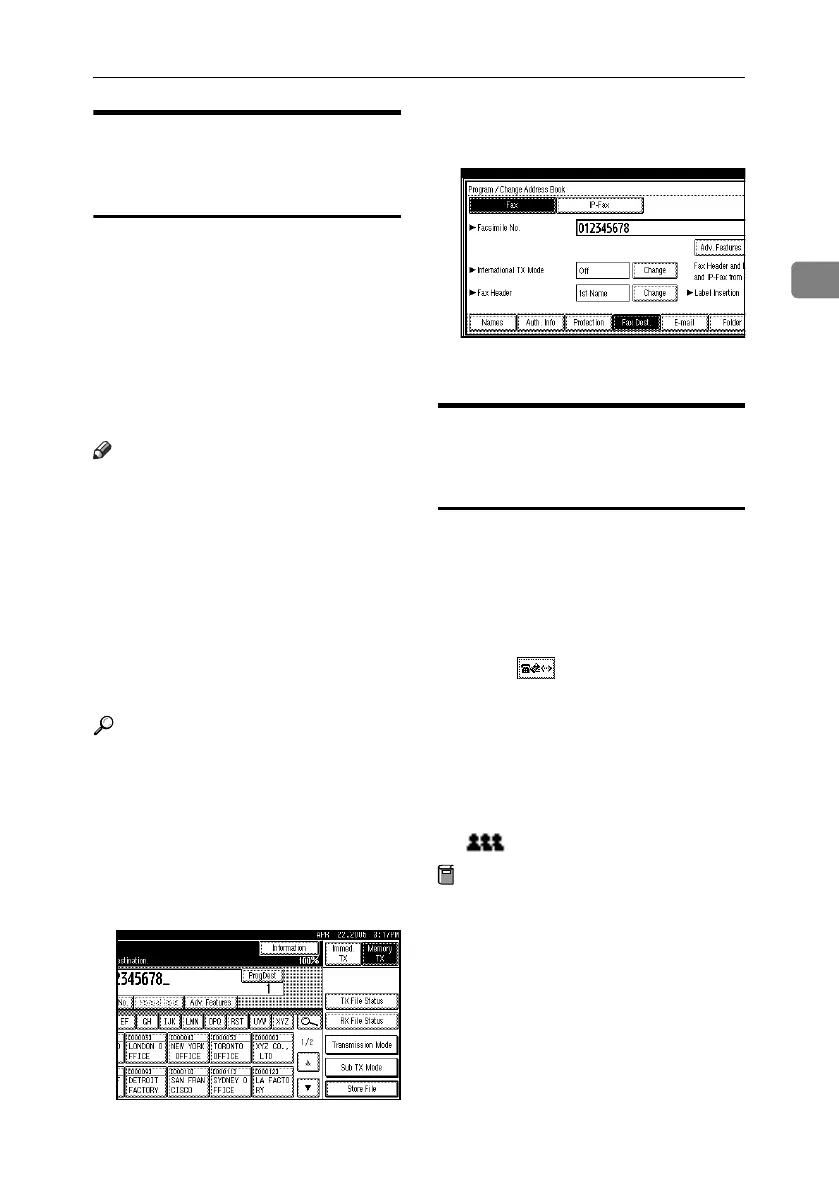
When registering a destination direct-
ly entered or displayed on the Redial
screen in the Address Book, [ProgDest]
appears in the destination field.
See “Fax Destination” and “E-mail
Destination”, General Settings Guide.
Note
❒ Depending on security settings,
[ProgDest] may not appear, and
you may be unable to register the
destination.
❒ When you press the {Facsimile}
key after changing the contents of
the Address Book, the “
Destina-
tion list / machine settings
are updated.
” message appears.
Press [Exit]. The standby display
appears.
Reference
“Fax Destination”, General Settings
Guide
“E-mail Destination”, General Set-
tings Guide
“Registering Names to a Group”,
General Settings Guide
A Press [ProgDest].
B Press [Names] and enter any neces-
sary information.
C Press [OK].
Using the Destination List to
Specify Single or Group
Destinations
When destinations are programmed
in a destination list, you can specify a
destination by just selecting a Desti-
nation key from the destination list.
The programmed name appears on
Destination key.
Pressing switches the destina-
tion list between fax number, e-mail
address, and IP-Fax number.
If you program multiple destinations
into a Group, you can send documents
to all destinations in that Group using
just a few keystrokes. Destinations
programmed in a group are indicated
by .
Preparation
In the destination list, program an in-
dividual fax number, IP-Fax number,
e-mail address and/or groups of des-
tinations. See “Fax Destination”,
“E-mail Destination”, and “Regis-
tering Names to a Group”, General
Settings Guide.
RussianC4-EN_Combine-F_FM.book Page 45 Wednesday, April 27, 2005 2:01 PM



 To Next Page