Sending by IP-Fax
81
3
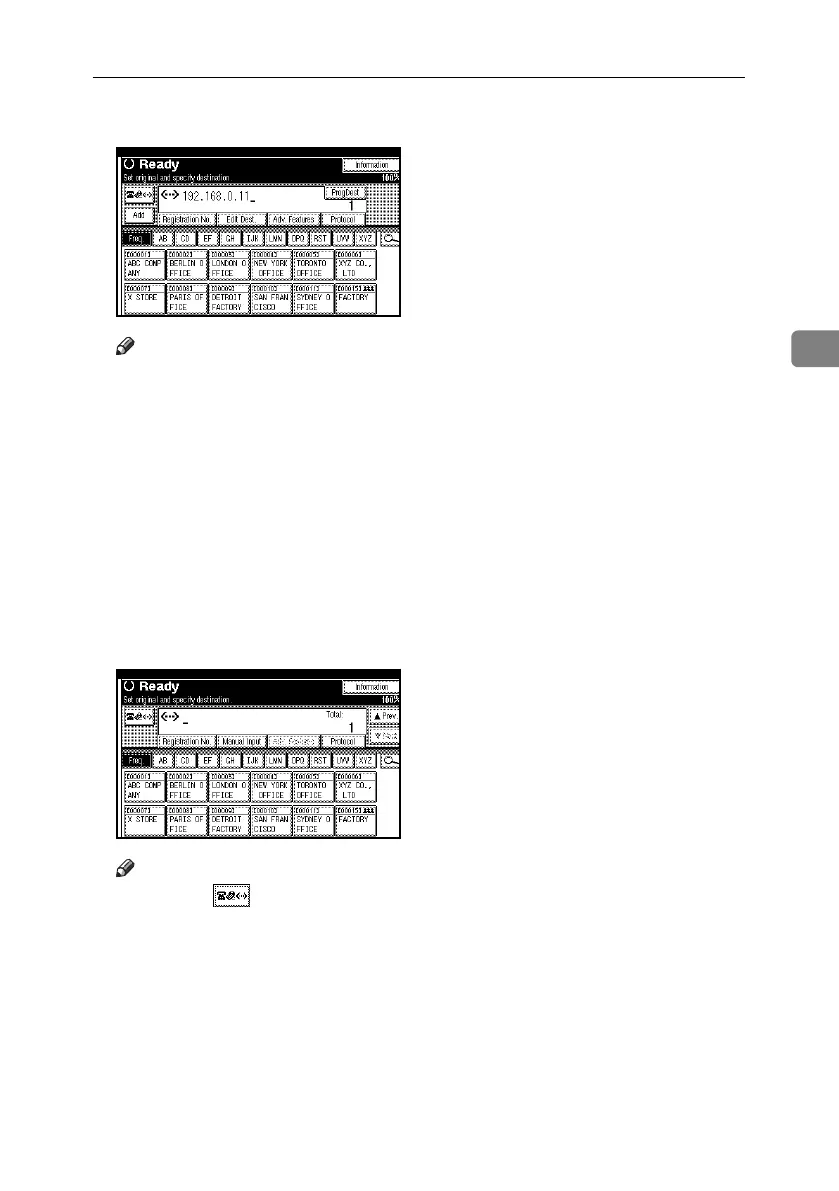
C To add a destination, press [Add].
Note
❒ When using a destination list,
multiple destinations are added
automatically and you need not
press [Add].
❒ To be extra sure a destination is
added, in User Parameters you
can set the machine so that [Add]
must be pressed each time a
destination is added. See p.167
“User Parameters”, Facsimile
Reference <Advanced Features>
(switch 17, bit 2).
D Specify the next destination.
Note
❒ Pressing switches the desti-
nation list between fax number,
e-mail address, and IP-Fax number.
❒ To add another destination, re-
peat steps
C
and
D
.
E Press the {Start} key.
The machine starts to scan the orig-
inal and stores it in memory. When
scanning ends, the Communicat-
ing indicator lights and transmis-
sion starts.
RussianC4-EN_Combine-F_FM.book Page 81 Wednesday, April 27, 2005 2:01 PM



 To Next Page