Initial Settings and Adjustments
85
4
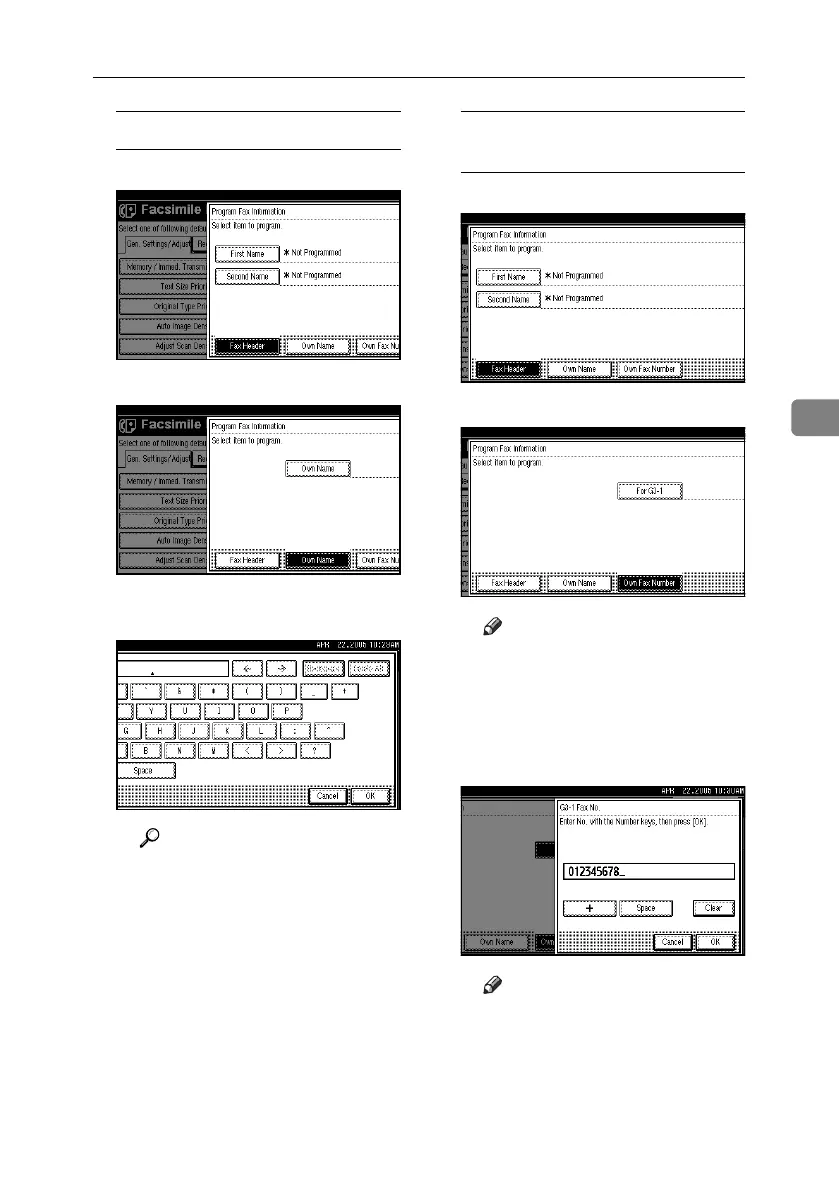
Programming an Own Name
A Press [Own Name].
B Press [Own Name].
C Enter an own name, and then press
[OK].
Reference
“Entering Text”, General Set-
tings Guide
Programming an Own Fax
Number
A Press [Own Fax Number].
B Select line type to program.
Note
❒ The display differs depending
on the optional units installed
on the machine.
C Enter your own facsimile's number
using the number keys, and then
press [OK].
Note
❒ To enter a + sign or a space,
press [+] or [Space].
❒ If you make a mistake, press
[Clear] or the {Clear / Stop}
key, and then enter the fac-
simile number again.
RussianC4-EN_Combine-F_FM.book Page 85 Wednesday, April 27, 2005 2:01 PM



 To Next Page