1
2
3
4
5
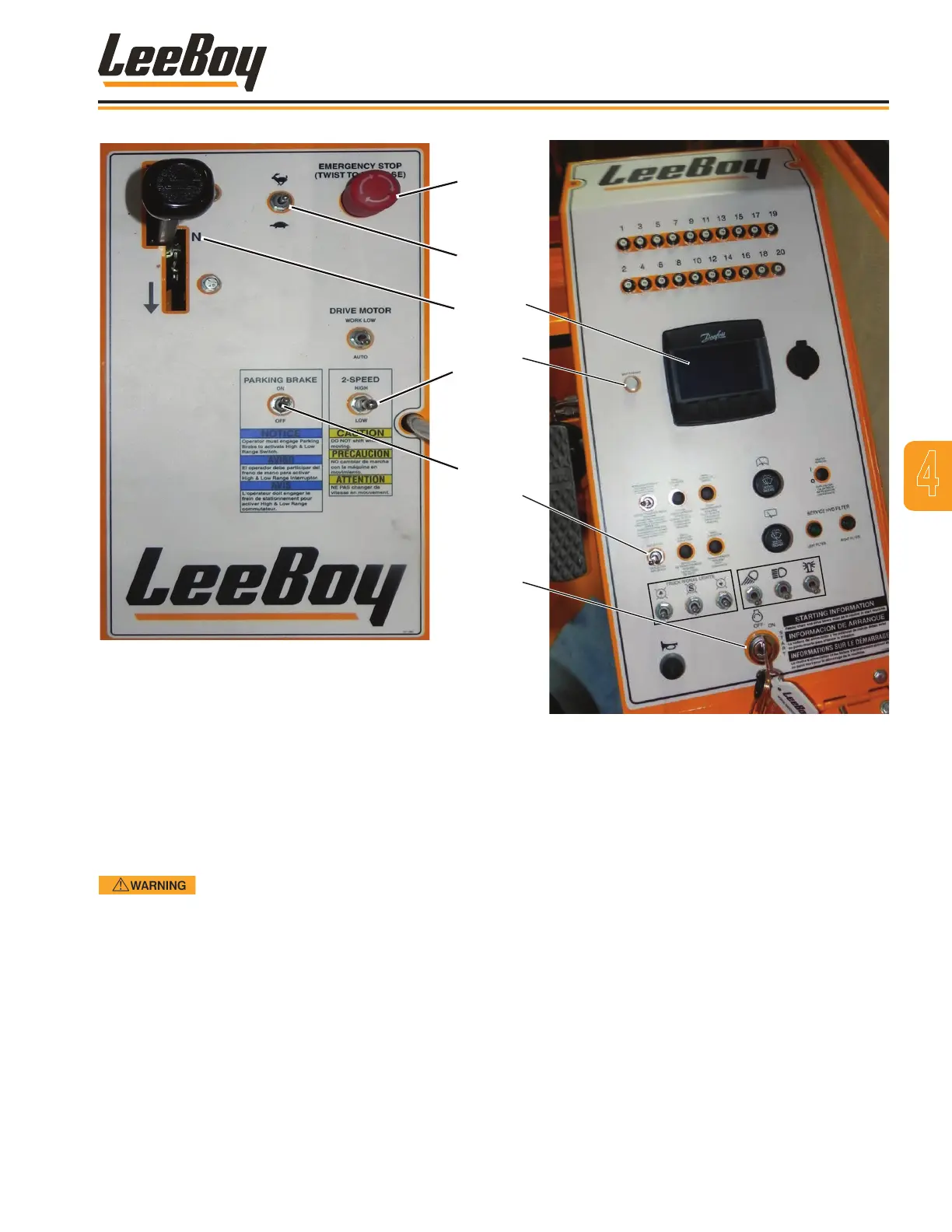
Figure 4-9. Direction Control Panel
1 - Emergency Stop
2 - Throttle Switch
3 - Direction Control Lever
4 - 2-Speed Gear Switch
5 - Parking Brake
4. Insert key and turn ignition clockwise to the Start
position. Wait until the “Wait to Start” light turns off
to crank the engine. (Figure 4-10)
If engine does not start, release key
and wait at least two minutes before trying to starting
again. DO NOT leave key in the start position more
than 30 seconds.
1
2
3
4
Figure 4-10. Operating Control Console
1- DP250 Digital Display
2 - Wait to Start Light
3 - Deector Switch
4 - Ignition Switch
4
Operation
3000C Force Feed Loader 4-9



 To Next Page