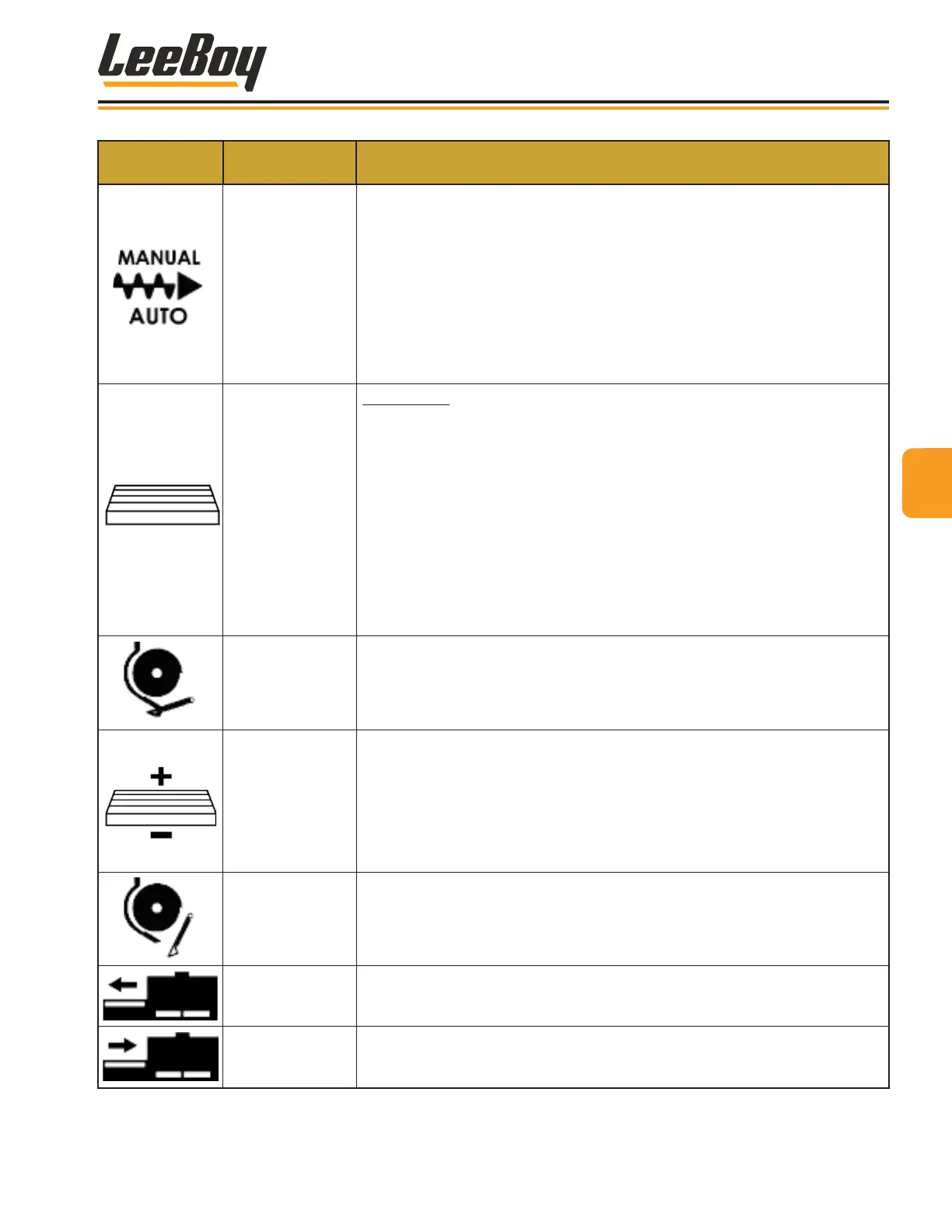
KEYPAD
SYMBOL
CONTROL
NAME
FUNCTION
Right Auger
AUTO/MANUAL
Independent right and left augers can be operated in MANUAL or AUTO
(automatic) mode. Manual mode is the default.
• Press button once to turn on the RIGHT auger in MANUAL mode. The left
LED light illuminates green.
• Press and hold button 1/2 second to operate in AUTO mode. The right LED
light illuminates green. The auger sonic sensor must be connected to
operate in AUTO mode. (Page 4-39)
• The center blue light illuminates when material reaches the set material
height.
Conveyor
CONVEYOR
Turns the conveyor on and off. The conveyor default is AUTO mode.
• Press the conveyor button once to operate in AUTO mode. The left LED
light on the button illuminates green.
• Press and hold the button for manual override. After a short delay the
conveyor will engage in manual mode and stay on until released. The
center LED light on the button illuminates green.
• Press the button again to turn off the conveyor. The right LED light
illuminates red when off, and blue if the paver is paused while conveyors
are operating (or the material has shut off the sensor in AUTO mode).
NOTE: Moving the joysticks into neutral pauses conveyor operation.
Cut-Off CLOSED
Press and hold to close the Under Auger Material Cut-Off. When closed, the
center LED light illuminates RED on the operator console.
NOTE: If paver is put into reverse, the cut-offs will automatically close
and the center LED light illuminates RED.
Conveyor Plus or
Minus
Controls conveyor speed when operating in AUTO mode.
• Press and hold to increase conveyor speed (left LED light illuminates
green).
• Press again and hold to decrease conveyor speed (right LED light
illuminates.
NOTE: Moving the joysticks into neutral pauses conveyor operation.
Cut-Off OPEN
Press and hold to open the Under Auger Material Cut-Off. All three LED
lights illuminate GREEN on both operator consoles and the LEFT screed
keypad while open.
LEFT Extension
EXTEND
Extends the LEFT screed extension. Press and hold button to extend the left
screed extension to desired width. All three LED lights illuminate green on
the button while engaged.
LEFT Extension
RETRACT
Retracts the LEFT screed extension. Press and hold button to retract the left
screed extension to desired width. All three LED lights illuminate green on
the button while engaged.
33
Component Location
LeeBoy Model 5300B Compact Paver 3-11



 To Next Page