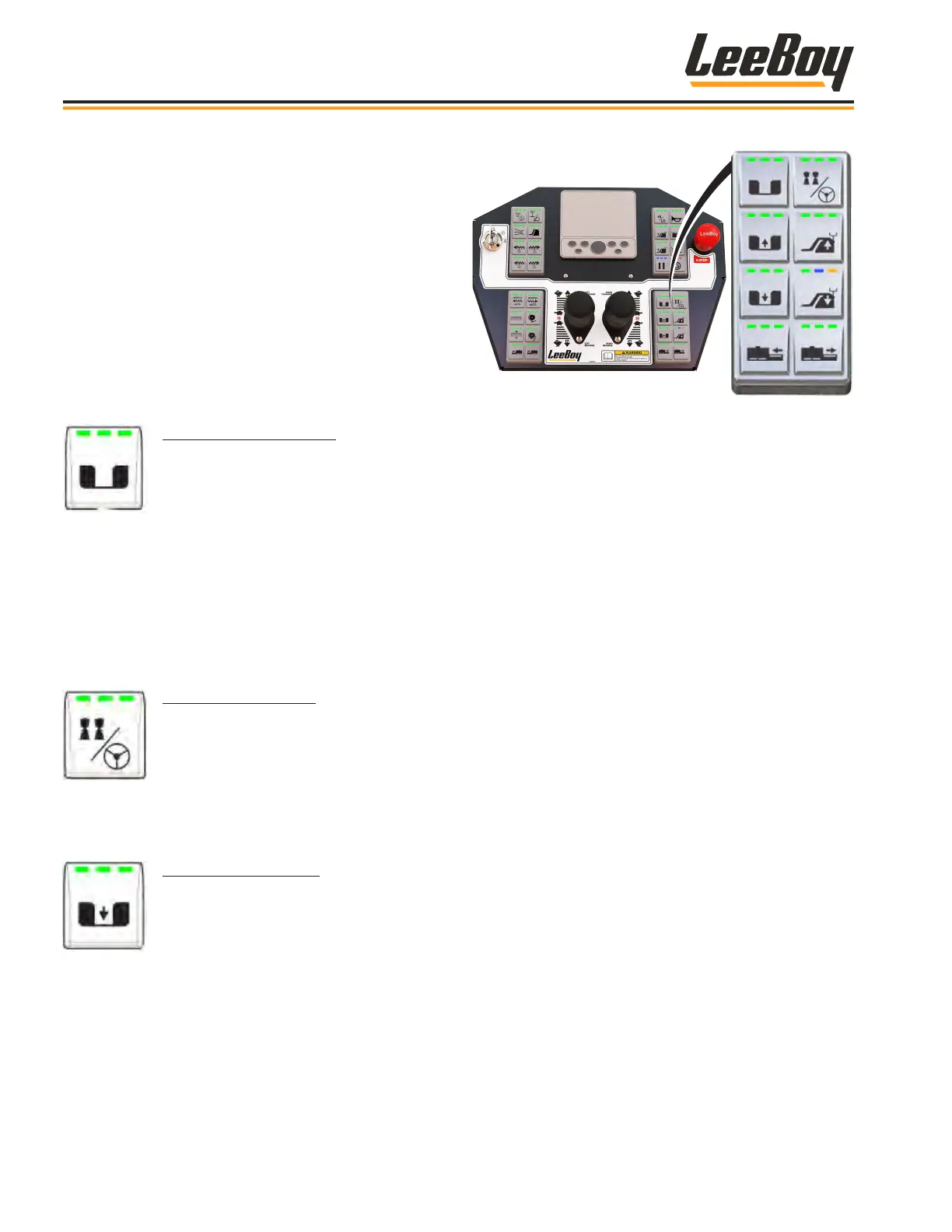
Lower Right KeypadLower Right Keypad
The lower left keypad contains push buttons to
activate the control panel console, operate the
hopper wings, raise and oat the screed, and
extend or retract the right screed extension.
LED lights illuminate to indicate the function
status as described below:
HOPPER WING SELECT
Used to select the right, left or both hopper wings. Upon start-up, the operational mode is set by
default to operating both hopper wings (the LED lights illuminate green.
• Pressing the button once enables operating only the LEFT hopper wing. The left LED light
illuminates green.
• Pressing the button again operates only the RIGHT hopper wing. The right LED light illuminates
green.
• Pressing the button again returns to the default operational control of both hopper wings. All
three LED lights illuminate green.
• This button functions whether the console is active or not.
ACTIVATE CONSOLE
• Press this button to activate the control panel console. The three LED lights illuminate green
when active.
NOTE: The joysticks MUST be in NEUTRAL to activate the console.
NOTE: If the console becomes inactive while the paver is moving, the paver will automatically
slow down to a stop and apply park brake.
HOPPER WING OPEN
After selecting the left, right or both hopper wings on the hopper wing select button, use this button to
open the selected hopper wing(s).
• Press and hold the button to open the hopper wing(s). The center LED light illuminates green
while engaged.
• This button functions whether the console is active or not.
Operation
LeeBoy Model 5300B Compact Paver4-12



 To Next Page