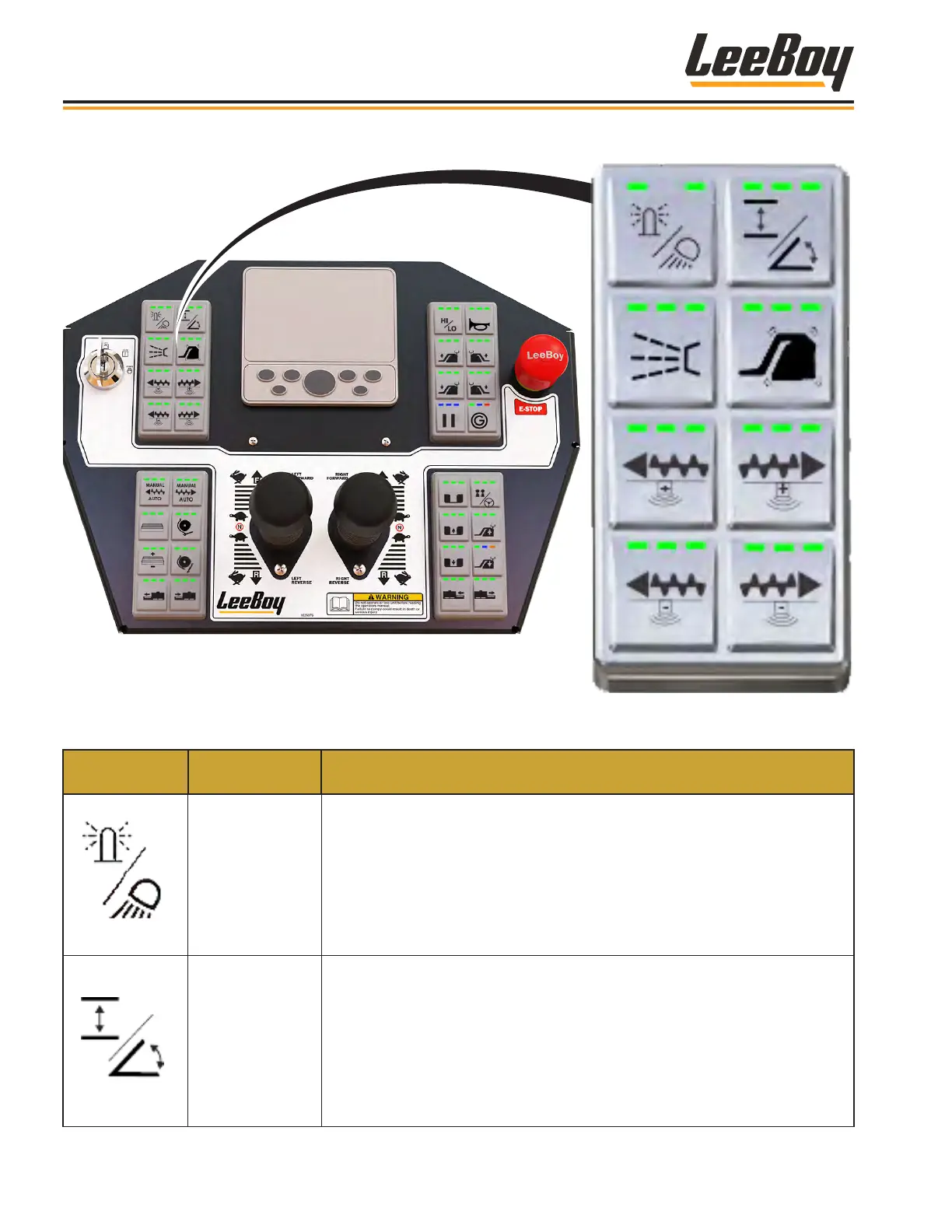
Upper Left KeypadUpper Left Keypad
Table 3-2. Control Panel - Upper Left Keypad
KEYPAD
SYMBOL
CONTROL
NAME
FUNCTION
Beacon/Work
Lights
• Press the button once to activate the beacon light (the left LED light
illuminates green).
• Press the button again to activate the work lights (the center LED light
illuminates green).
• Press the button a third time to activate the beacon and work lights (all
three LED lights illuminate green).
• Pressing the button a fourth time turns all lights OFF.
Grade/Slope
The left and right tow points can be controlled automatically using the
TopCon sonic automatic grade/slope control system (if equipped with this
option), or can be controlled manually using the keypad buttons. The default
setting is manual mode (the left LeD light illuminates green).
• Pressing the button changes to AUTO mode (the right LED light illuminates
green).
NOTE: The Grade/Slope function is disabled when joysticks are in
neutral. The center light will illuminate yellow.
Component Location
LeeBoy Model 5300B Compact Paver3-8



 To Next Page