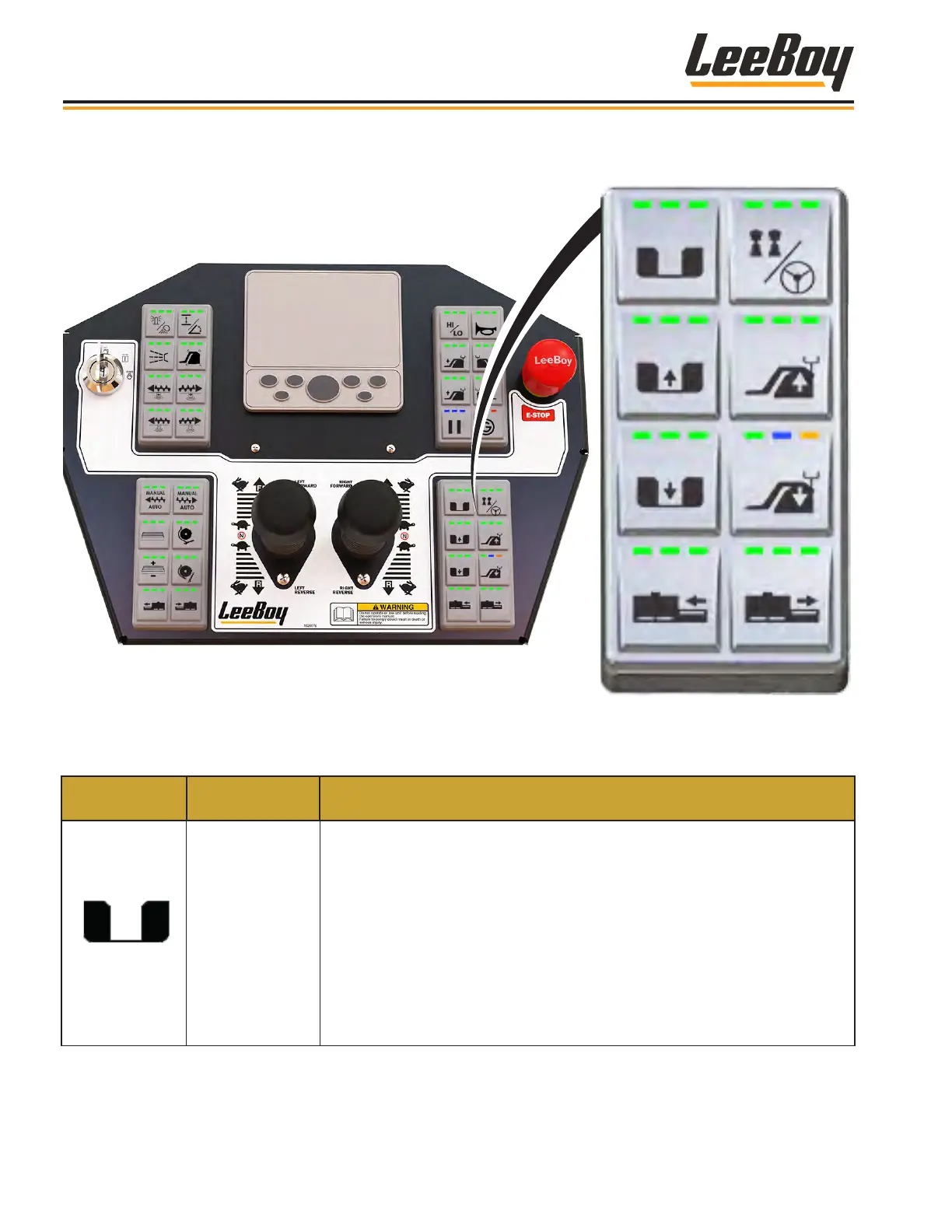
Lower Right KeypadLower Right Keypad
Table 3-5. Control Panel - Lower Right Keypad
KEYPAD
SYMBOL
CONTROL
NAME
FUNCTION
Hopper Wing
Select
Used to select the right, left or both hopper wings. Upon start-up, the
operational mode is set by default to operating both hopper wings (the LED
lights illuminate green.
• Pressing the button once enables operating only the LEFT hopper wing.
The left LED light illuminates green.
• Pressing the button again operates only the RIGHT hopper wing. The right
LED light illuminates green.
• Pressing the button again returns to the default operational control of both
hopper wings. All three LED lights illuminate green.
• This button functions whether the console is active or not.
Component Location
LeeBoy Model 5300B Compact Paver3-14



 To Next Page