44
LeeBoy 8520C Conveyor Paver 4-13
Operation
System InfoSystem Info
Select System Info from the rst Main Menu screen.
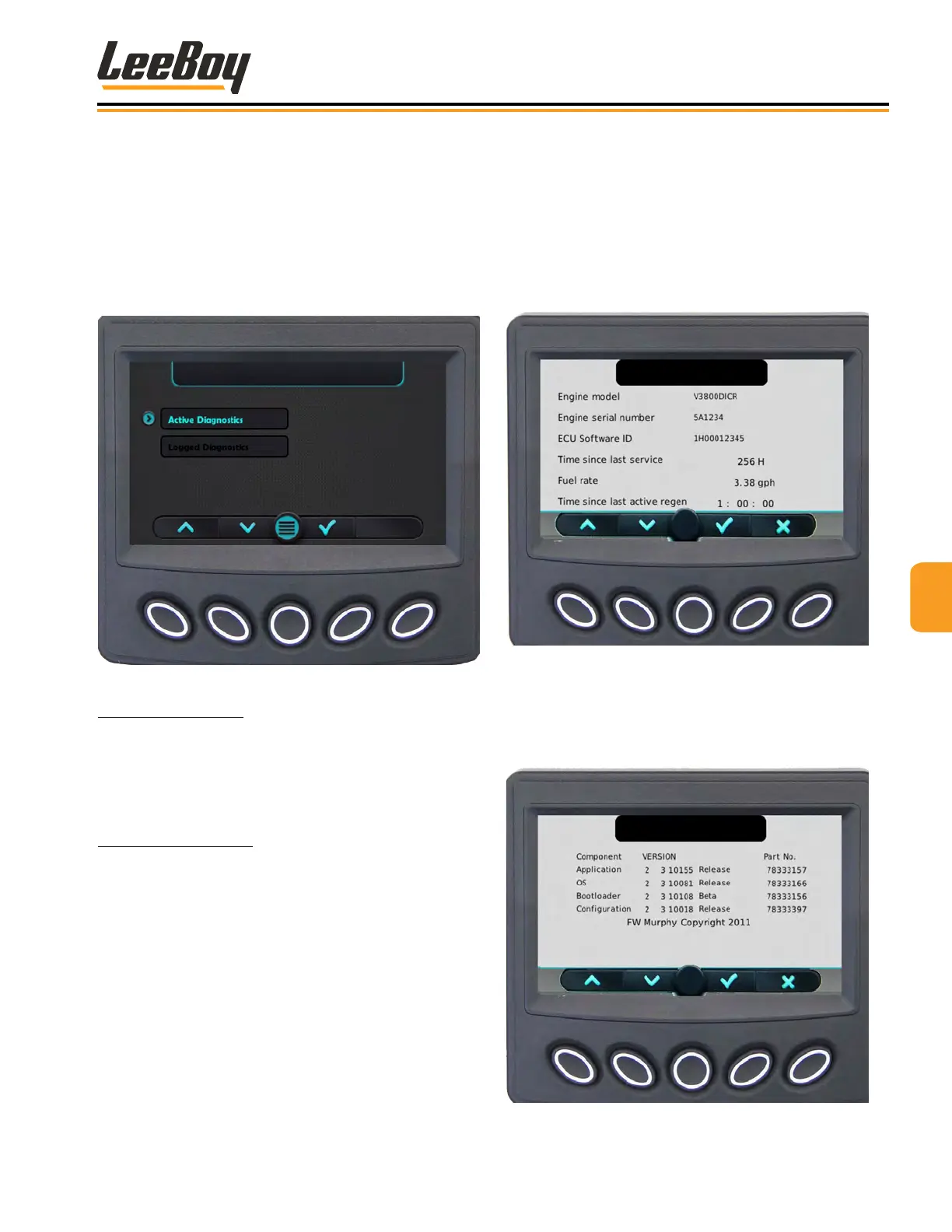
(Figure 4-18, Page 4-11) Press the DOWN (V) arrow
to scroll through the two System Info screens. (Figures
4-21 and 4-22) The rst screen displays the engine
model, serial number, ECU Software ID, fuel rate, and
the amount of time since the last active regeneration
process was performed. (Figure 4-19)
Figure 4-21. System Info Screen
Press the DOWN (V) to scroll to the second screen
containing application and conguration information,
which provides the current software version loaded into
the controller. (Figure 4-22)
Figure 4-22. Application and Con-
guration Information Screen
DiagnosticsDiagnostics
Select Diagnostics from the rst Main Menu screen.
(Figure 4-18 on the previous page.)
Use the UP (
>
) or DOWN (
>
) arrow keys (Buttons 1
and 2) to navigate to either the Active Diagnostics or
Logged Diagnostics screens. (Figure 4-20) When the
cursor (>) points to the screen you wish to view, press
the Select (√) key.
Figure 4-20. Diagnostics Screen
Active Diagnostics: The Active Diagnostics screen
displays active warnings or faults with the appropriate
Suspect Parameter Number (SPN) and Failure Mode
Indicator (FMI). It may also display text description and
ID/Name of the device that transmitted the message.
Logged Diagnostics: The Logged Diagnostics screen
displays nonactive warnings or faults with the appropri-
ate Suspect Parameter Number (SPN) and Failure Mode
Indicator (FMI) that are stored in the system.
NOTE: When reviewing Logged Diagnostics, the user
can press Freeze Frame to view a snapshot of certain
engine parameters and the hour meter reading at the
time of the fault. This can help correlate recent machine
activity with the faults that have been recorded.



 To Next Page