4-14 LeeBoy 8520C Conveyor Paver
Operation
Lamp InfoLamp Info
Select Lamp Info from the rst Main Menu screen.
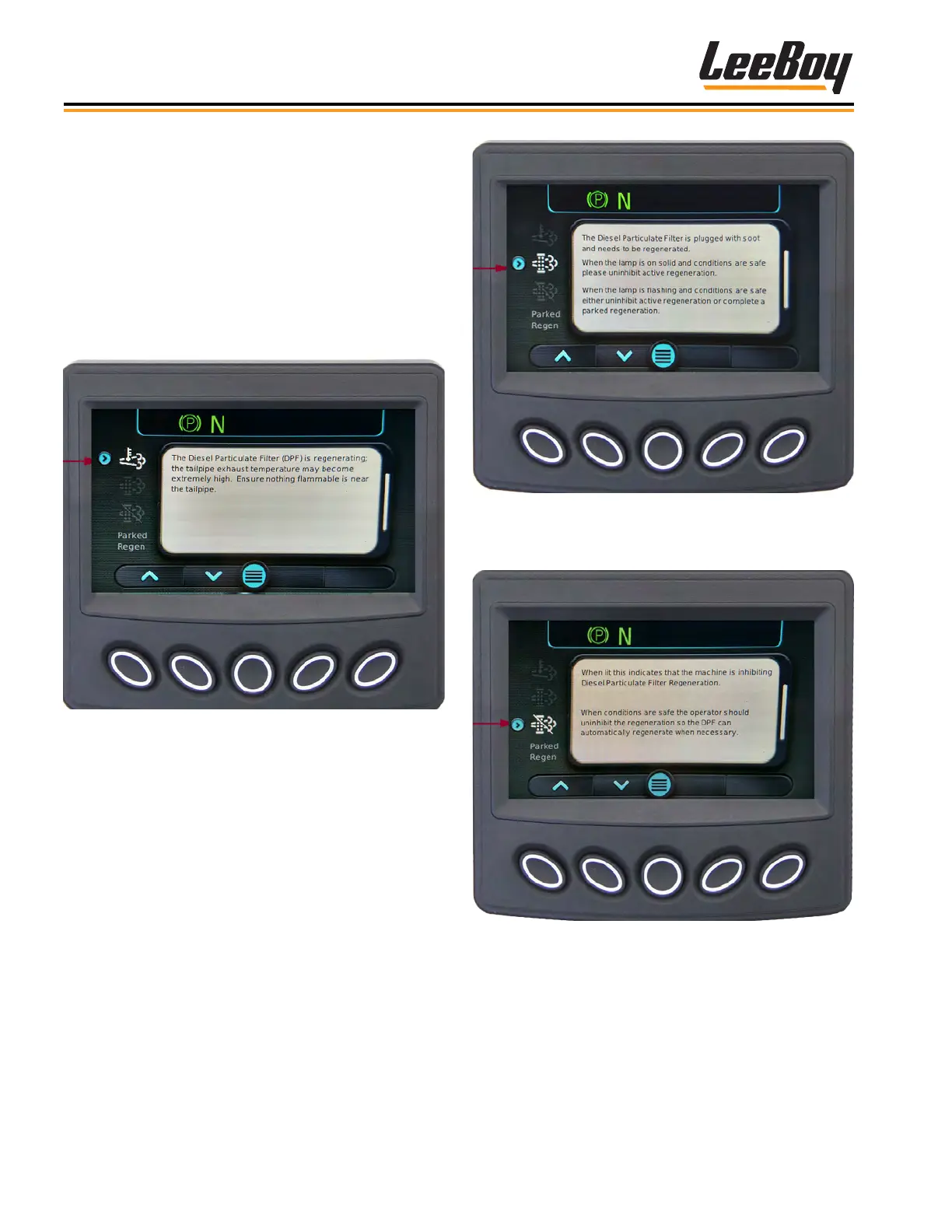
(Figure 4-1, Page 4-11) This screen shows the Diesel
Particulate Filter (DPF) Lamp symbols and provides a
description along with cautionary information for each
symbol. Use the UP (
>
) or DOWN (
>
) arrow keys to
scroll to each screen (Figures 4-23 to 4-29)
This High Exhaust Temperature (HEST) icon indicates a
Regen is in process. It will appear in yellow at the top of
the screen during the Regen process. (Figure 4-23)
Figure 4-23. High Exhaust Temperature Due
to DPF Regeneration Symbol Screen
The second icon will appear if the DPF system is
plugged with soot. (Figure 4- 24) The second DPF
icon to the left of the message screen illuminates yellow.
When the icon ashes, regeneration is needed when
conditions are safe to either disable (uninhibit) regen-
eration (described in the DPF Commands beginning
on Page 4- 16) or complete a parked regeneration
described on Pages 4-21 to 4-23.
Figure 4-24. Needs Regeneration Screen
If the operator disables (inhibits) regeneration, the
following icon appears. (Figure 4-25)
Figure 4-25. Machine Inhibit-
ing DPF Regeneration Screen
If the operator chooses to perform a parked regen-
eration, the message screen below appears. (Figure
4-26) See Pages 4-21 to 4-23 to perform a parked
regeneration.



 To Next Page