44
LeeBoy 8520C Conveyor Paver 4-17
Operation
DPF CommandsDPF Commands
It cannot be emphasized enough that the paver should
be maintained in good operating condition so the
system can automatically perform the regeneration
(regen) process, depending upon the DPF soot level.
(Pages 4-18 to 4-20) It is important to read the entire
message and follow any instructions. Ignoring warning
messages can lead to costly engine repairs.
Use the UP (
>
) or DOWN (
>
) buttons to scroll through
messages if shown on the soft key banner. To exit
screens, press X.
NOTE: Automatic regeneration will not occur if active
engine faults are present, nor will you be able
to perform the needed parked regeneration
process and soot levels will continue to rise.
NOTE: During the regeneration process, the En-
gine Speed will increase and there may be a
noticeable sound difference. The HEST Lamp
will appear in the alerts window until regen-
eration is complete.
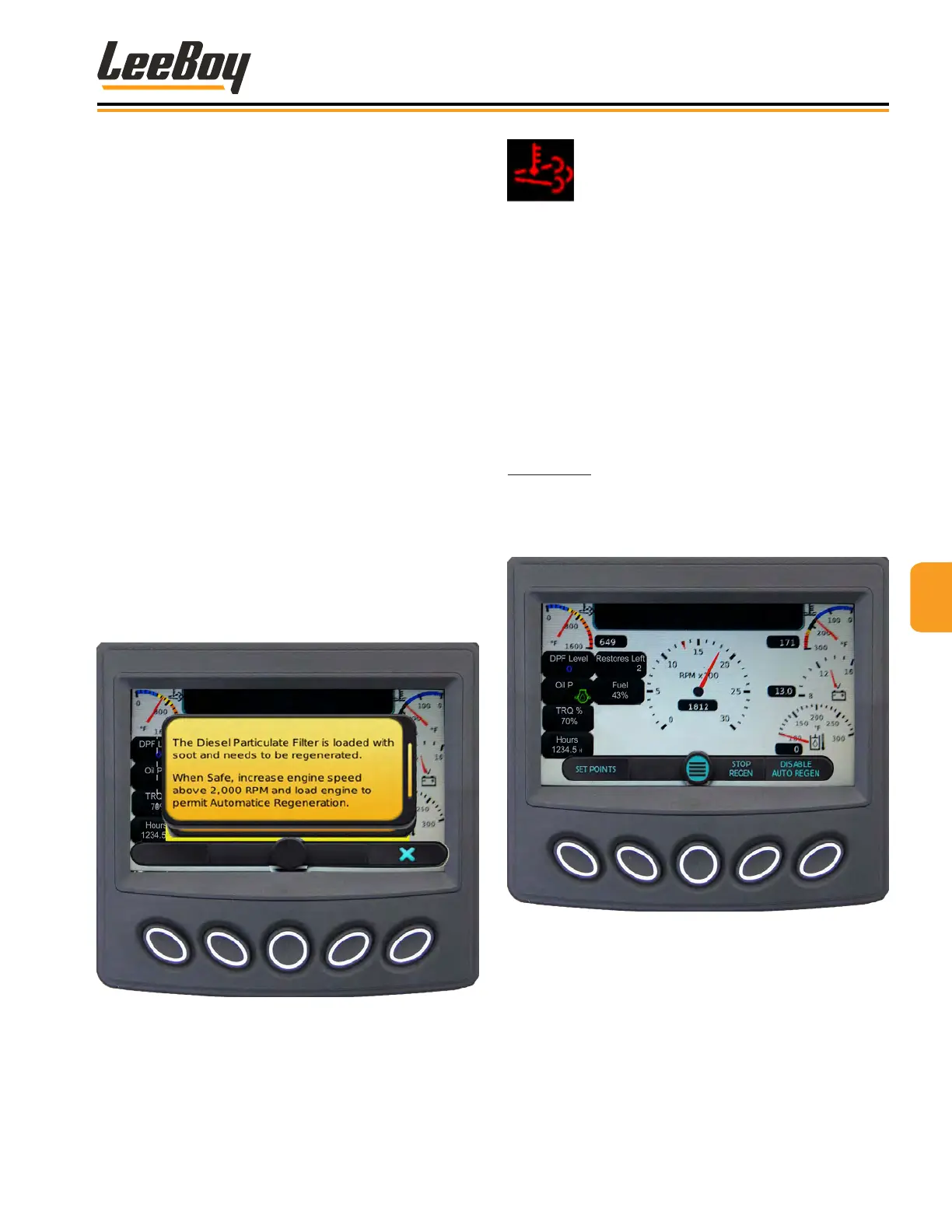
If regeneration is needed, but the current conditions do
not allow the engine to perform regeneration automati-
cally, the following warning message will appear (Figure
4-32):
Figure 4-32. Regen Alert Message Pop-Up Screen
When safe to do so, raise the engine speed
above 2000 RPMs to allow automatic regen-
eration. The High Exhaust icon will appear in
the alerts window when regen begins.
NOTE: If action is not taken for the automatic re-
generation to occur, the soot level (indicated
by the DPF level shown on the main screen)
will continue to rise. If the DPF level reaches
Level 3, the operator must perform the parked
regeneration process described on Page
4-20.
Disable/Enable RegenDisable/Enable Regen
If conditions are unsafe for the engine to perform a
regeneration automatically, the operator may choose to
temporarily inhibit (disable) the regeneration process.
Press the Main Menu button, then navigate to DPF
Commands and press the (√) button to select. (Figure
4-17, Page 4-12) “Disable Auto Regen” now appears in
the soft key banner (button #5). (Figure 4-31) 3
Figure 4-33. Disable (Inhibit) Regen Screen
NOTE: The ability to inhibit (disable) regeneration is
only possible at DPF Levels 1 and 2. (See DPF
Levels, Pages 4-18 to 4-20)



 To Next Page