5-6 LeeBoy 8520C Conveyor Paver
Maintenance
Use the following procedures to raise and lower the
conveyor:
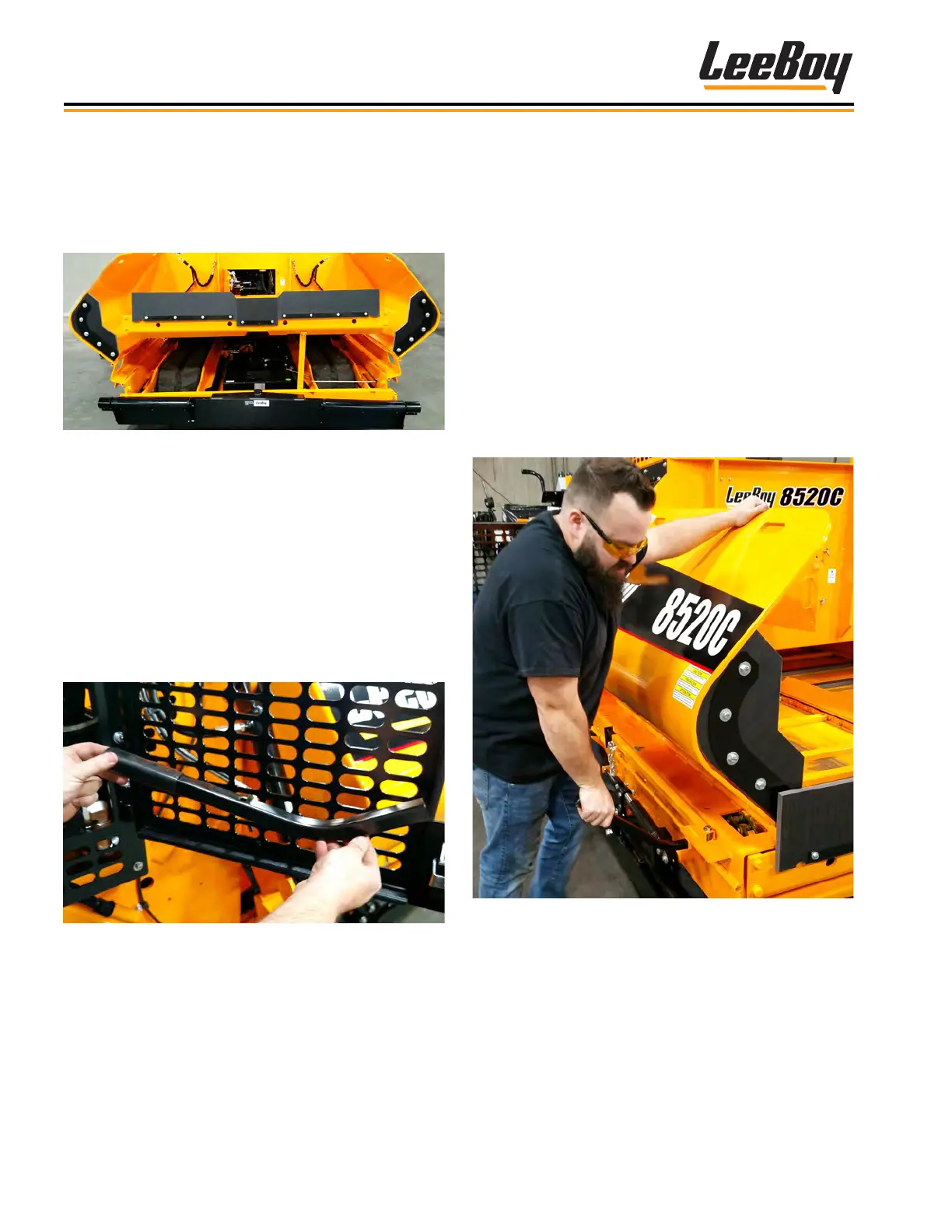
1. Press and hold the Hopper Wing CLOSE button
on the main control panel to retract both hopper
wings. (This button functions on both the active and
inactive consoles.)
2. Remove the bolts on the upper wing hinges (ve
bolts on each hopper wing).
3. Remove the cotter pin holding the hopper wing
fold-out tool on the right engine access panel door.
(Figure 5-5) Hold the tool on the rubberized end.
4. Insert the hopper wing fold-out tool into the square
slot beneath the lower guide bar gauge and rmly
grasp the top of the hopper wing with the other hand
as shown in Figure 5-6.
Figure 5-6. Insert Hopper Wing Fold-Out Tool
Raise and Lower the ConveyorRaise and Lower the Conveyor
The conveyor bed can be hydraulically raised and low-
ered for easy access to the undercarriage and tracks
for cleaning, maintenance and adjustments. (Figure
5-4)
Figure 5-4. Hydraulic Conveyor Bed in the Raised
Position
NOTE: Engine must be running to raise the hydraulic
conveyor bed, but can be turned off while
unbolting the side wings.
A hopper wing fold-out tool is included with your paver
for ease of preparing the hopper wings for raising the
conveyor, along with securing the hopper wings after
lowering the conveyor. (Figure 5-5) The tool is con-
veniently located inside the right engine access panel,
clipped to the door using a cotter pin. Be sure to return
the tool to its mount after each use.
Figure 5-5. Hopper Wing Fold-Out Tool



 To Next Page