4-42 LeeBoy 8520C Conveyor Paver
Operation
TopconTopcon®® Sonic and Dual Grade Sonic and Dual Grade
ControlControl
Topcon® sonic grade control, dual grade control and
slope options offer paving professionals screed control
for improving smoothness along with assuring accurate
slope and material thickness. Sonic trackers continu-
ously measure the elevation over the surface, automati-
cally averaging and adjusting the tow point cylinder on
the paver. These controllers send signals to the screed
to precisely maintain mat thickness and slope as you
pave. Most states require this technology for state road
paving jobs to ensure smoothness and continuity on
roadways.
Choose from one of three options: Sonic Grade Control
(one side); Dual Grade Control or Dual Grade Control
and Slope. The dual grade controls automatically main-
tain a set depth on both ends of the screed. The Dual
Grade and Slope controls maintain a set depth on one
end of the screed and a set slope on the other end.
The paver must be pre-wired for TopCon technology. If
equipped with this option, be sure to unplug and store
the system after use. Always recap the cables to protect
the connectors when not in use.
To initiate the TopCon P-32 system:
4. Start the engine and idle a few minutes to warm
hydraulic oil throughout the machine.
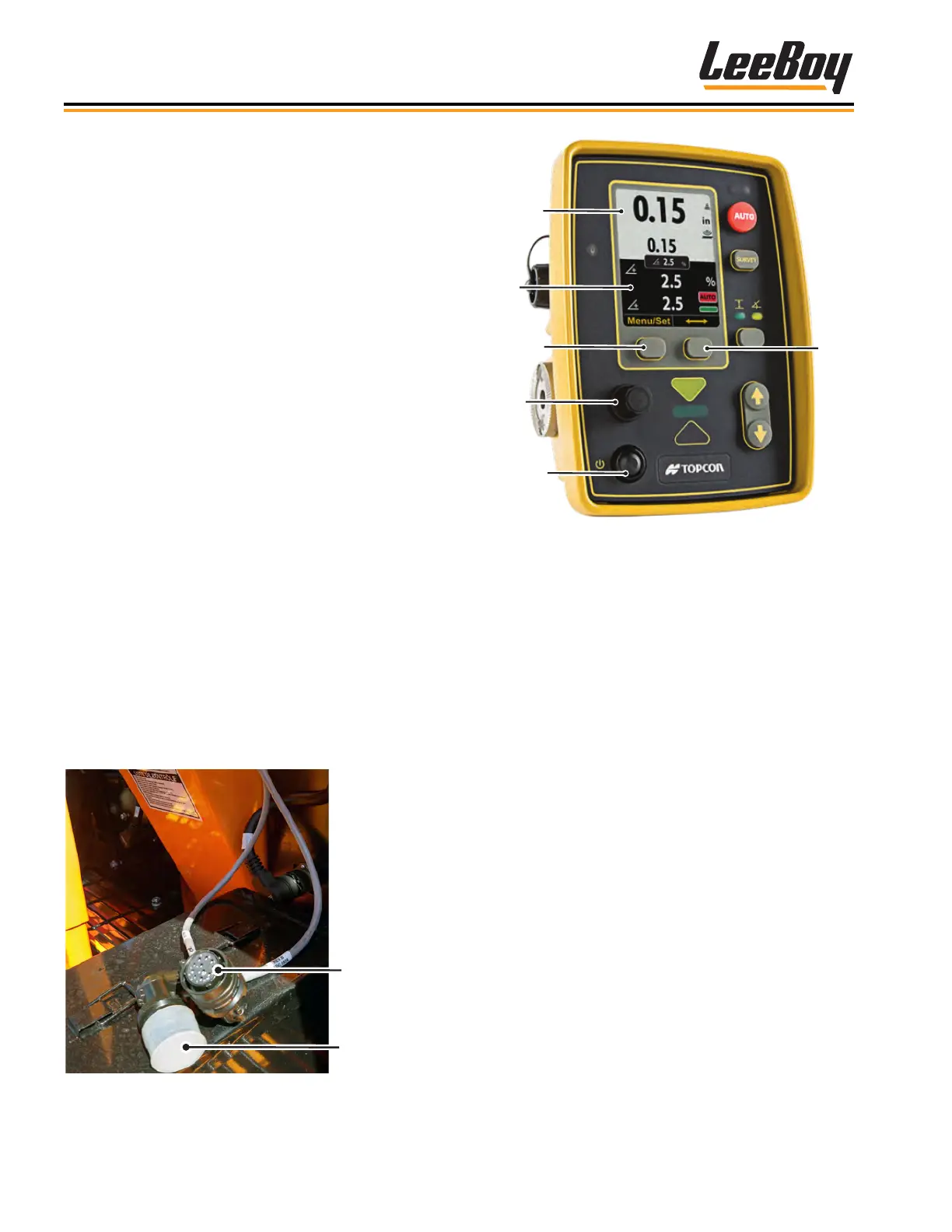
5. Connect the P32 plugs into the connectors on the
cables extending from the right side of the main
control panel column. (Figure 4-90) Each plug will
only t into its correct connector.
Connector
(Shown with Cap)
Connector
Figure 4-90. Connector Cables
On/O
Menu
Mode
Select
Knob
Digital
Display
Mode
Select
Display
Set
Figure 4-91. TopCon Sonic Grade Control Box
6. Push the power button to turn the system ON.
(Figure 4-91)
7. Turn the Mode Select Knob clockwise (or
counterclockwise depending on last setting used)
until the number 14 appears in the Mode Select
display window.
8. Press and hold the Set button for three seconds
and release.
9. Press Set button again.
10. Turn the Mode Select Knob until EXT (external)
appears in the Mode Select display window.
11. Press Set button again, then press Menu button.
12. Turn the Mode Select Knob until the number 50
appears in the Mode Select display window.
13. Repeat Steps 5 and 6 to set.
14. Turn the Mode Select Knob until the number 16
appears in the Mode Select display window. If the
tow arm cylinder does not begin to move, continue
turning the knob until it does. DO NOT raise or
lower the screed.
NOTE: This is the valve offset setting, which varies
from paver to paver. Make a note of this num-
ber on the Notes page provided in this manual
for future reference.



 To Next Page