176
DEFAULT
100%
0%
30%
60%
PUSH t > 2 s
067558 H4660M2
LN4660M2AM5860M2
Saving the rolling shutter position (preset)
Irrespective of the device configuration mode used, it is possible to change the Preset
position based on the needs of the user. The procedure is as follows:
1. Use the control device, or the flush mounted actuator, to move the shutter to the
desired position.
2. Press the STOP pushbutton for at least 10 seconds. The actuator assigned to the control
saves the position of the shutter.
3. To confirm that the position has been saved correctly, the two LEDs, UP and DOWN,
come on orange (green + red) or purple (red + blue) for 2 seconds.
Irrespective of the shutter position, once this has been stopped by pressing the STOP
pushbutton, it will be possible to move it to the preset position.
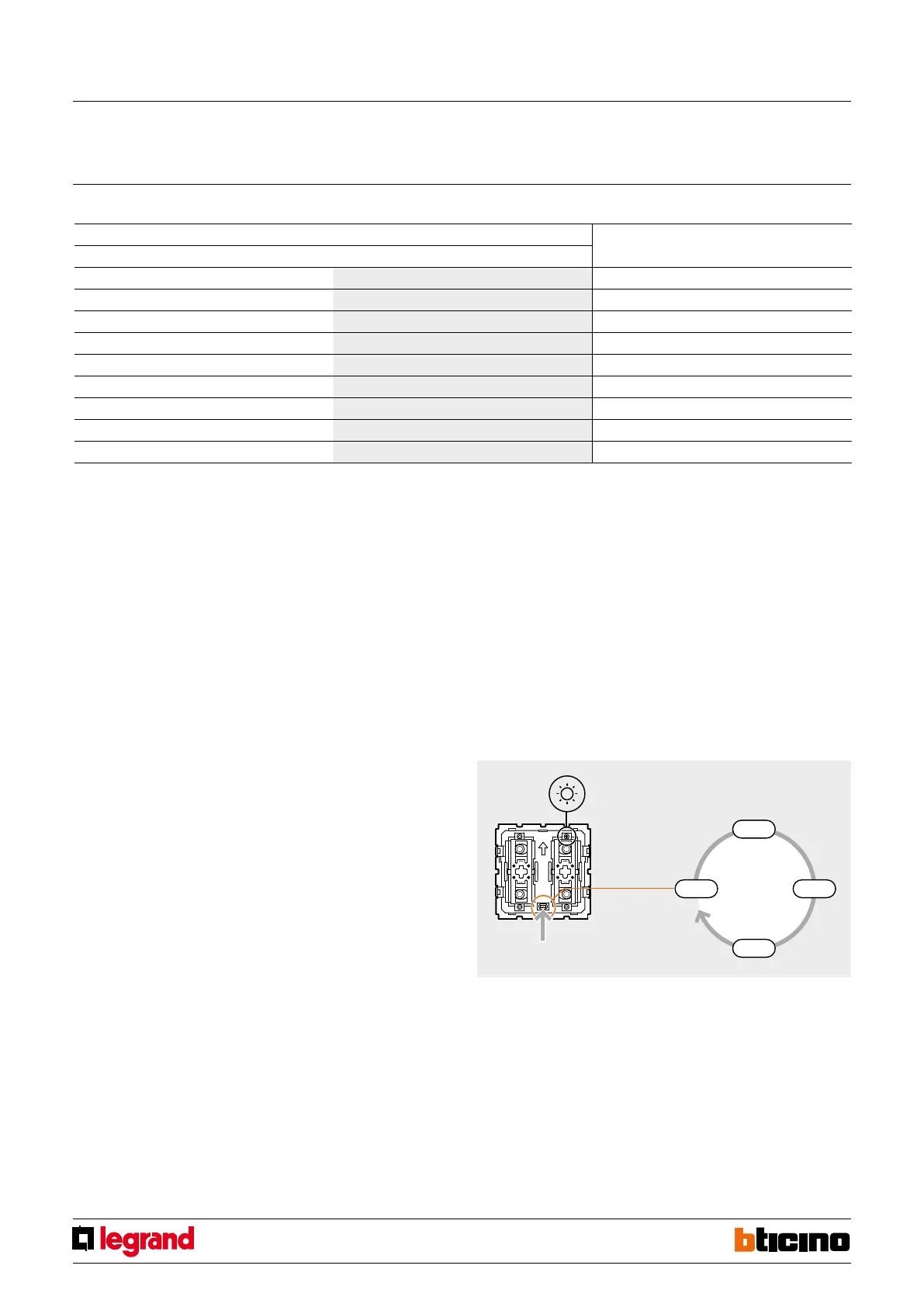
LED ADJUSTMENT
1. Press the configuration pushbutton for at least 2 seconds.
2. Hold down the pushbutton; the brightness of the LED will change every 2 seconds as
shown in the drawing.
3. Once the desired brightness level has been reached, release the pushbutton.
MQ00591-c-EN 09/06/2014
Rolling shutter management control
1.3 Selecting the Preset position
Virtual configuration (MYHOME_Suite) Physical configuration
Function Parameter / setting
Rolling shutter opening 10%
1
Pre=1
Rolling shutter opening 20%
2
Pre=2
Rolling shutter opening 30%
3
Pre=3
Rolling shutter opening 40%
4
Pre=4
Rolling shutter opening 50%
5
Pre=5
Rolling shutter opening 60%
6
Pre=6
Rolling shutter opening 70%
7
Pre=7
Rolling shutter opening 80%
8
Pre=8
Rolling shutter opening 90%
9
Pre=9
Operating mode for pulse motors with a 3rd limit switch.
After inserting the configurators 2 in the Type socket and 9 in the Pre position of the device, when
the STOP pushbutton of the control is pressed while the shutter is still, the shutter will move to
the position of the 3rd limit switch. If there is no Configurator, the "Preset" function is not active.
G1 = defines the 1 to 9 group of actuators it belongs to.



 To Next Page