188
L
N
M
N
L1
L2
L
N
067556 AM5851M2
H4671M2 LN4671M2
To configure the number 1 - 2047 of the scenario and of the buttons 0 - 31 on the
control device, use MYHOME_Suite virtual configuration
Control/actuator
MQ00411-e-EN 19/06/2014
5.3.2
Mode
Virtual configuration (MYHOME_Suite) Physical configuration
Top button 0-31 M2=CEN
Bottom button 0-31 M2=CEN
5.3.1
Addressing
Virtual configuration (MYHOME_Suite) Physical configuration
Addressing type
Room 0-10 A2=1-9
Lighting point 0-15 PL2=1-9
5.3 Programmed scenario activation
The scenarios can only be activated with the button on the right. If the device is configured in
PHYSICAL CONFIGURATION mode, the activated scenarios will be 1 and 2.
Scenarios activation
key cover
5.4 Plus programmed scenario activation
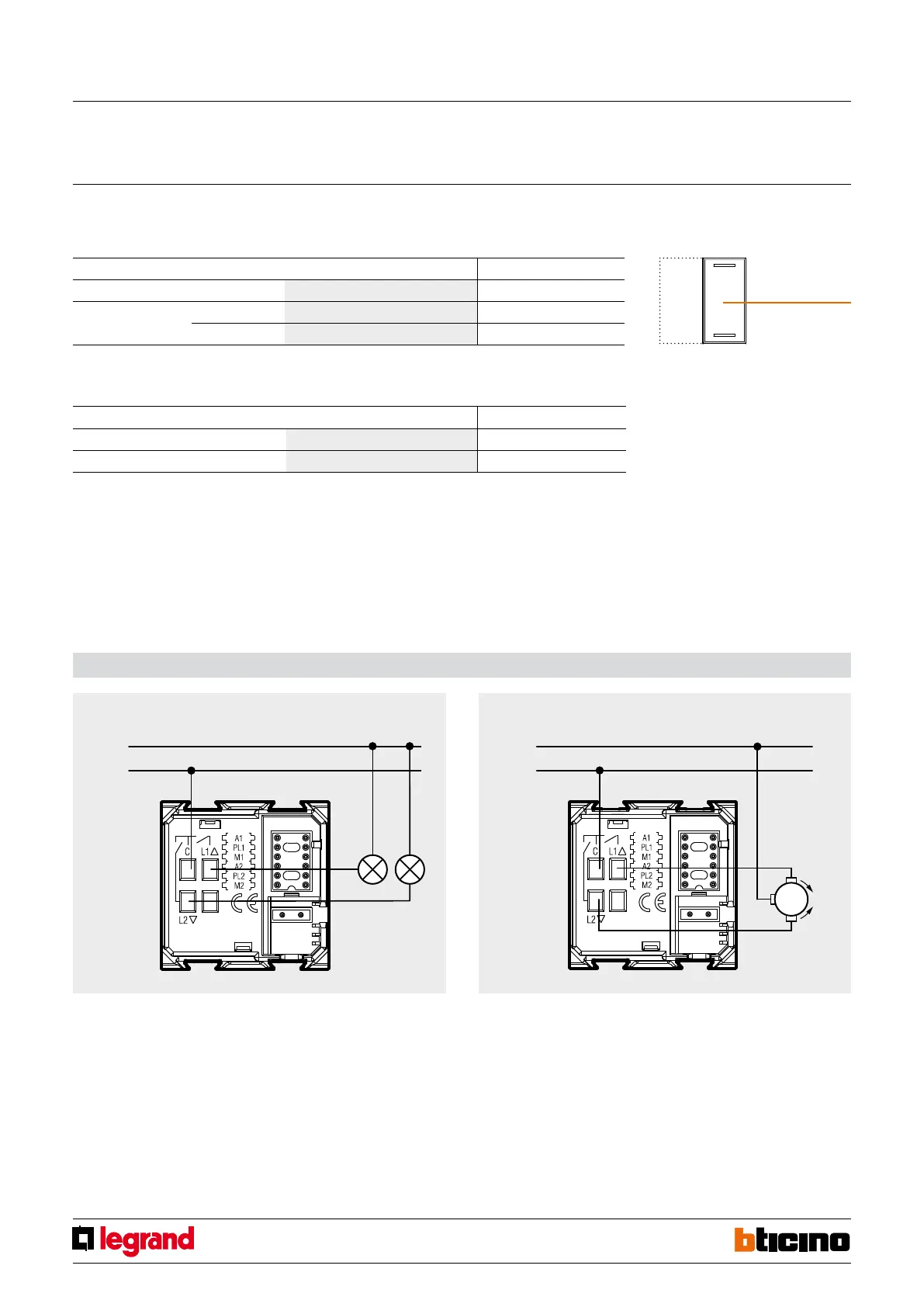
Wiring diagrams
Wiring diagram for light connection Wiring diagram for rolling shutter connection



 To Next Page