196
T2
T4
T1
T3
L4680
574503
N4680
573902
NT4680
573903
HD4680
067217
HC4680
067218
HS4680
574504
Scenario control
MQ00288-c-EN 09/06/2014
Scenario programming
In order to program, change or cancel a scenario, it is necessary to enable the program-
ming mode of the Module item F420 so that the status LED is green (press the lock/
unlock key on the Scenario Module for at least 0.5 seconds); continue with the following
operations:
1) Press one of the four control keys the scenario should be associated to for 4 seconds.
The corresponding LED starts flashing.
2) Set the scenario using the corresponding controls for the various Automation, Tem-
perature control, Sound system, etc. functions.
3) Confirm the scenario by quickly pressing the corresponding key on the control to exit
programming mode.
4) To change or create new scenarios to be linked to the other keys, repeat the procedure
starting from point 1. To recall an already set scenario, briefly pressing the corresponding
button on the control is enough.
NOTES:
Once the operations have been performed lock the programming, pressing the lock/
unlock pushbutton, of the scenario module, for at least 0.5 seconds, so that the corre-
sponding LED becomes red.
To delete a scenario, proceed as follows:
1) The scenario module must be enabled for programming.
2) Press the pushbutton of the scenario you want to cancel for at least 10 seconds: the
corresponding LED will start flashing quickly for about 2 seconds, thus indicating that
the scenario has been cancelled. If the LED does not flash, it means that the control has
failed.
To erase the entire memory keep the DEL pushbutton on the Scenario module pressed for
10 seconds, the yellow “reset scenarios” LED flashes quickly.
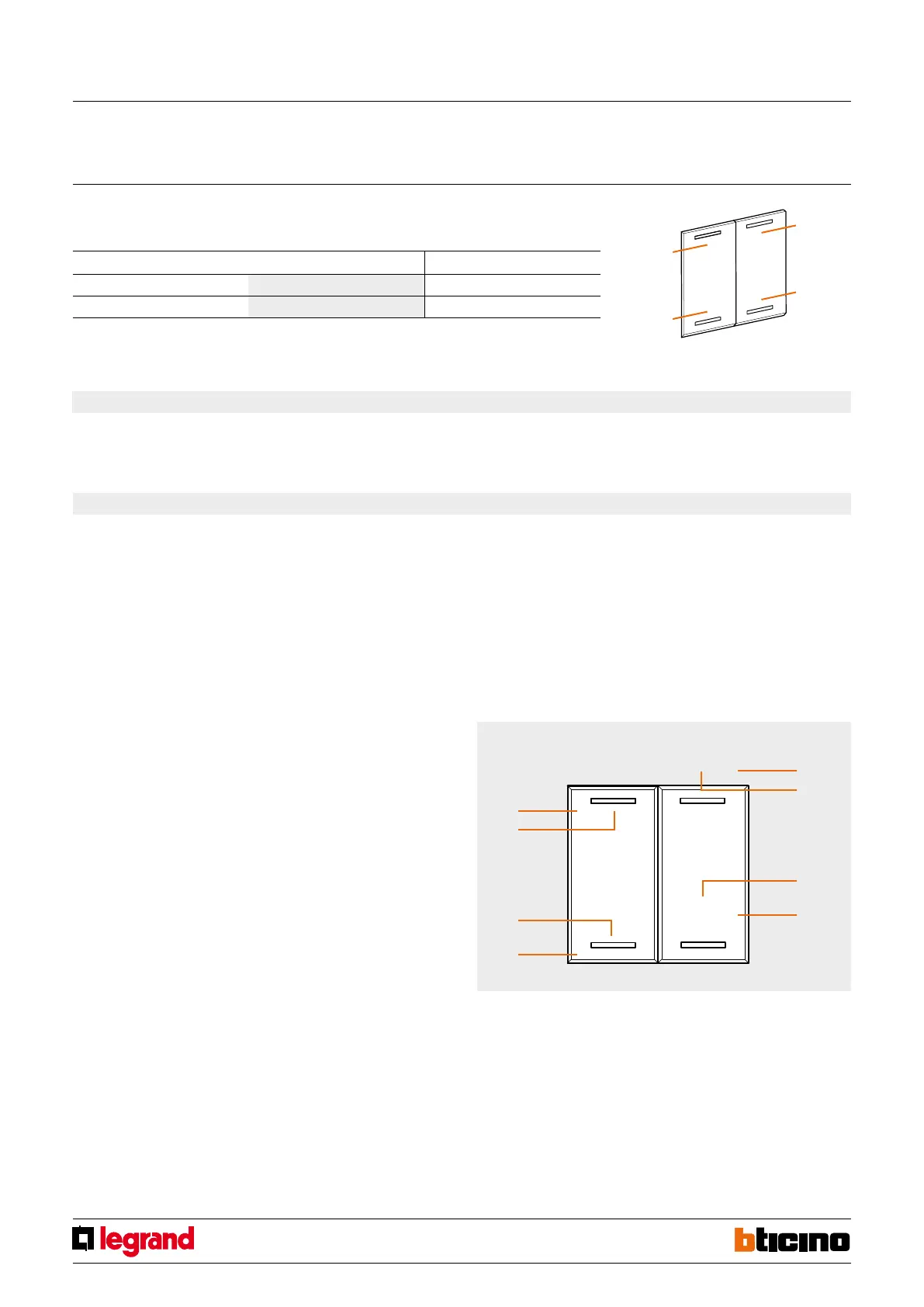
Button 2
Button 2 LED
Button 4
Button 4 LED
Button 1
Button 1 LED
Button 3
Button 3 LED
Buttons for managing scenarios
3. PLUS programmed scenario activation
To configure address 1 - 2047 of the scenario and of the number of buttons 0 - 31 use
MYHOME_Suite virtual configuration
Virtual configuration (MYHOME_Suite) Physical configuration
Top button 0-31 SPE=0 M=CEN
Bottom button 0-31 SPE=0 M=CEN
2.2 Scenario number
NOTE:
T1-T4 = scenario buttons 1-4


 To Next Page