Group 7 Data Entry Page 120
Release 3.00 Leibinger-Jet 2 se
7.7.6.4 Software information
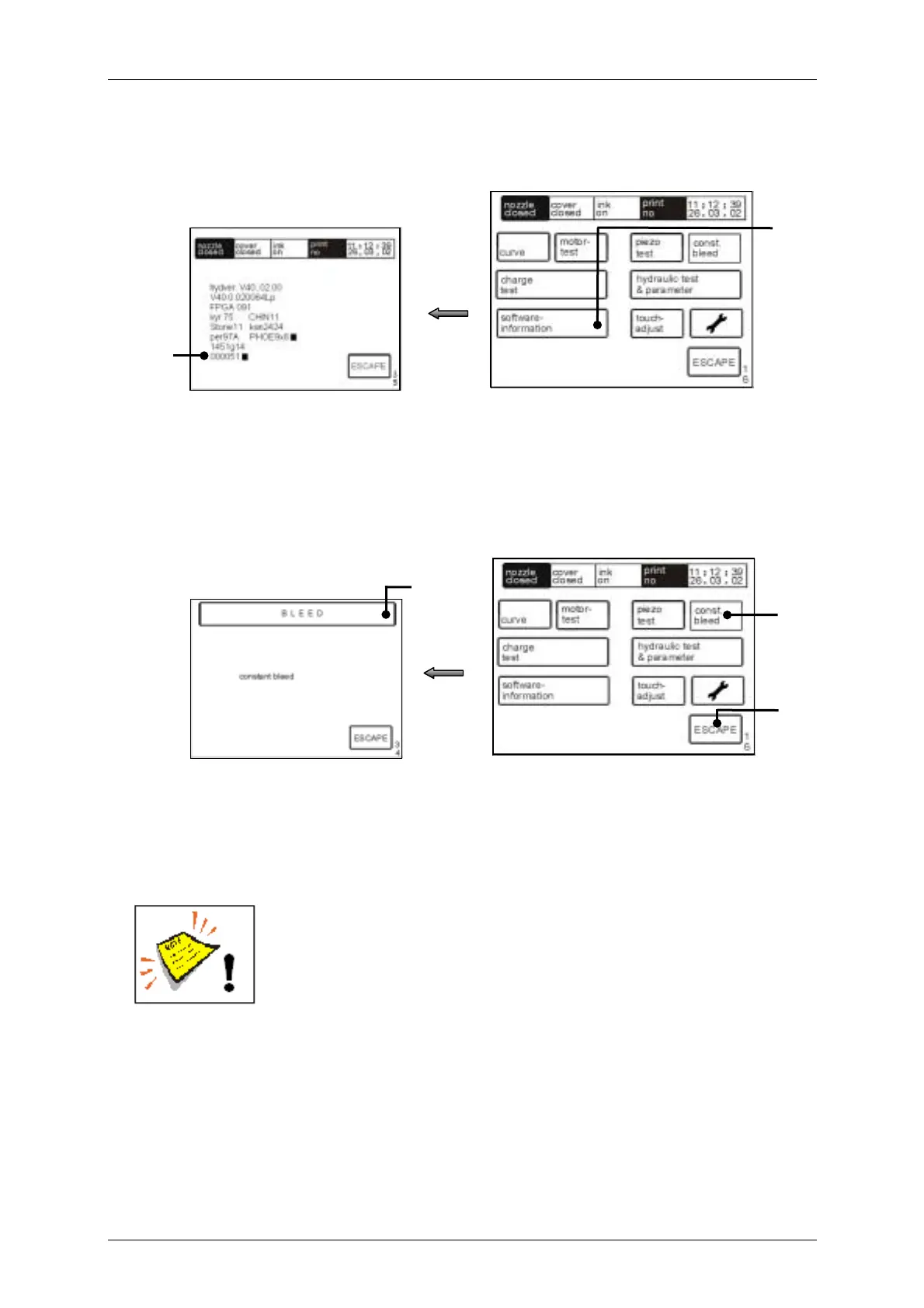
Figure 97
The touch field <software information> (178) displays the software statuses and the
operating hours counter (179).
7.7.6.5 Permanent bleeding
Figure 98
The touch field <const. bleed> (180) starts the permanent bleed of the device. The
status field (181) blinks during the procedure and the notification “Bleed” is displayed.
The bleeding can be cancelled at any time by pressing on the touch field <ESCAPE>
(182). During this process the visco pump will be activated for 3 sec. every minute to
guarantee that the pump will be flushed.
The function permanent bleed can be only activated if the device
is working under the following conditions:
! the ink supply is switched on
! the head cover has been removed.
[E34]
181
[E16]
180
182
[E35]
179
178
[E16]



 To Next Page