Group 7 Data Entry Page 89
Release 3.00 Leibinger-Jet 2 se
7.3.4 Storing and listing jobs
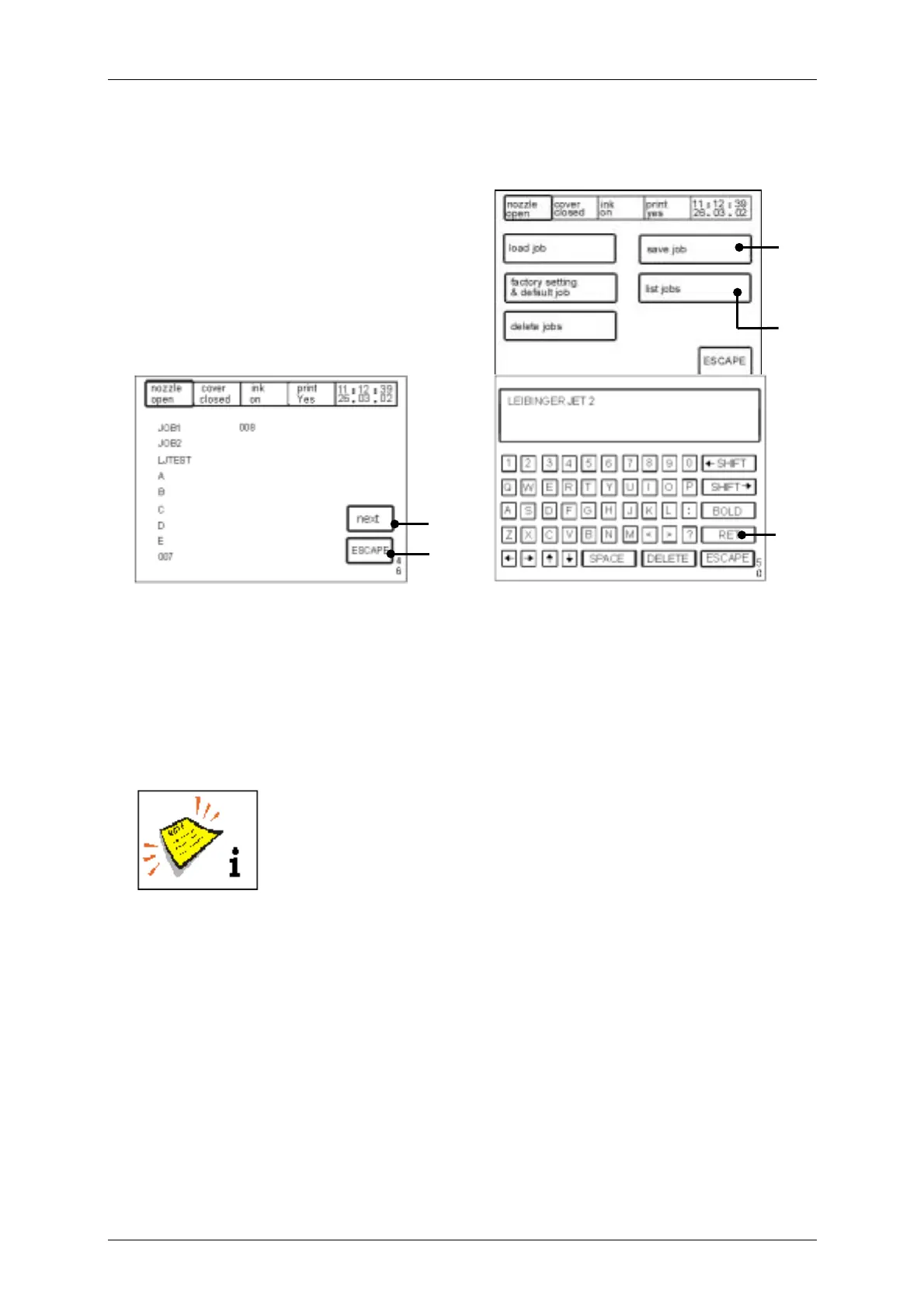
Figure 63
The touch field <save job> (72) serves the
storage of a newly created/entered job.
The <E50> menu is called up to input the
job/memory name. The entry is saved by
means of the <RET> (73) touch field.
The touch field <list jobs> (74) The touch field <list jobs> (74) activates a listing [menu
level <E46>] of all jobs present.
The following options can be carried out:
! Further jobs, if available, can be displayed by pressing the touch field <next> (75).
! By means of touching the touch field <ESCAPE> (76) the menu can be ended.
Further more there is also the optional possibility to download all
jobs to a PC for protection of saved data!
For this you will need a special connection cable as well as the
Leibinger program”LJ-Flash”.
[E5]
74
72
75
[E46]
76
[E50]
73



 To Next Page