Group 7 Data Entry Page 123
Release 3.00 Leibinger-Jet 2 se
The <Intervall time> mode (202) enables the entry of start and limit times at which the
LEIBINGER-JET 2 switches itself on or off automatically for circulation of the ink (e.g.: at
10.25 hours the device switches on / at 10.40 hours the device switches off).
This function prevents the drying of the ink and the jets becoming stuck up during
operation interruptions.
At the same time the set values are displayed in all above mentioned fields.
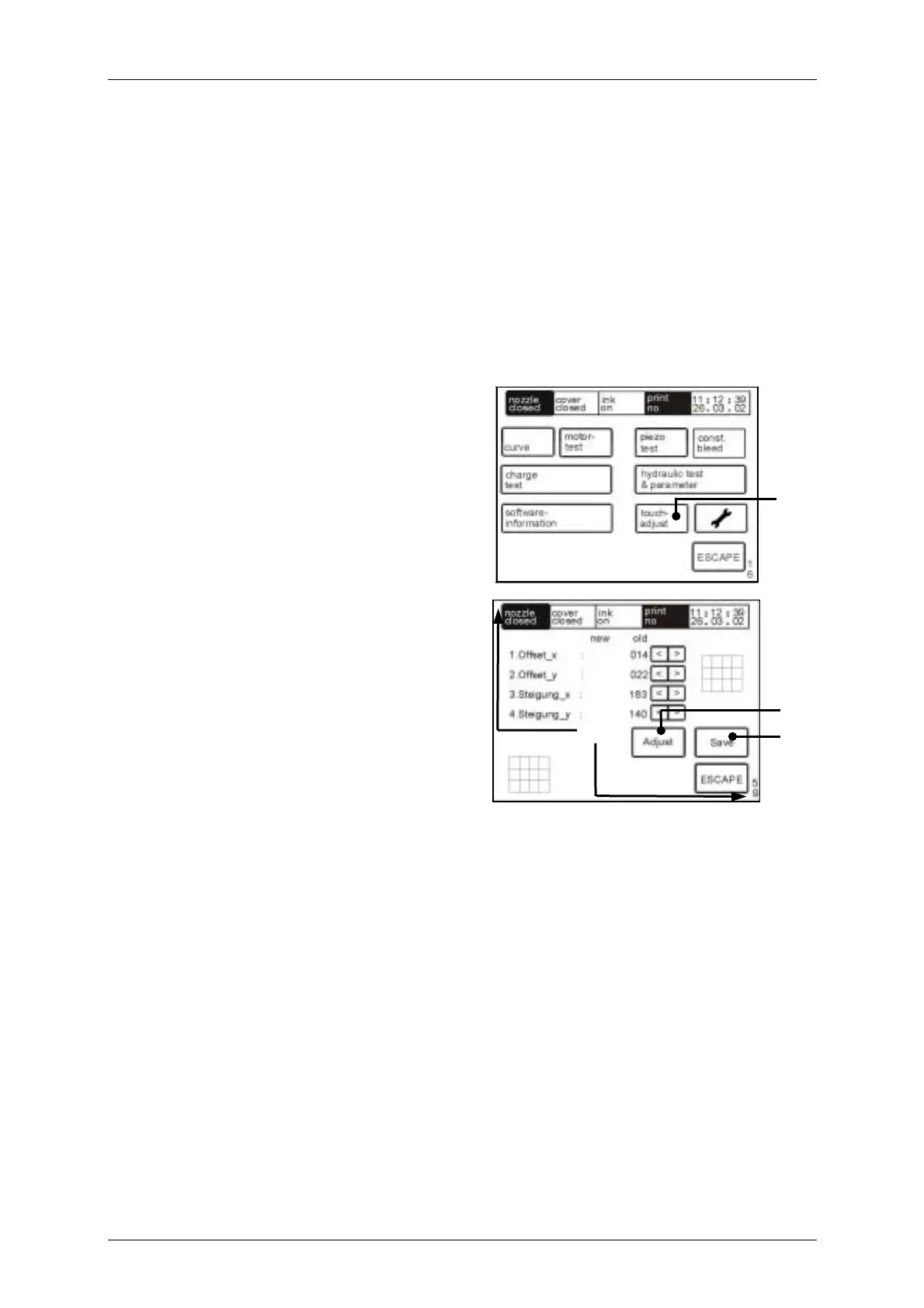
7.7.6.7 Touch screen calibration
Figure 101
The touch field <touch adjust> (220)
opens the calibration menu <E59>.
The display is adjusted with the <adjust>
field (221) and by tapping on the upper
calibration point (222) and by subsequent
tapping on the lower calibration point (222).
The storage is performed with the touch
field <save> (223).
The calibration points are shown as small
squares &.
[E59]
221
223
222
220
[E16]



 To Next Page