Group 7 Data Entry Page 78
Release 3.00 Leibinger-Jet 2 se
7.2.3 Text editor
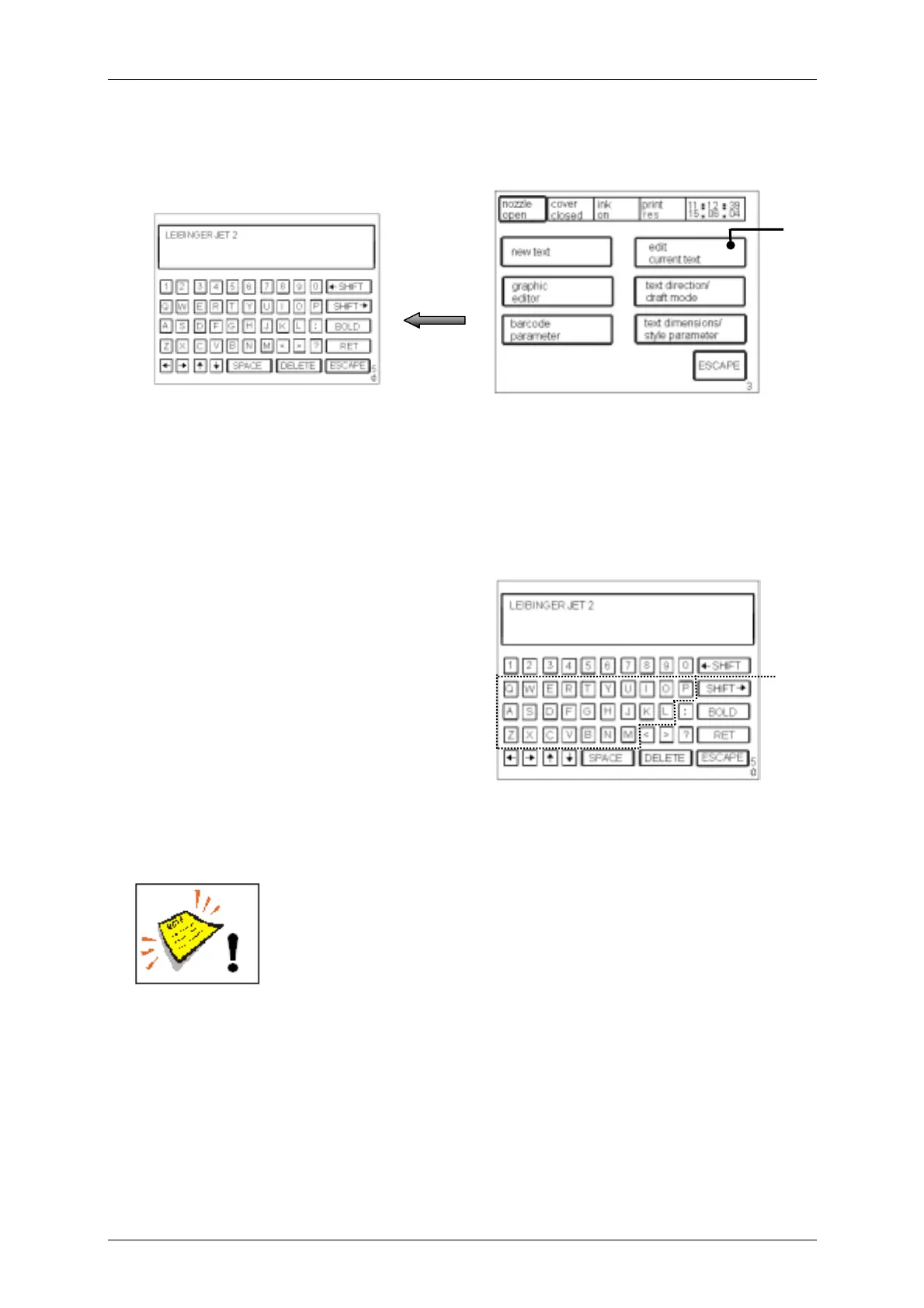
Figure 51
The touch field <edit current text> (35) enables the alteration of a text module already
entered. The “keyboard field” <E50> is called up for editing.
7.2.4 Graphics entry/graphics selection
Figure 52
fter choosing the graphic input in the
menu level <E18> the „line selection menu“
<E15> and afterwards the “key-board field”
<E50> will be activated for input.
A graphic is defined behind each letter [A-
Z] (36) of the keyboard field. The defined
graphic is adopted in the print-out by
pressing a symbol. In the display
only the letter is shown. The real graphic will be only shown in the menu level <E1>.
You will find a list with the saved graphics with it’s reference in the enclosure of this
manual!
The max. height of graphics is 24 dots.
35
[E3]
[E50]
[E50]
36



 To Next Page