Group 7 Data Entry Page 98
Release 3.00 Leibinger-Jet 2 se
7.5 Print start parameters
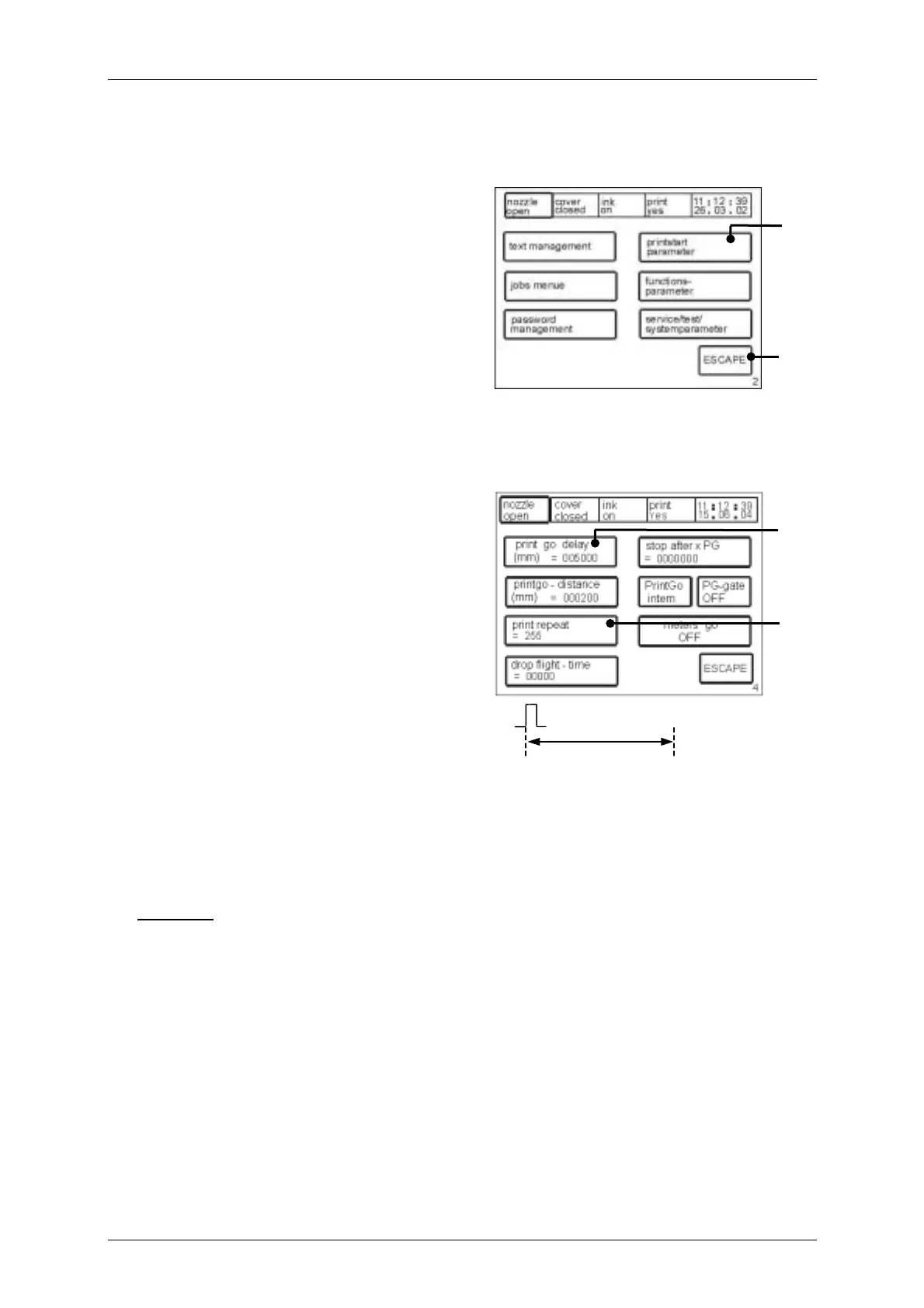
Figure 71
With the touch field<printstart parameter>
(100) the form of the print-out is deter-mined.
The print parameter administration surface
<E4> is called up.
The touch field <ESCAPE> (101) ends the
menu and leads back into the previous
operation level.
7.5.1 Print delay and print repetition
Figure 72
The touch field <print go delay> (102)
enables the delay of the print-out by the
value entered in mm. At the same time the
current value is displayed in the field in
addition.
The higher the value entered the later the
print-out begins.
The basic setting, for the entry of the
values in mm, is carried out in the
programming level <E14> with the touch
field <Pulses per mm>.
text
PG signal (beginning)
The touch field <print repeat> (103) enables the entry of the number of print-outs, at the
same time the current value is also displayed in the field. Values between 0-255 are
admissible.
Example:
000 = single print-out
001 = double print-out
255 = endless repetition
100
[E2]
101
102
[E4]
103
print delay



 To Next Page