Group 7 Data Entry Page 84
Release 3.00 Leibinger-Jet 2 se
7.2.7.2 Barcode selection
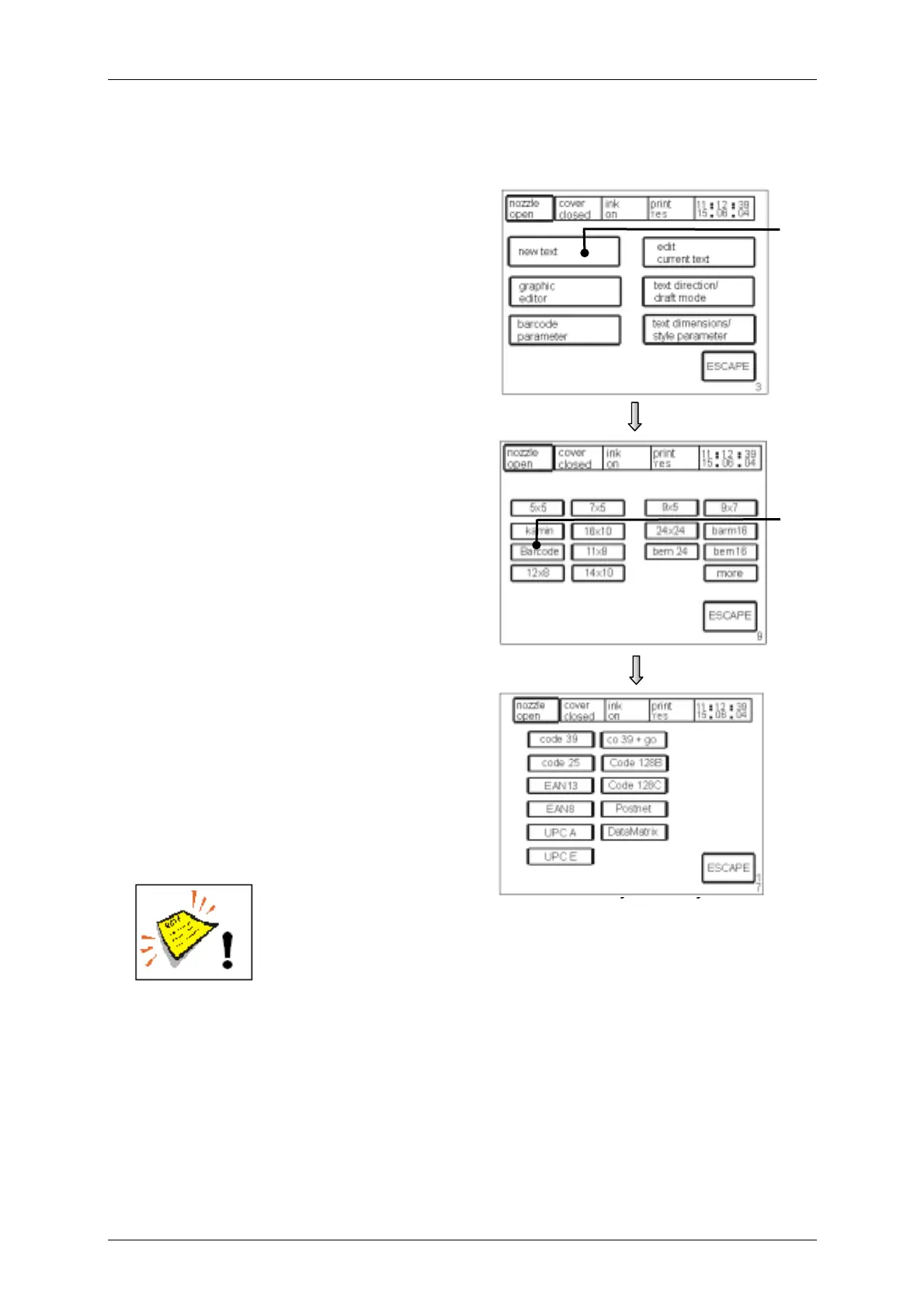
Figure 55
To make a choice of the Barcode you have
to open the „barcode selection
menu“<E17>.
Manner of proceeding:
By pressing the touch field <new text> (44)
the “font menu” <E9>.will be called up in
the menu level <E3>.
The touch field <Barcode> (45) acti-vates
the „barcode selection menu“ <E17> in
which you can choose the requested
Barcode.
The further process corresponds with the
procedure of the text input.
You will find further information in the
chapter Text entry.
Note! The Leibinger-Jet 2 does not carry out any check digit
calculations generally.
This has to be carried out external in advance!
44
[E3]
[E17]
[E9]
45



 To Next Page