Group 6 Operation – procedures and elements Page 51
Release 3.00 Leibinger-Jet 2 se
6.3.1.5 Software Reset
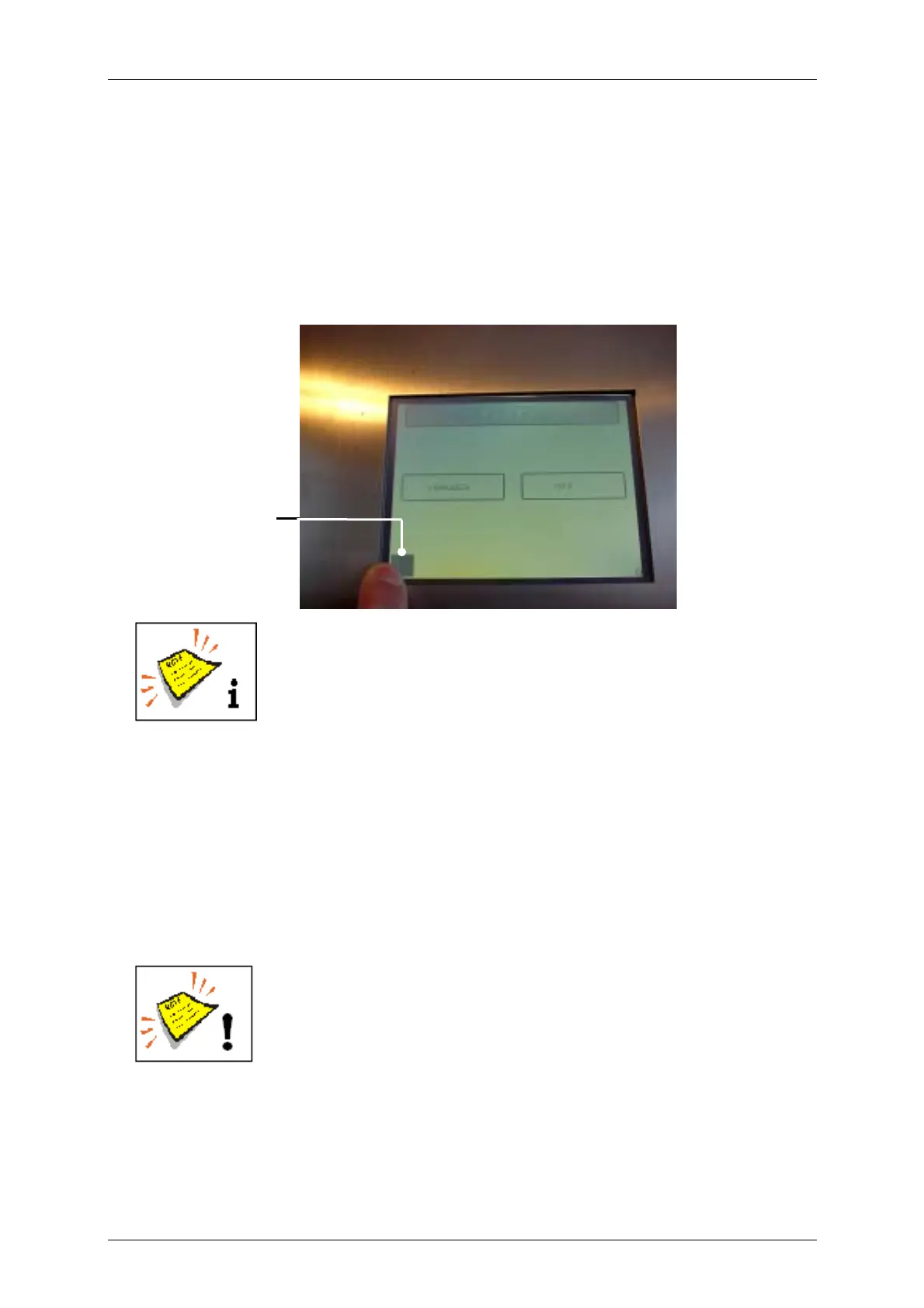
Hidden reset button (defined position on the touch screen):
With this hidden reset button a factory setting can be carried out when switching on the
device. The device is started with the standard settings and a default job, i.e. type
height/width, bar code and print start parameters are reseted.
Figure 19
1 – Hidden reset
button
The consequences of a reset must be observed!
Manner of proceeding:
! On the printer that is switched off, you have to touch the LCD touch display on the
left bottom corner until the printer will switch on (please see figure above).
! After some seconds a small black square will appear exactly under your finger and
will disappear again after some more seconds.
! The finger has to stay in this position until the square has disappeared and must not
taken away before!
Attention!
Keep the square pressed until it has disappeared.
1



 To Next Page