14.6 Calibrating the Digital Compass
☞
For correct measurement results, it is recommended to perform a
compass calibration every time you set up the instrument. For this
purpose, you can set the compass calibration screen as the start
screen. Refer to 6.1 Work Settings.
1. Select Tools from the Main Menu.
2. Select Adjust from the Tools Menu.
3. Select F3 Digital Compass from the Check & Adjust screen.
4. Read the instruction in the displayed information message. Press
the softkey Cont (F4) to start with the compass calibration.
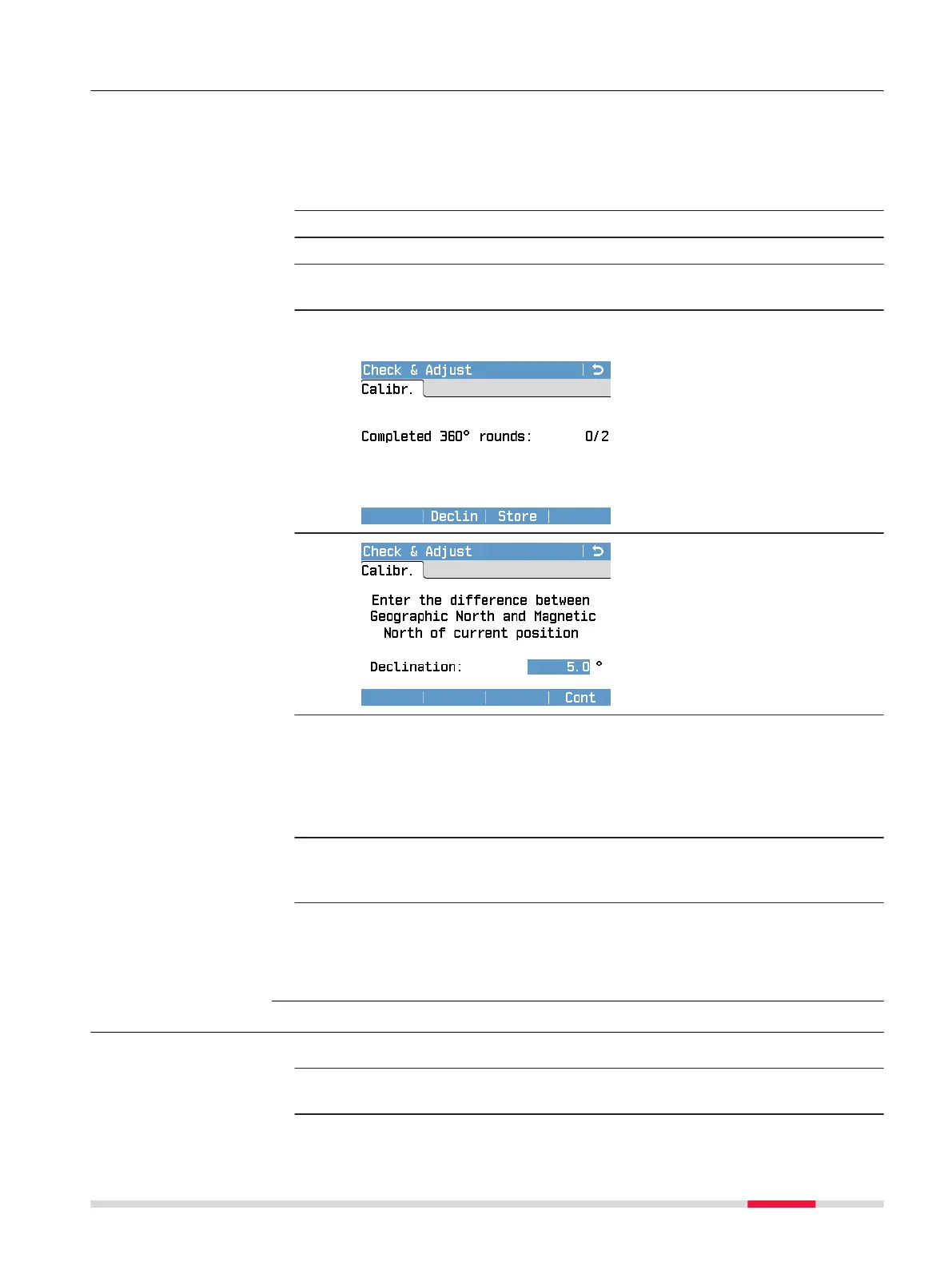
5. The following screen is dis-
played:
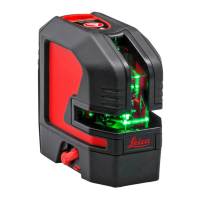
6. If it is required to enter a correc-
tion value for the magnetic decli-
nation in the current location,
press the softkey Declin (F3).
Enter the declination value. To
store the entered value, press
Cont (F4).
☞
Magnetic declination is the difference between geographic north
and magnetic north and changes with the location on earth and also
over time. The magnetic declination is given in degrees. A positive
value indicates a declination east of north, a negative value a decli-
nation west of north. To get a correct calibration result, you need to
enter the current magnetic declination at your position.
7. Rotate the instrument at least twice about 360°. While rotating, the
eld Completed 360° rounds displays the number of already com-
pleted rounds.
8. To complete the compass calibration, press Cont (F4).
An information message is displayed to inform you whether the
compass calibration has been successful. To conrm the information
message, press Cont (F4).
14.7 Adjusting the Circular Level of the Instrument
1. Place and secure the instrument on the tribrach.
2. Using the tribrach footscrews, level the instrument with the circular
level.
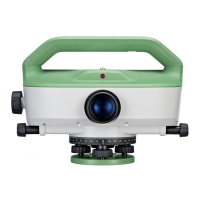
Only for LS15 -
step-by-step
Adjust the circular
level step-by-step
Check & Adjust 103


 To Next Page