11 MapView
11.1 Overview
The MapView functionality is only available on the LS15 instrument.
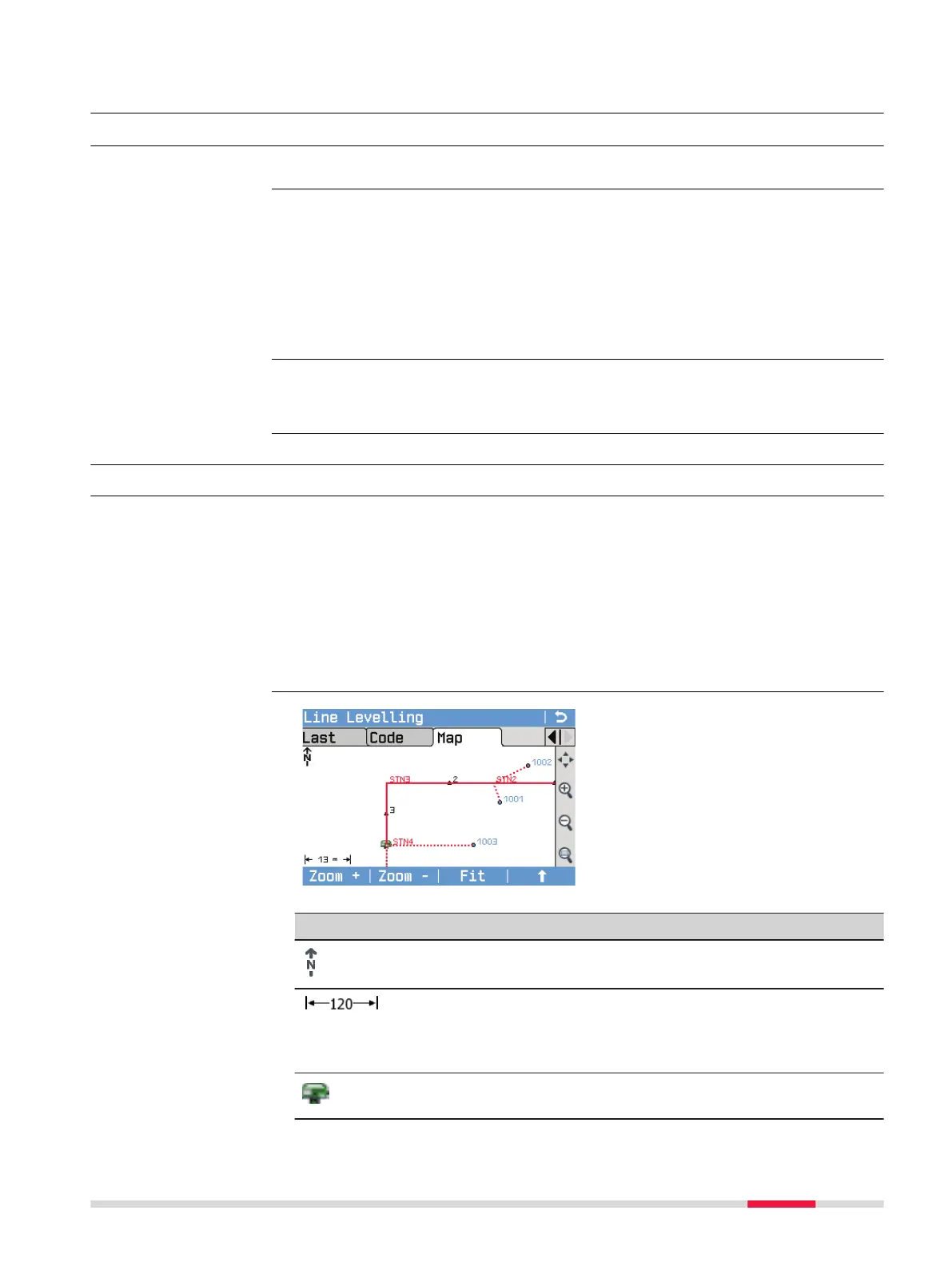
MapView is an interactive display feature embedded in the rmware. MapView
provides a graphical display of the current and the last four instrument sta-
tions. In MapView, all line measurements and intermediate sights are drawn
according to their orientation in order to give you a better understanding of
how the different measurement data are related to each other.
In all modes of MapView the displayed data can be shifted by using both, the
arrow keys and the touch screen.
The MapView functionality is available as a separate page within applications.
Within Q-Level or LineLevel, change to the page Map.
11.2 MapView Components
11.2.1 Screen Area
Standard functionality is provided by softkeys, keys and a toolbar within
MapView.
The softkeys are available regardless of the mode in which MapView was
accessed and always perform the same functions.
On the right side of the screen, a toolbar with icons is available. Some func-
tions of the toolbar can also be performed by using a softkey or key instead.
Refer to the following table for a description of the toolbar functions and
their respective softkey/key equivalents, if available.
Symbol Description
North arrow. North is always orientated towards the top of
the screen.
Scale of the current screen. The minimum is 0.04 m. There is
no maximum for the zoom but the scale cannot display val-
ues greater than 99999 m. In this case the value displayed
will be >99999 m.
Position of the instrument station. The ID of a station is dis-
played in red.
Availability
Description
Access
Description
Elements of the Map
page
MapView 79



 To Next Page