3 User Interface
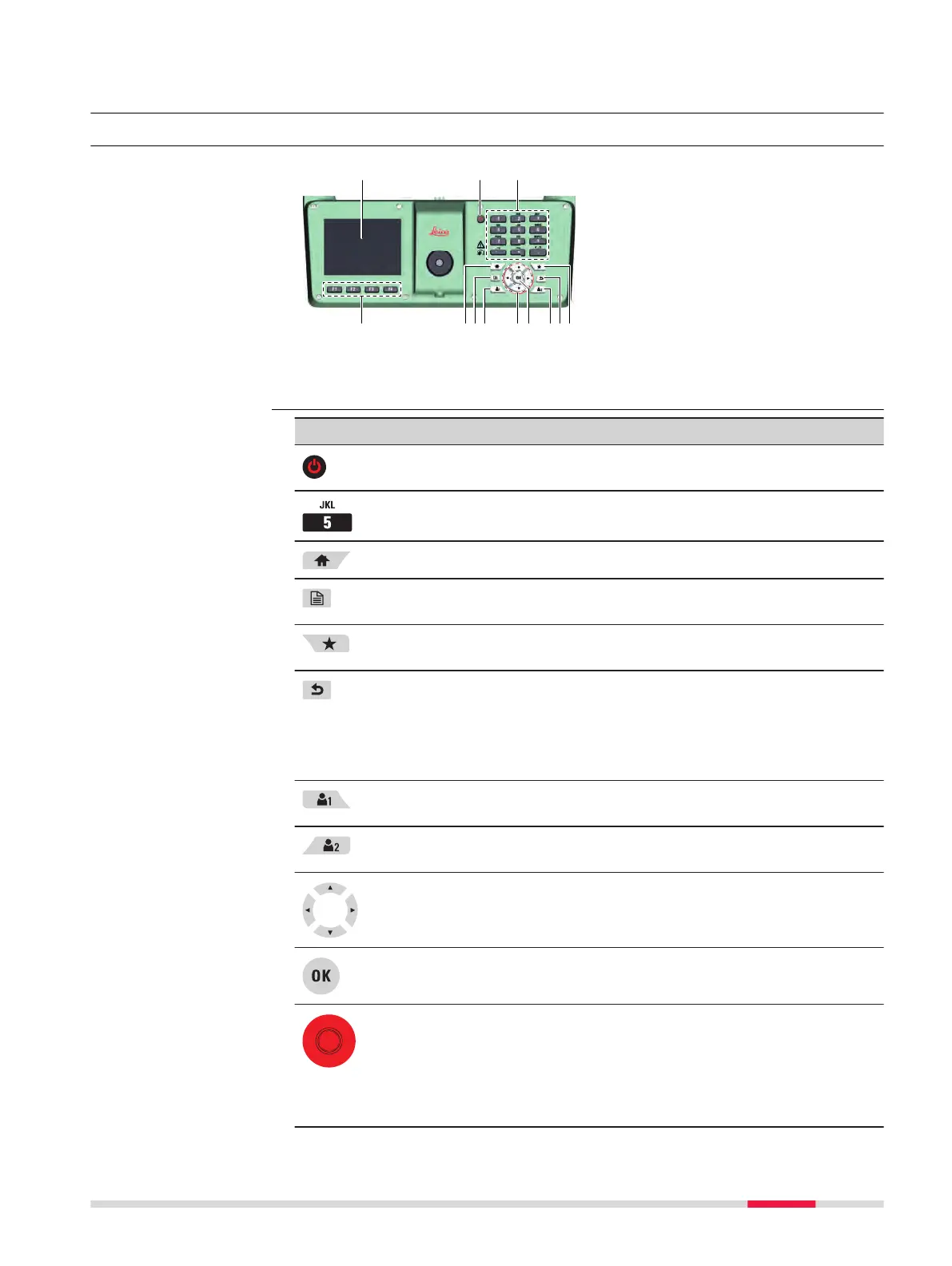
3.1 Keyboard
a Touch screen
b
ON/OFF key
c Alphanumeric keypad
d Function keys F1 to F4
e Home key
f Page key
g User key 1
h Navigation keys
i Enter key
j User key 2
k ESC key
l Favourites key
Key Description
ON/OFF key to switch the instrument on or off or to set it
into standby mode.
Alphanumeric keypad for entering text and numerical values.
Home key. Returns to the Main Menu.
Page key. Displays the next screen when several screens are
available.
Favourites key. Quick-access to measurement supporting
functions.
ESC key (in general): Quits a screen or edit mode without
saving changes. Returns to next higher level.
ESC key (in all levelling applications): After conrming the
action, the ESC key deletes the last observation and allows
to repeat it.
User key 1. Programmable with a function from the Favour-
ites menu.
User key 2. Programmable with a function from the Favour-
ites menu.
Navigation keys. Control the focus bar within the screen and
the entry bar within a eld.
ENTER key. Conrms an entry and continues to the next
eld.
Trigger key. Triggers a measurement. Programmable with
functions which allow the auto-focussing of the telescope
(only LS15), the height and distance reading and the storing
of the measurement data.
For details on how to dene the functions of trigger key,
refer to 6.1 Work Settings.
Keyboard
Keys
User Interface 19



 To Next Page