Page Description
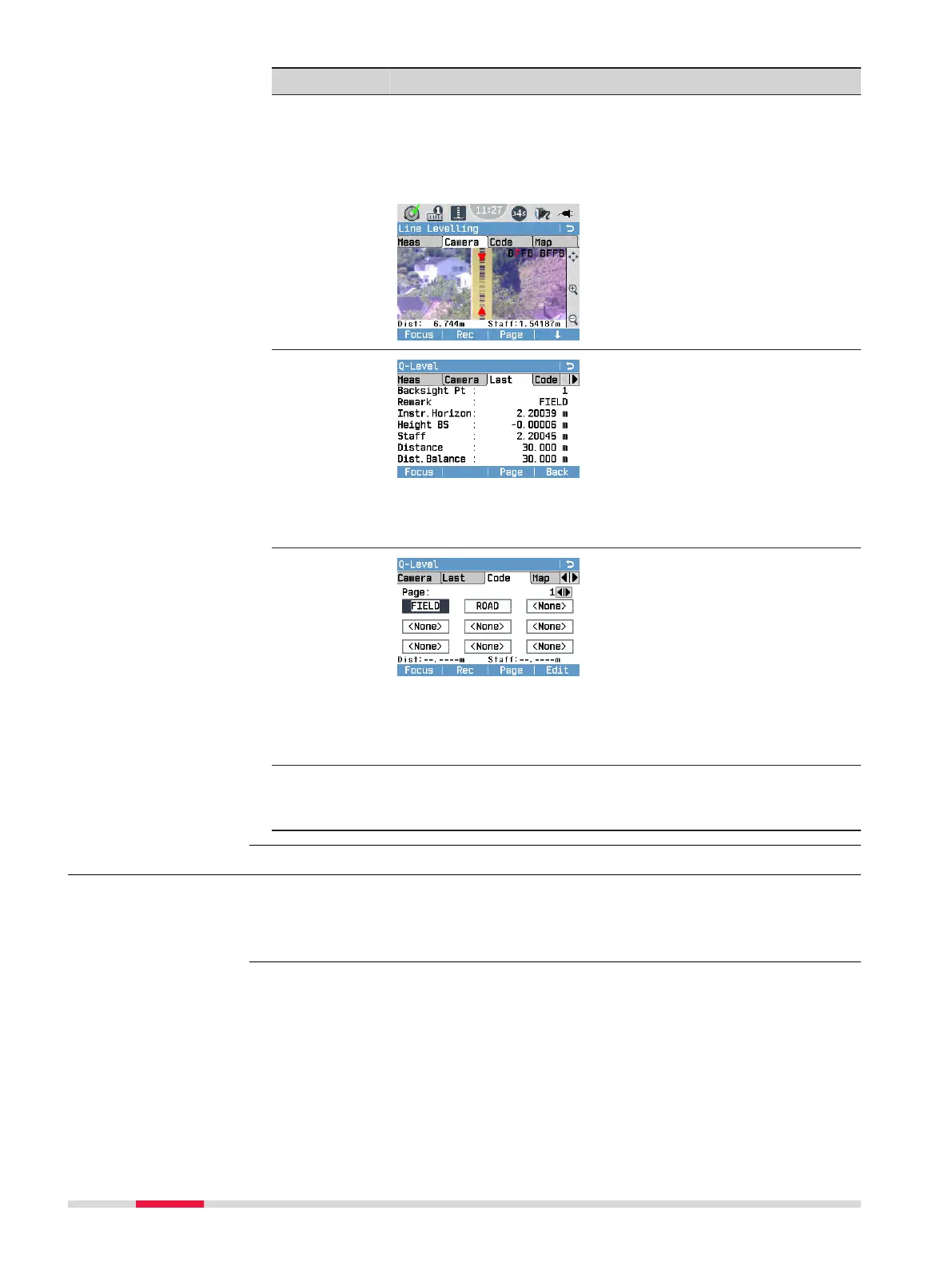
Camera
(only LS15)
This page displays the live image of the overview camera.
Use the Camera page to quickly aim at the staff.
The selected levelling method is displayed in the upper right-
hand corner with the current measurement step (backsight
or foresight) highlighted in red.
Last
This page is only available after the rst measurement has
been stored. The values of the last measurement are dis-
played.
Code
This page contains a list of codes.
Highlight a code to add it to the next measurement. Press
Edit to edit the selected code in the Manage Codes screen.
For more details on managing codes, refer to 9 Coding.
Map
(only LS15)
This page displays a graphical overview of the last ve
instrument stations and the related measurements. For
more details refer to 11 MapView.
7.4.2 Setting a Job
All data is saved in Jobs, like le directories. Jobs contain measurement data of
different types, for example measurements, codes, xpoints or stations. Jobs
are individually manageable and can be exported, edited or deleted separately.
Description
60 Programs



 To Next Page