5. Accept with Cont.
☞
If you activate the Tilt Check functionality, the instrument checks
the longitudinal and transversal tilt before taking a measurement. If
the instrument needs to be levelled again, a warning message is dis-
played.
To activate or deactivate the Tilt Check functionality, tap on the Level &
Tilt Check icon and press the softkey Page (F3). On the Check page, select
On or Off and press the softkey Cont.
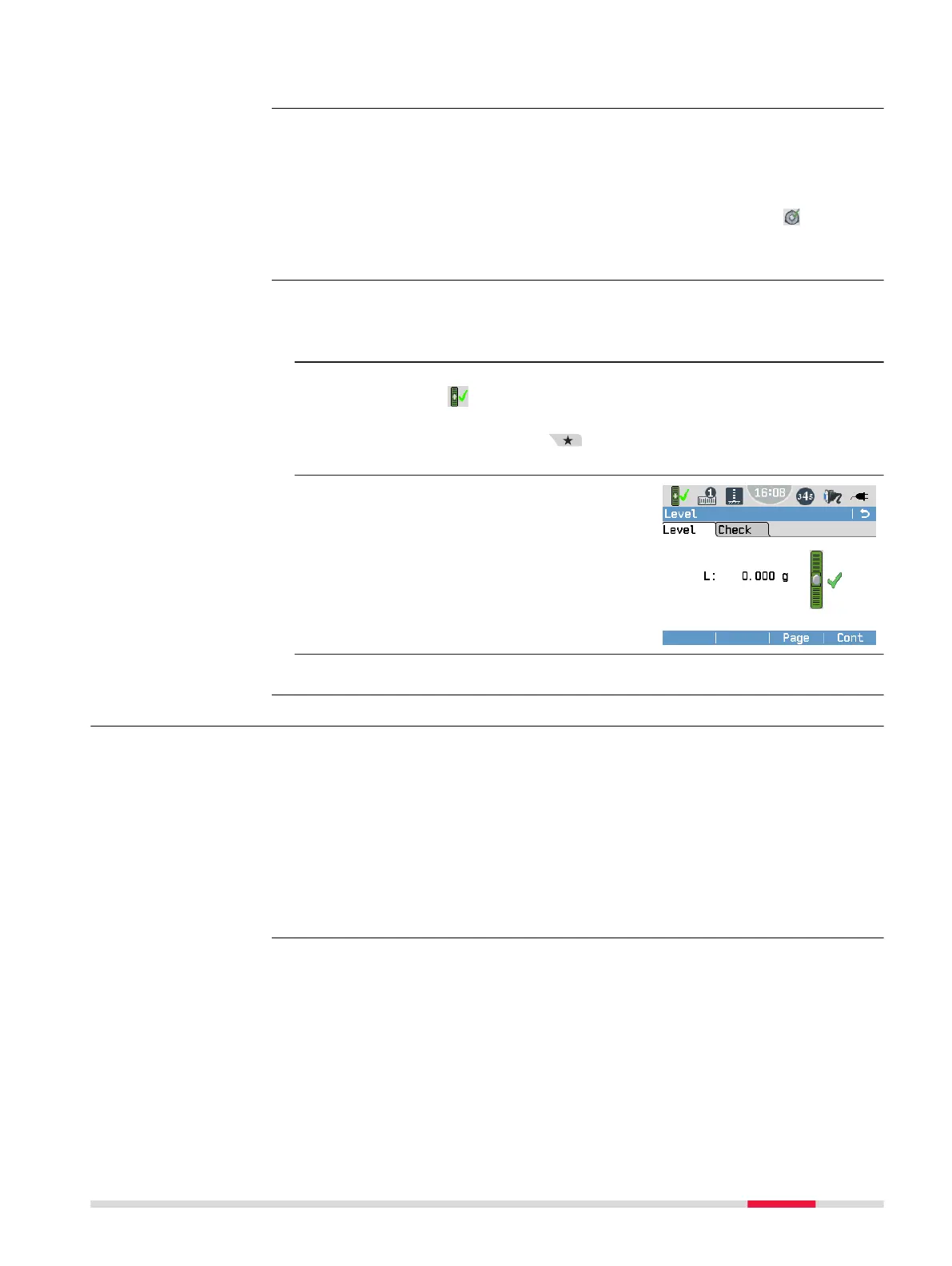
The digital level bubble allows you to precisely level the instrument.
1. Centre the bubble of the circular level as described in 4.3 Instru-
ment Setup, Setup step-by-step.
2. Turn on the instrument.
Tap on the Level & Tilt Check icon.
OR
Press the Favourites key from within any program and select
Level.
3. To centre the bubble of the digital
tubular level, turn footscrew C.
☞
When a checkmark is dis-
played, the instrument is
levelled sufciently.
4. Accept with Cont.
4.5 Main Menu
The Main Menu is the starting place for accessing all functionality of the
instrument.
☞
If desired, you can congure the instrument to start with a user-
dened screen instead of the Main Menu. Refer to 6.1 Work Set-
tings.
☞
For the LS15, it is recommended to dene the Compass Calib applic-
ation as starting screen. To allow the visualisation of levelling lines
within the ofce software, the compass should be calibrated on each
instrument startup.
Activating Tilt Check
For LS10:
Precise levelling with
the digital level
bubble step-by-step
Description
Operation 29


 To Next Page