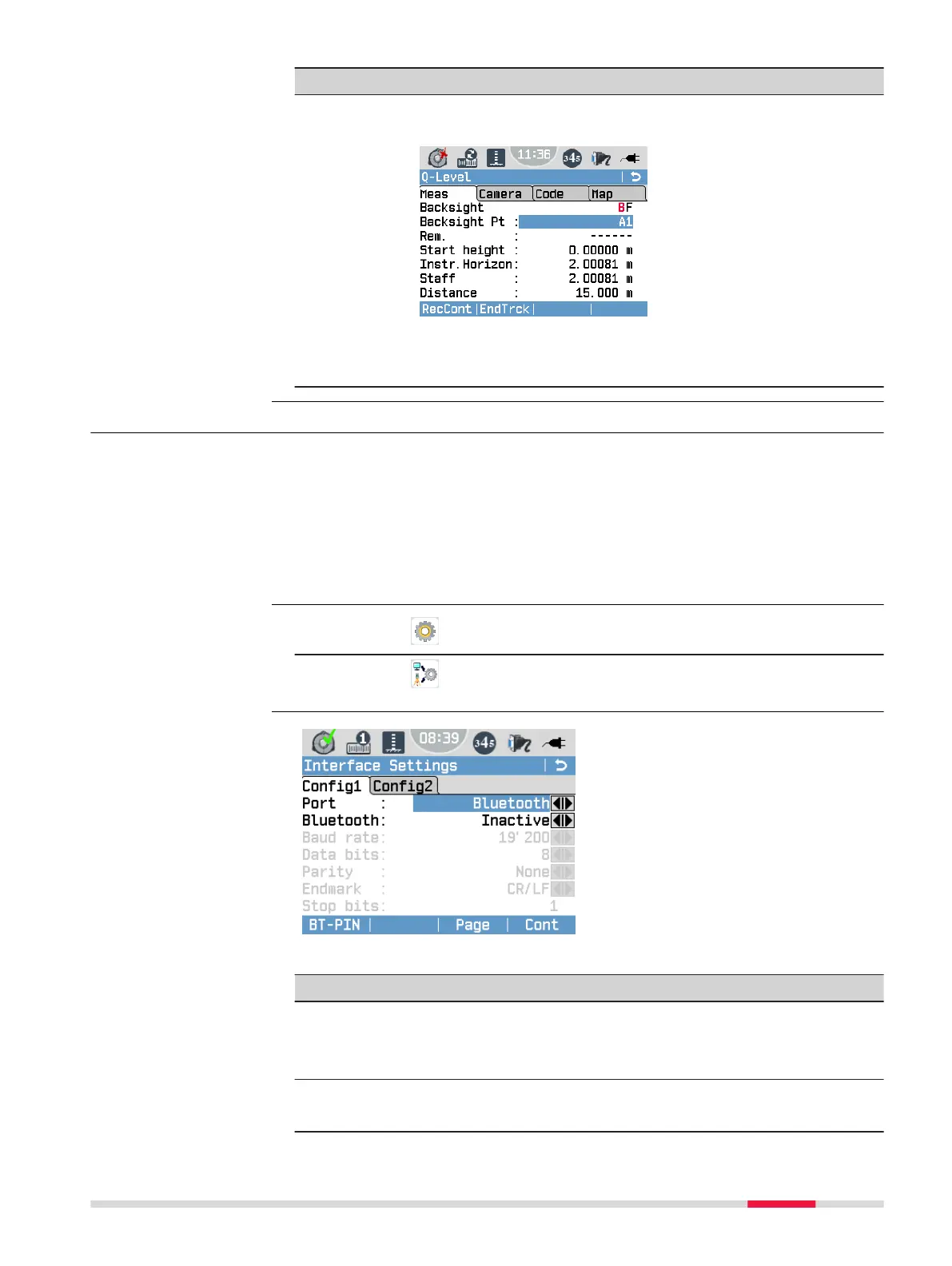
Field Description
Tracking The instrument continuously takes single measurements
until you end the procedure.
Press RecCont to save the last valid measurement data.
Press EndTrck to stop the measurements without saving
data.
6.6 Interface Settings
For data transfer, you need to set the communication parameters of the
instrument:
•
For serial data communication (e.g. Data import/export, GSI/Geocom com-
manding), select either RS232 (only LS15) or Bluetooth.
•
For le transfer communication (Active Sync/Mobile Device Centre), select
Mini USB or Lemo USB (only LS15).
☞
For USB connections, serial communication is not supported.
1.
Select Settings from the Main Menu.
2.
Select
Interface from the Settings Menu.
BT-PIN
To set a PIN for the Bluetooth
connection.
☞
The default Bluetooth PIN
is ’0000’.
Default
To reset the elds to the default
interface settings. Available, if
RS232 is selected as instrument
port.
For LS10:
Field Description
Port : Instrument port.
Mini USB Communication is via the mini USB port.
Bluetooth Communication is via Bluetooth.
Bluetooth: Active Bluetooth sensor is activated.
Inactive Bluetooth sensor is deactivated.
Description
Access
Interface Settings
Settings 45



 To Next Page