13 Data Management
13.1 Manage
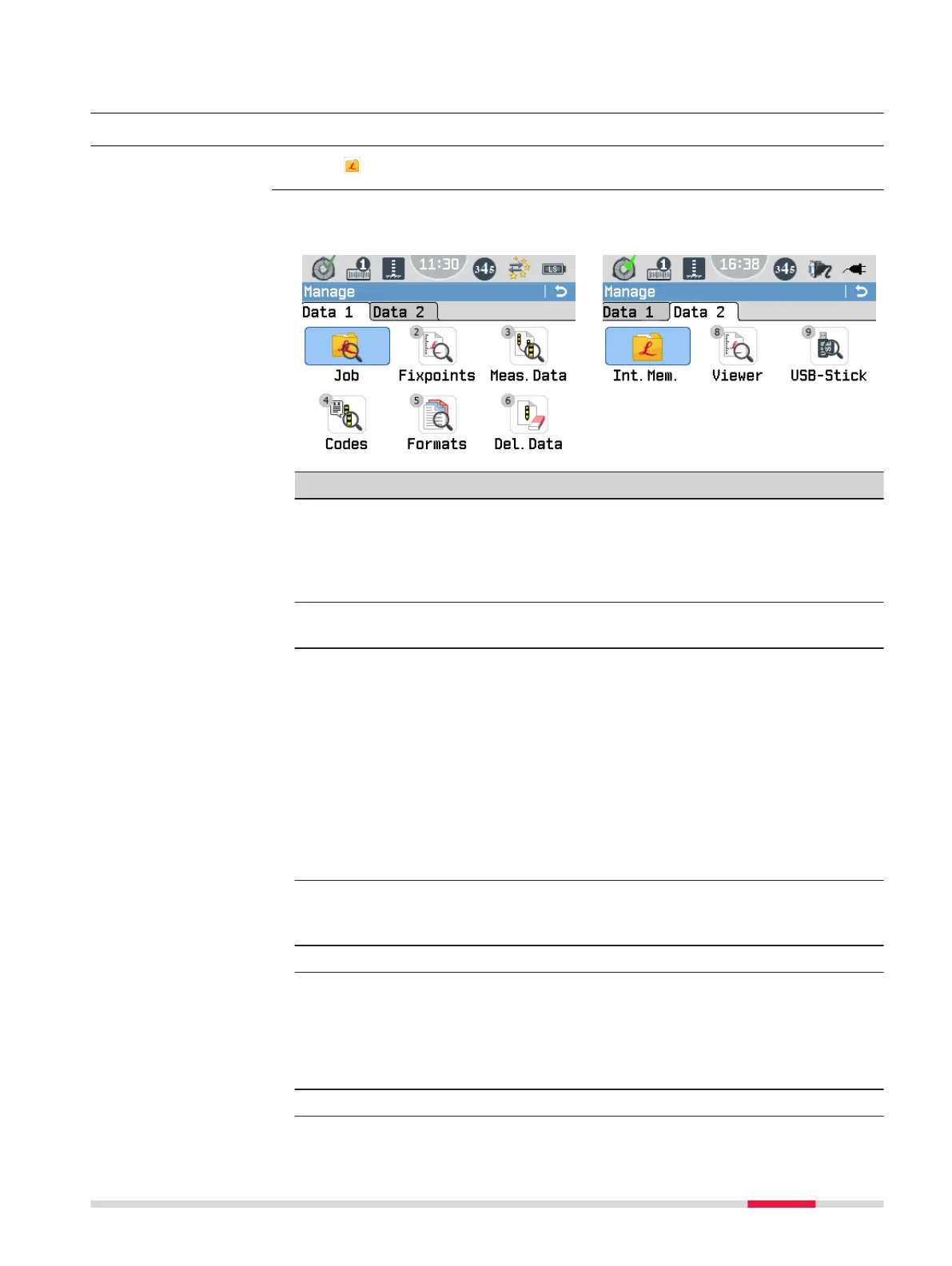
Select Manage from the Main Menu.
The Manage Menu contains all functions for entering, editing, checking and
deleting data in the eld.
Menu item Description
Job To select, view, create and delete jobs. Jobs are a summary
of different types of data, for example, xpoints, measure-
ments or codes. The job denition consists of the job name
and user. The system generates time and date at the time
of creation.
Fixpoints To view, create, edit and delete xpoints. Valid xpoints con-
tain at least a point ID and the coordinates E, N or H.
Meas.Data To view, edit and delete measurement data. Measurement
data available in the internal memory can be searched for
via a specic point search, or by viewing all points within a
job.
☞
If the details of a point have been edited or
updated, any new calculations will use the new
point details. However, any previously stored cal-
culation results based on the original coordinates
of the point will not be updated. The same applies
to updates of delta height calculations and aver-
ages.
Codes To view, create, edit and delete codes. To each code a
description and a maximum of 8 attributes with up to 16
characters each can be assigned.
Formats To view and delete data format les.
Del.Data To delete individual jobs, xpoints and measurements of a
specic job or all jobs in the memory.
☞
Deleting the memory cannot be undone. After
conrming the message all data is permanently
deleted.
Int.Mem. To view, delete or rename exported data les.
Access
Manage
Data Management 87



 To Next Page