4. A warning message will appear.
☞
By activating the format command all data will be lost.
Make sure that all important data on the USB memory
stick has been backed up before formatting the USB
memory stick.
5. Press Yes to format the USB memory stick.
6. A message will display once the formatting of the USB memory stick
is completed. Press Cont to return to the USB File Manager screen.
☞
Make sure that a USB memory stick is inserted into the USB host
port.
1.
Select Manage from the Main Menu.
2.
Switch to the second tab and select
Int.Mem..
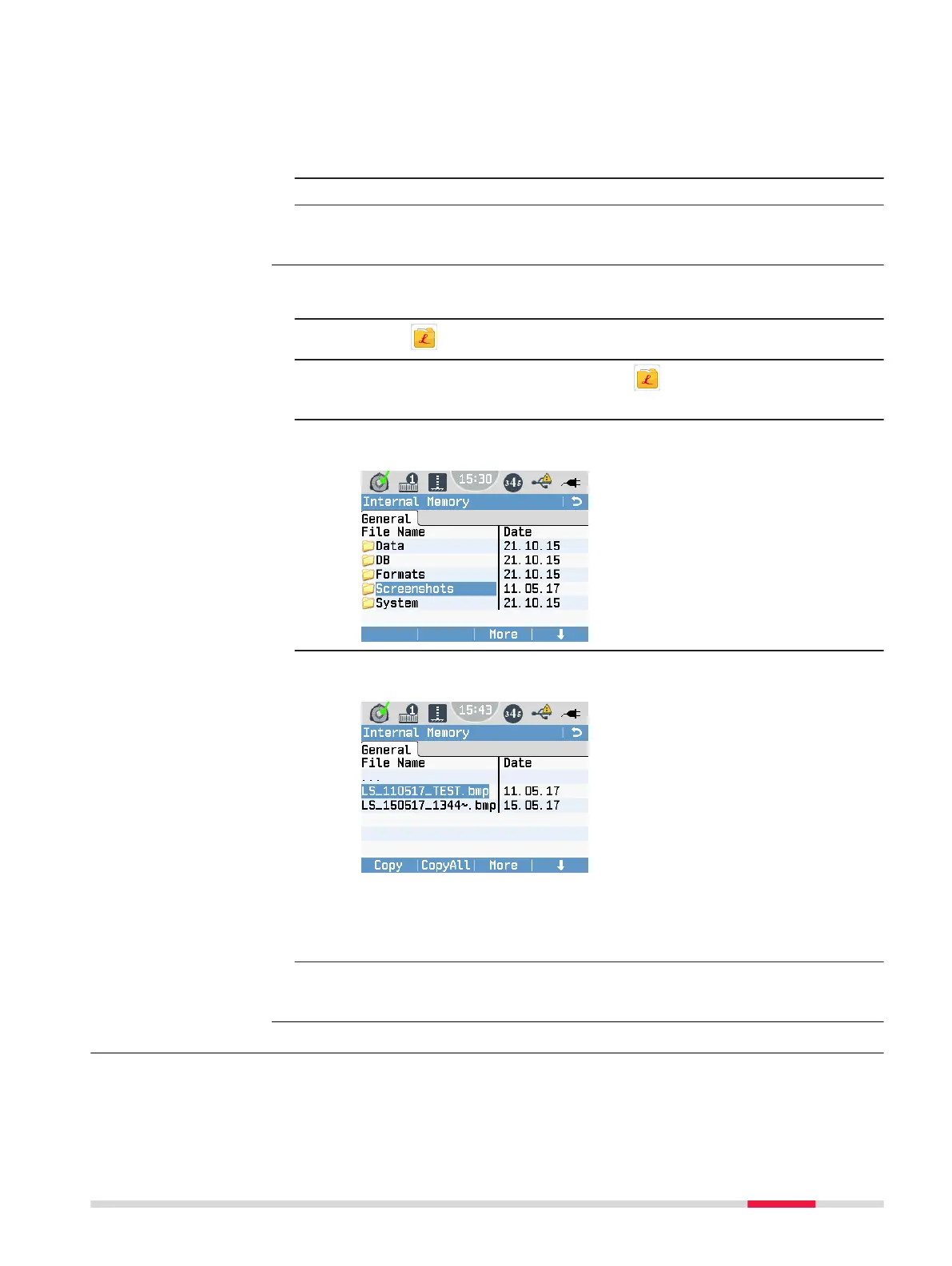
The Internal Memory screen is displayed.
3. If necessary, change to the root directory. Open the folder Screen-
shots.
4. Once you highlight the le name of a screenshot, the softkeys Copy
and CopyAll are displayed.
•
Select Copy to copy only the selected screenshot to the USB
memory stick.
•
Select CopyAll to copy all screenshots in the folder to the USB
memory stick.
☞
Any existing screenshots on the USB memory stick with identical le
names are overwritten by the les from the internal memory.
13.5 Working with Bluetooth
The LS10/LS15 can communicate with external devices via a Bluetooth connec-
tion. The Bluetooth of the instrument is a slave module only. The Bluetooth of
Copy screenshots to a
USB memory stick
step-by-step
Description
Data Management 95



 To Next Page