Page Description
Code
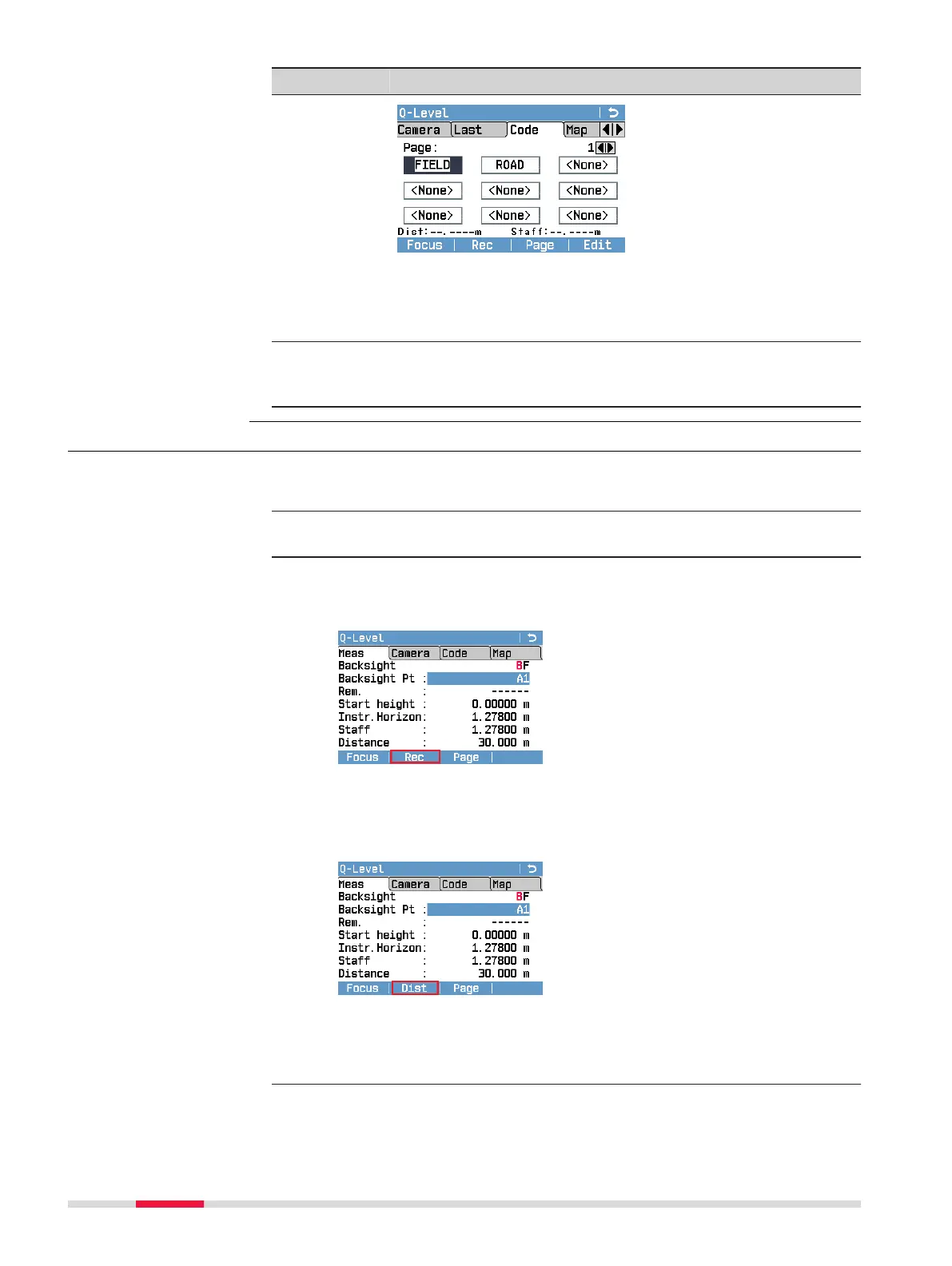
This page contains a list of codes.
Highlight a code to add it to the next measurement. Press
Edit to edit the selected code in the Manage Codes screen.
For more details on managing codes, refer to 9 Coding.
Map
(only LS15)
This page displays a graphical overview over the last ve
instrument stations and the related measurements. For
more details refer to 11 MapView.
7.2.2 Measurement Procedure for Q-Level
☞
The rst screen allows you to measure the rst backsight, which is
the starting point of the line.
1. Enter the height of the starting point manually or search for an
already stored xpoint or adjusted point in the current job.
2. Measure the rst backsight: Aim at the levelling staff and press the
trigger key. Depending on the setting for the trigger key, the meas-
urement is executed with or without storing the measured values.
Backsight/Foresight: The current viewing direction is highlighted in
red.
If the trigger key is set to Dist or AF+Dist (only LS15), press Rec
(F2 softkey) to store the measurement.
If the trigger key is set to Dist+Rec or AF+Dist+Rec (only LS15),
press Dist (F2 softkey) to take a measurement without storing it;
e.g. in order to verify the correct distance of a foresight staff before
the actual measurement.
Measurement proced-
ure
52 Programs



 To Next Page