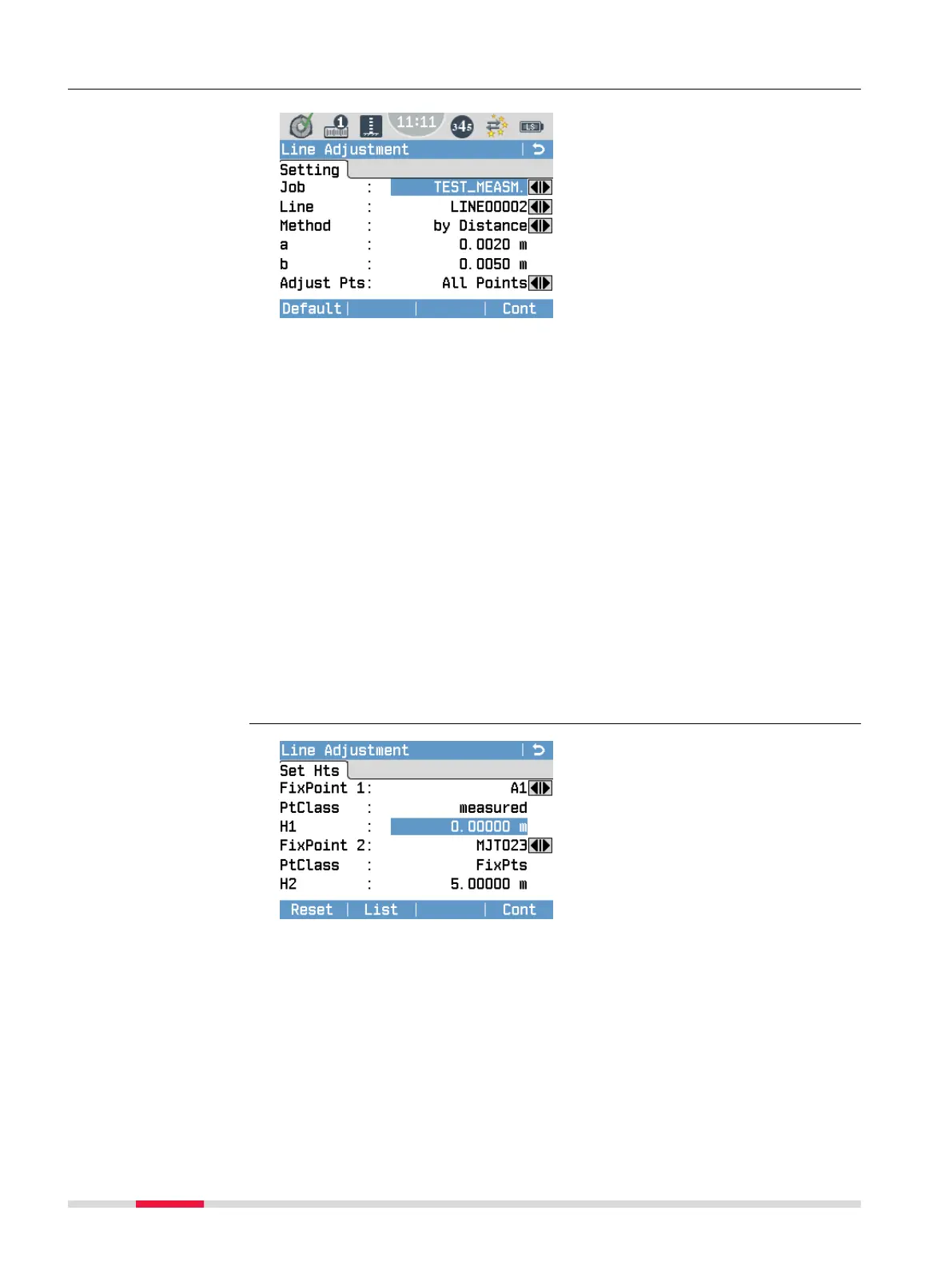
7.5.2 Line Adjustment Step-by-Step
To reset the default parameters for
Method, a, b, and Adjust Pts,
press Default.
To continue with the adjustment
procedure, press Cont.
Job Select a job that contains level lines.
Line Select a level line in the current job. You can only adjust
lines that are recorded with the LineLevel program.
If no line to adjust is available, the symbol * is displayed.
Method Select one of the following methods for the line adjustment
procedure. The selected method is used to calculate the
misclosure tolerance:
• by Distance: Misclosure tolerance = a + b *√L (L = total
line length)
• by Station: Misclosure tolerancee = a * √n (n = total
number of stations)
a and b These parameters are used to calculate the misclosure toler-
ance according to the described formulas.
Adjust Pts Select the type of points that you want to adjust:
•
All Points
•
Line+Interm.
•
Line+SetOut
•
Line only
To reset the selected points and
their heights to the default value,
press Reset.
To calculate the misclosure and to
view the adjustment results, press
Cont.
FixPoint 1/Fix-
Point 2
Select any two points of the line as rst and second
control point. The default point ID is the start point
of the selected line.
PtClass Displays the type of the selected point (measured
point, xpoint, adjusted point).
Dene parameters for
adjustment procedure
Dene two control
points
70 Programs



 To Next Page