H1, H2 Displays the height of the selected point. If you
change the point ID, the height stored for this point
ID is displayed.
For points of the type “measured“, you can change
the height. Either enter the height directly or press
List to select a point with the desired height from
the list of available points.
☞
If the misclosure exceeds the closure tolerance, a warning message
appears. Press Cont to ignore the message and continue the proced-
ure. Press Abort to cancel the procedure and change the settings on
the previous screen.
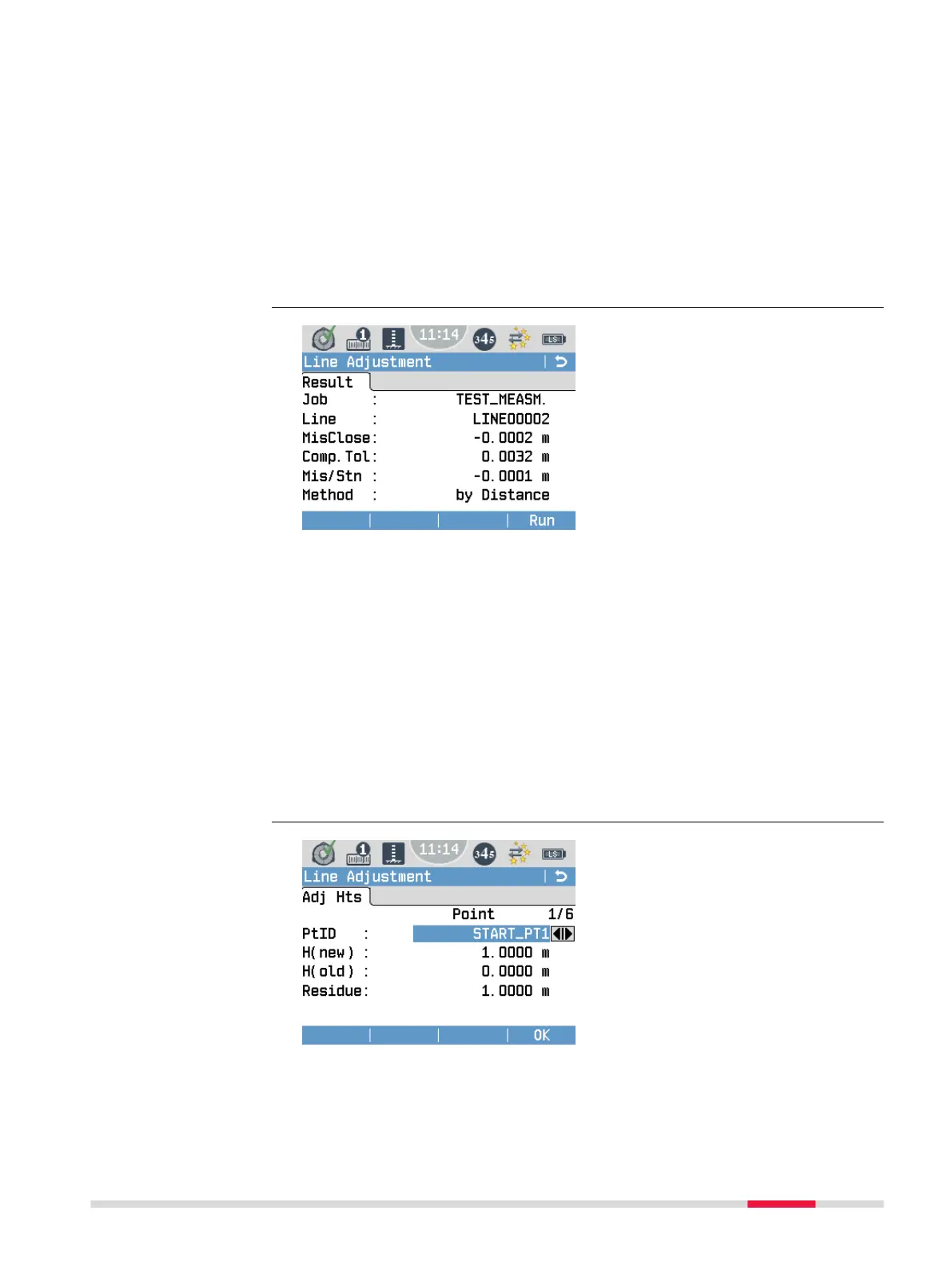
MisClose Calculated misclosure of the line at the second control point.
Comp.Tol Calculated misclosure tolerance according to the selected
method.
Mis/Stn Calculated misclosure per station.
Method Method that was used for the adjustment.
•
by Distance: The misclosure is distributed to the points
of the level line according to the distances between the
staffs.
•
by Station: The misclosure is distributed according to
the number of stations of the level line and is thus inde-
pendent of the distances between the staffs.
To adjust and record all points of the selected type, press Run.
Point: Displays the number of points that were adjusted.
PtID Displays the current point ID. Use the navigation keys to
scroll through the point IDs.
Adjustment results
Adjusted heights
Programs 71



 To Next Page