2. Turn horizontal circle to “0”.
3. Align instrument to point B.
4. Aim on the centre of the staff.
5. Read the horizontal angle from the horizontal circle. In this example
the horizontal angle is 60°.
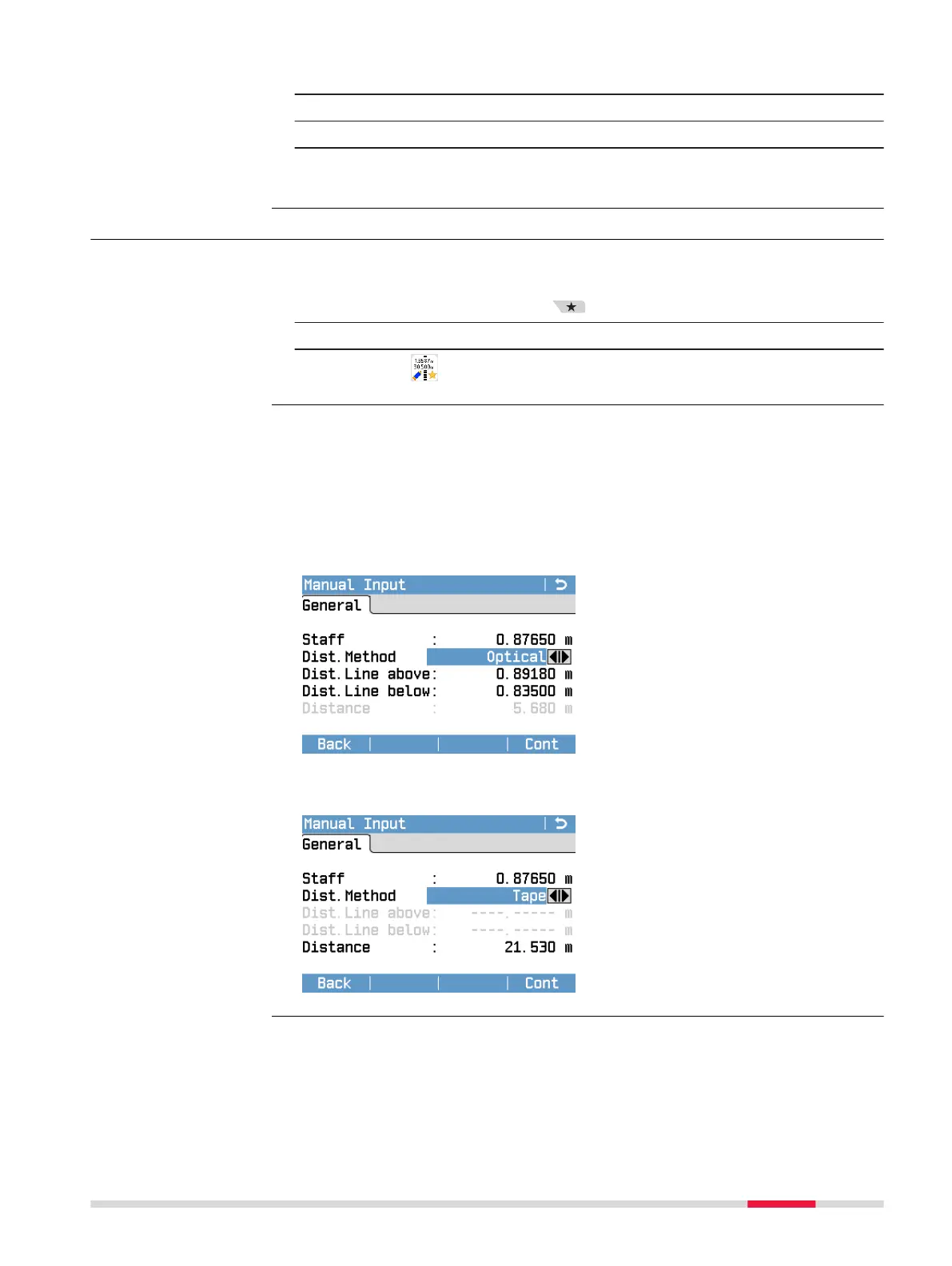
5.4 Manual Input Screen for Optical Height Reading
☞
The Manual Input screen can only be accessed from within a level-
ling application.
1. Press the Favourites key.
2. Change to the Apps tab.
3.
Select Man.Input.
If digital height readings are not possible, you can perform an optical height
reading and use the Manual Input screen to enter the measured data manu-
ally.
With the left and right navigation keys select one of the desired distance
methods:
Distance Method Optical
Perform an optical height reading
and enter the values for the staff
reading and for the readings of the
distance line above and below. The
instrument automatically calculates
the distance based on the entered
staff section and the multiplication
constant 100.
Press Cont to add the entered data
to the current levelling line.
Distance Method Tape
Perform an optical height reading
and measure the distance with a
tape.
Enter the values of the staff reading
and the reading of the distance.
Press Cont to add the entered data
to the current levelling line.
Access
Description
Measurement Guidelines 37



 To Next Page