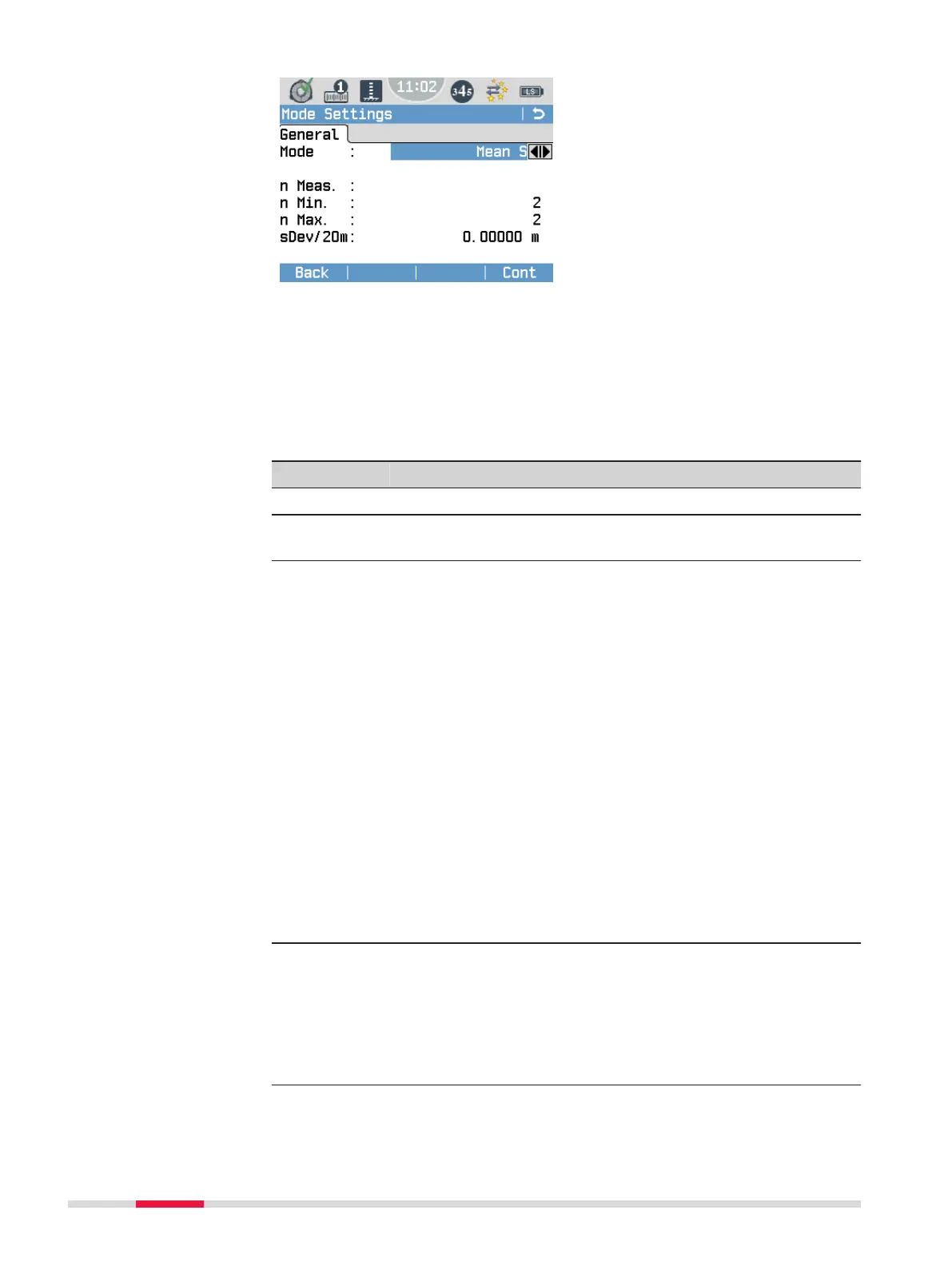
Mode
To select a mode setting.
n Meas.
Only available for Mean or
Median.
To set a number of measure-
ments.
n Min.
Only available for Mean S.
To set a minimum number of
measurements.
n Max.
Only available for Mean S.
To set a maximum number of
measurements.
sDev/20m
Only available for Mean S.
To set a maximum standard devi-
ation of the average value at
20 m.
Field Description
Single The instrument carries out a single measurement (n = 1).
Mean Enter the number of measurements to be made (n = 2...99).
The instrument calculates the average of all measurements.
Mean S Enter a minimum and a maximum number of measurements
(n = 2...99) and a maximum standard deviation.
Starting with the minimum number of measurements, the
instrument checks if the measured standard deviation is less
or larger than the entered maximum standard deviation.
•
If the deviation is less or equal, the instrument stops
measuring.
•
If the deviation is larger, the instrument continues
measuring until the maximum number of measurements
is reached. At each step, the instrument checks whether
the maximum standard deviation can be reached by
eliminating outliers.
Example:
Measured distance = 60 m, sDevM/20 m = 0.0007 m,
S = sDevM/60 m = 0.0021 m
The maximum allowable standard deviation at 60 m is
0.0021 m.
☞
For n Min. = n Max., no measurements are dis-
carded by the outlier test.
Median Enter the number of measurements to be made (n = 2...99).
•
Uneven number of measurements: The instrument cal-
culates the Median of all measurements by using the
central value.
•
Even number of measurements: The instrument calcu-
lates the Median of all measurements by using the two
central values.
Mode Settings
44 Settings



 To Next Page