Field Description
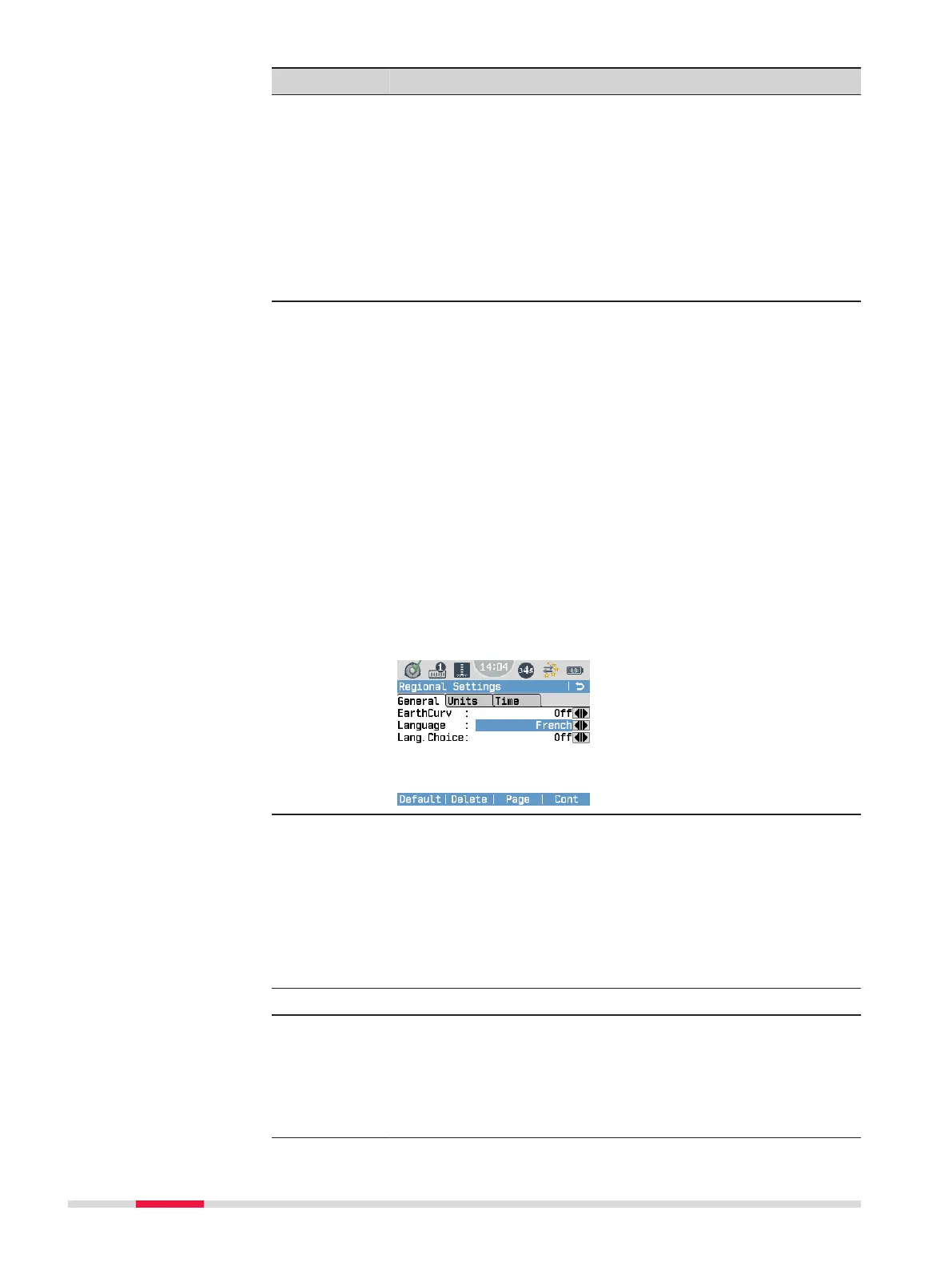
EarthCurv You can activate or deactivate the earth curvature correc-
tion.
If the earth curvature correction is on, digitally measured or
manually entered staff readings are automatically corrected
regarding the curvature of the earth.
☞
If you start the Check & Adjust application, the
earth curvature correction is automatically set to
On. As soon as you exit the application, the earth
curvature correction is set back to the previous
setting.
Language You can select your preferred language. Several languages
can be uploaded onto the instrument. The currently loaded
languages are displayed.
☞
From v3.10 onwards, the Chinese language can
only be activated if a corresponding licence key is
available on the instrument. The licence key is
automatically uploaded to instruments which are
delivered to China mainland, Hong Kong and
Taiwan. For instruments purchased outside this
area, please contact your local Leica Geosystems
representative in case the Chinese language is
needed on the instrument.
Deleting a language:
If more than one language is installed, you can delete a lan-
guage, as long as it is not the chosen operating language. To
delete an inactive language, select the language and press
Delete.
Lang.Choice The language screen allows you to choose the language of
the user interface. If you activate the language screen, it is
displayed directly after you have switched on the instru-
ment.
On The language screen is displayed as the star-
tup screen.
Off The language screen is not displayed as the
startup screen.
Tab Units
Dist. Unit Sets the units shown for all distance- and coordinate-
related elds.
Meter Meter [m].
US-ft US Survey feet [ft].
INT-ft International feet [].
40 Settings



 To Next Page