Reset
To reset all settings to the system
default.
Options
To display hardware-related
options which this particular
instrument provides.
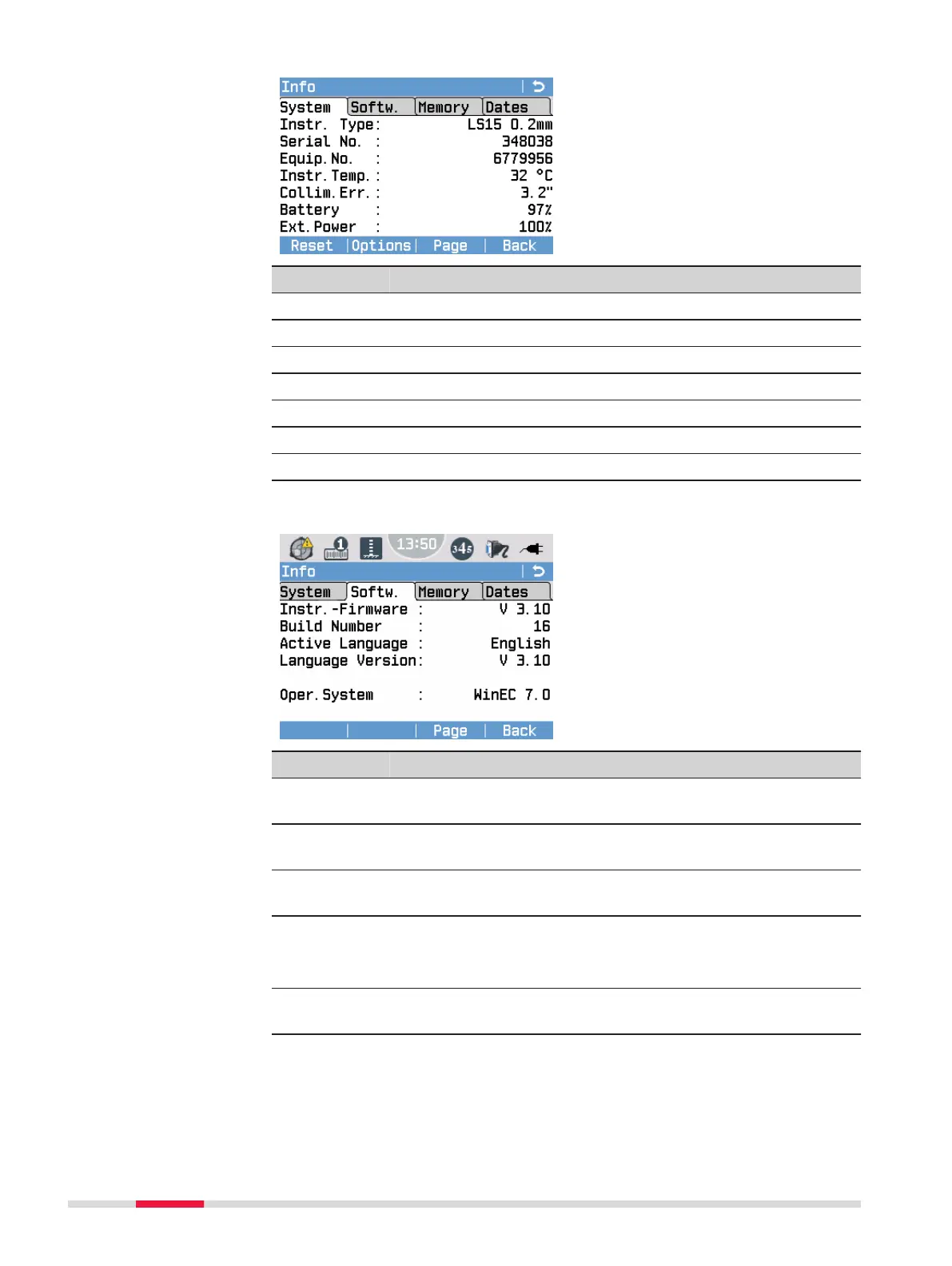
Field Description
Instr. Type Displays the instrument type.
Serial No. Displays the serial number of the instrument.
Equip.No. Displays the equipment number.
Instr.Temp. Displays the current temperature of the instrument.
Collim.Err. Displays the current collimation error (line-of-sight error).
Battery Displays the current capacity of the internal battery.
Ext.Power Displays the current capacity of the external power supply.
Page 2/4 (Softw.)
Field Description
Instr.-Firm-
ware
Firmware version
Build Num-
ber
Build number of the current rmware version
Active Lan-
guage
Currently activated language of the user interface.
Language
Version
Version of the currently used language le.
☞
Firmware version and language version should
always be identical.
Oper.Sys-
tem
Operating system installed on the instrument
Page 3/4 (Memory)
Displays job-specic memory information such as the number of stored sta-
tions and xpoints within a job, the number of recorded data blocks, for
82 Tools


 To Next Page