LS SERIES SERVICE MANUAL
ISSUE 4.0 NEXYGEN PLUS 3 DIAGNOSTICS 4
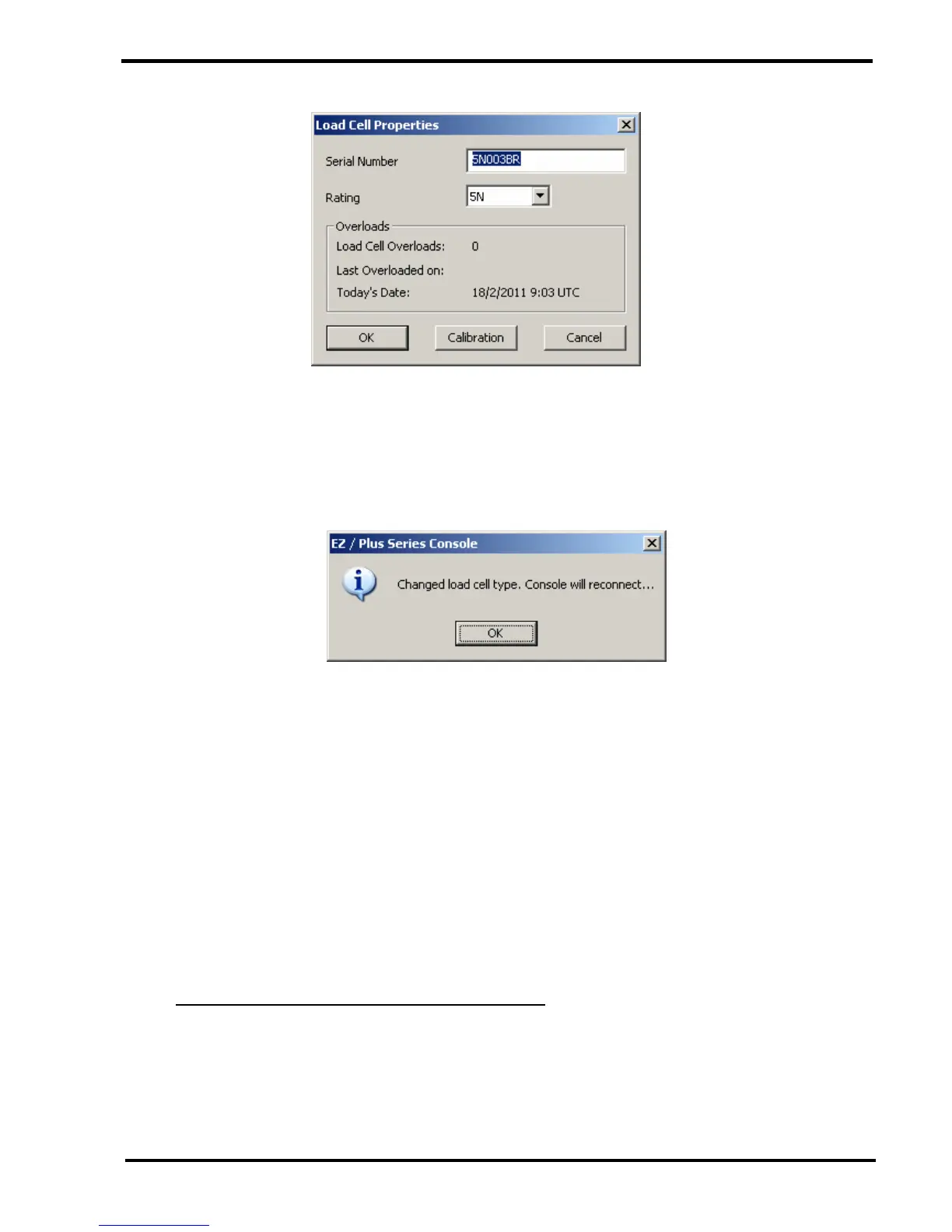
2 Enter the Loadcell Serial Number in the upper field.
3 Select the Loadcell Capacity using the "Rating" drop down box that displays a list of pre-
programmed Loadcell values.
If the Loadcell Capacity is changed, a dialog will be displayed as shown below: -
4 Click on the OK button to redisplay the "Engineer Options" screen.
5 Re-select the "Load cell Properties" option then click on the OK button to redisplay the
"Loadcell Properties" screen.
6 Check that the Serial Number and Loadcell Capacity are now correct.
7 Click on the CANCEL button to exit the "Loadcell Properties" screen.
8 Click on the CANCEL button to exit the diagnostic mode.
13.5 Checking the Loadcell Offset and Overloads
1 Select the "Load cell Properties" option then click on the OK button to display the
"Loadcell Properties" screen.
2 View the information in the "Overloads" area.



 To Next Page