LS SERIES SERVICE MANUAL
ISSUE 4.0 NEXYGEN PLUS 3 DIAGNOSTICS 11
13.7 Setting the Extensometer Type and Serial Number
This should only be required if an extensometer has been converted for use with the
machine or if the extensometer EEPROM has been accidentally erased.
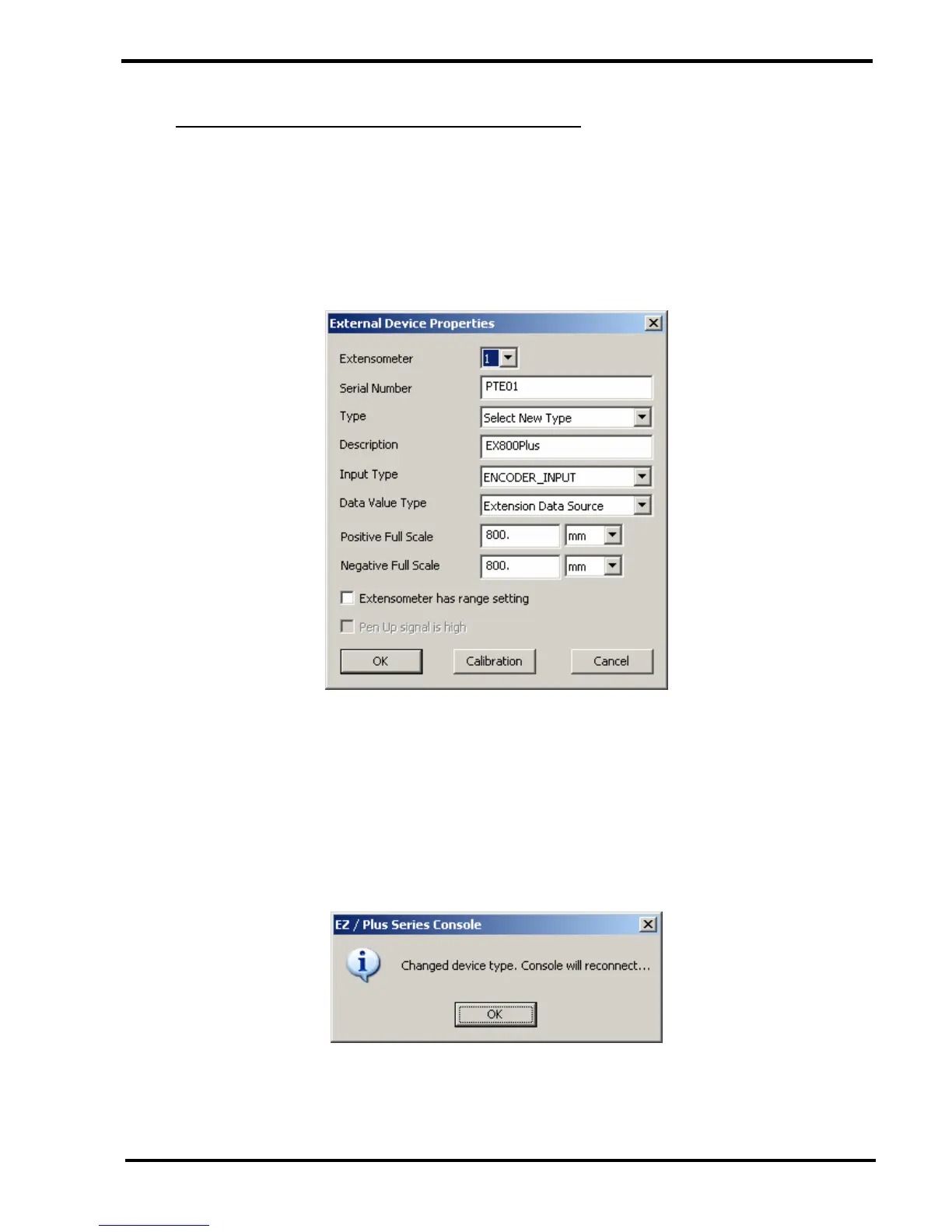
1 Select the "External Device Properties" option then click on the OK button to display
the "External Device Properties" screen.
2 Note that if more than 1 extensometer is connected to the machine, the required
extensometer is selected using the "Extensometer" drop down box.
3 Enter the Extensometer Serial Number in the "Serial Number" field.
4 Check that the "Description" is correct. If it is not correct, click on the "Type" drop down box
and select the correct type of extensometer.
If the "Type" is changed, a dialog will be displayed as shown below: -
Click on the OK button to redisplay the "Engineer Options" screen. Wait for approx. 5
seconds before re-selecting "External Device Properties".



 To Next Page