LS SERIES SERVICE MANUAL
ISSUE 4.0 NEXYGEN PLUS 3 DIAGNOSTICS 14
NOTES:-
1 A single calibration point may be deleted by selecting it in the list then clicking on the
REMOVE button at the right hand side of the screen.
2 All previous calibration points may be removed clicking on the CLEAR button at the right
hand side of the screen.
13.9 Calibrating an Encoder Extensometer
Note that an extensometer can ONLY be Calibrated if an accurate means of measuring
extension is available. For small extensions, say up to 25mm, slip gauges, a calibrated
micrometer or a calibrated vernier can be used and for extensions above this value a
calibrated engineers rule may be used
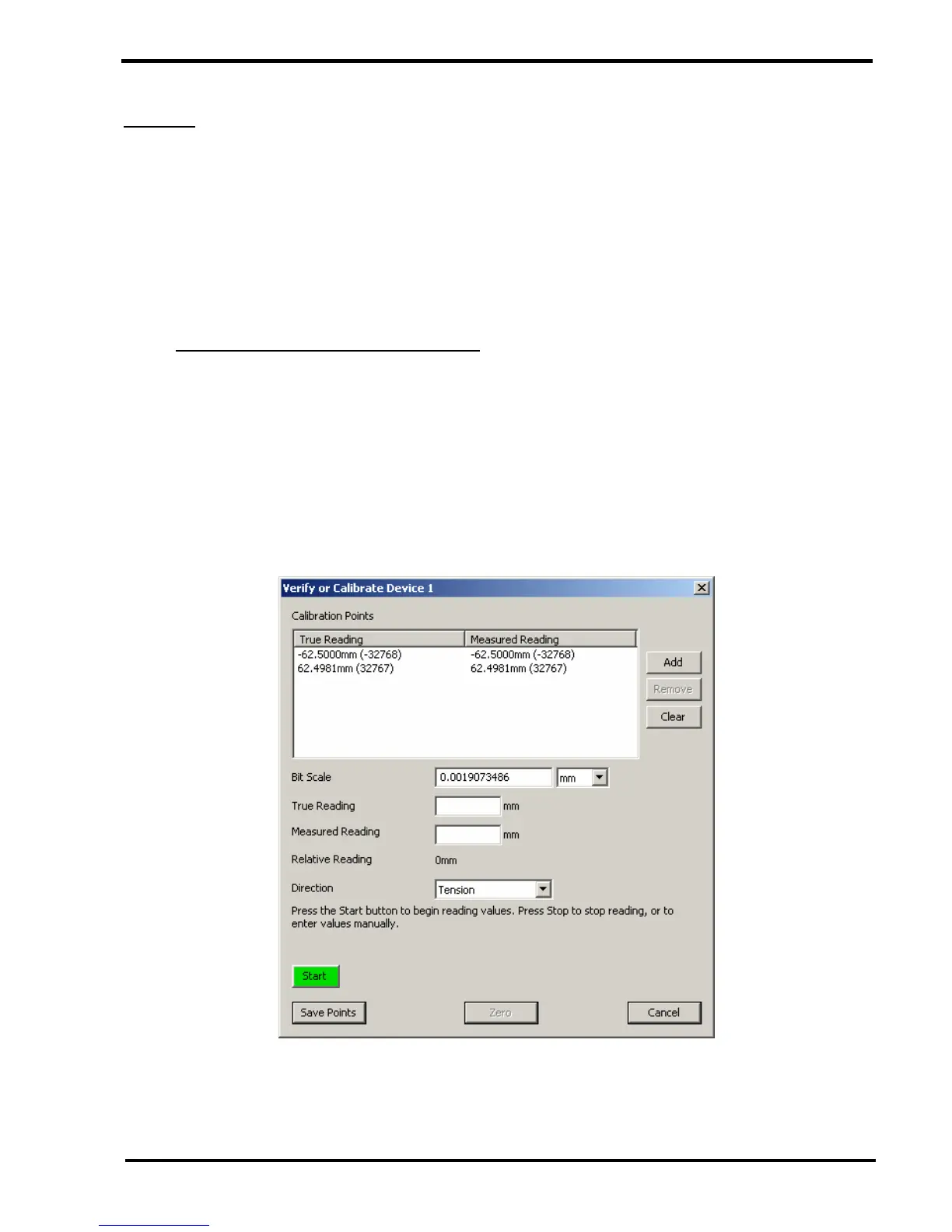
1 Select the "External Device Properties" option then click on the OK button to display
the "External Device Properties" screen.
2 Click on the CALIBRATION button to display the "Verify or Calibrate Device" screen.
3 Attach the extensometer to the calibration device and set the calibration device to zero
extension.



 To Next Page