LS SERIES SERVICE MANUAL
ISSUE 4.0 NEXYGEN PLUS 3 DIAGNOSTICS 7
15 The "Measured Load" value displayed in the table for 0N is the offset that was stored during
the last loadcell calibration and this is -2.56N in the example screen shown above.
16 Compare this "Measured" value with the previously noted Absolute Load value.
17 The difference in these load values is the loadcell "Zero Drift" that has occurred since the
last calibration and this is (-5.19N) - (-2.56N) = 2.63N in the example screens shown
above. This drift should be small noting that if it is more than approximately +/- 1% of the
loadcell value, then the loadcell may show poor repeatability.
18 Note that if a loadcell overload has occurred or the zero drift is excessive, then the
loadcell may not achieve the required accuracy during calibration.
19 Click on the CLOSE button to exit the "Verify or Calibrate Loadcell" screen.
13.6 Loadcell Calibration
Note that the loadcell can ONLY be calibrated if an accurate reference load is available.
Ensure that the Safe-Line button is pressed so that the yellow lamp is not lit.
1 Select the "Load cell Properties" option then click on the OK button to display the
"Loadcell Properties" screen.
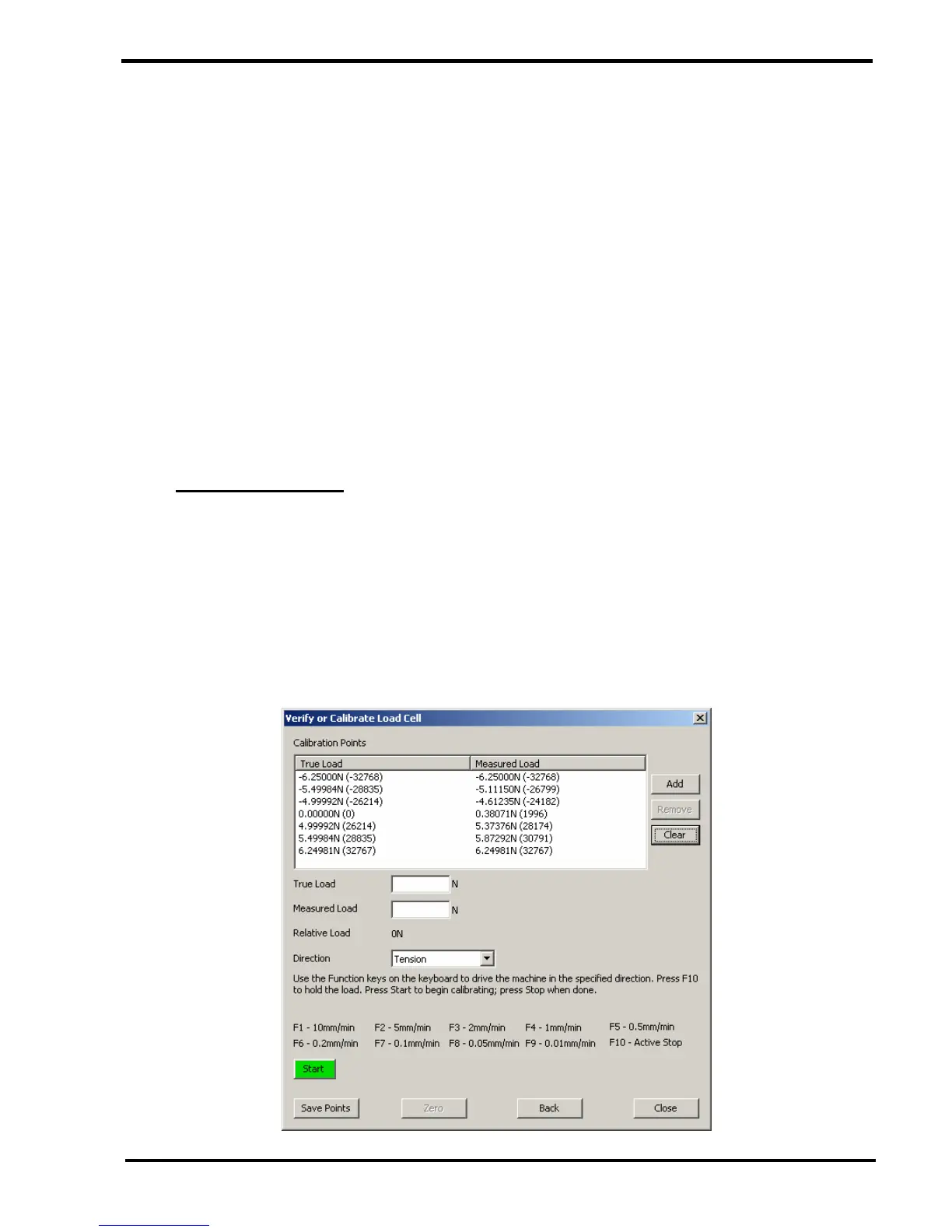
2 Click on the CALIBRATE button to display the "Verify or Calibrate Loadcell" screen.



 To Next Page