LS SERIES SERVICE MANUAL
ISSUE 4.0 NEXYGEN PLUS 3 DIAGNOSTICS 6
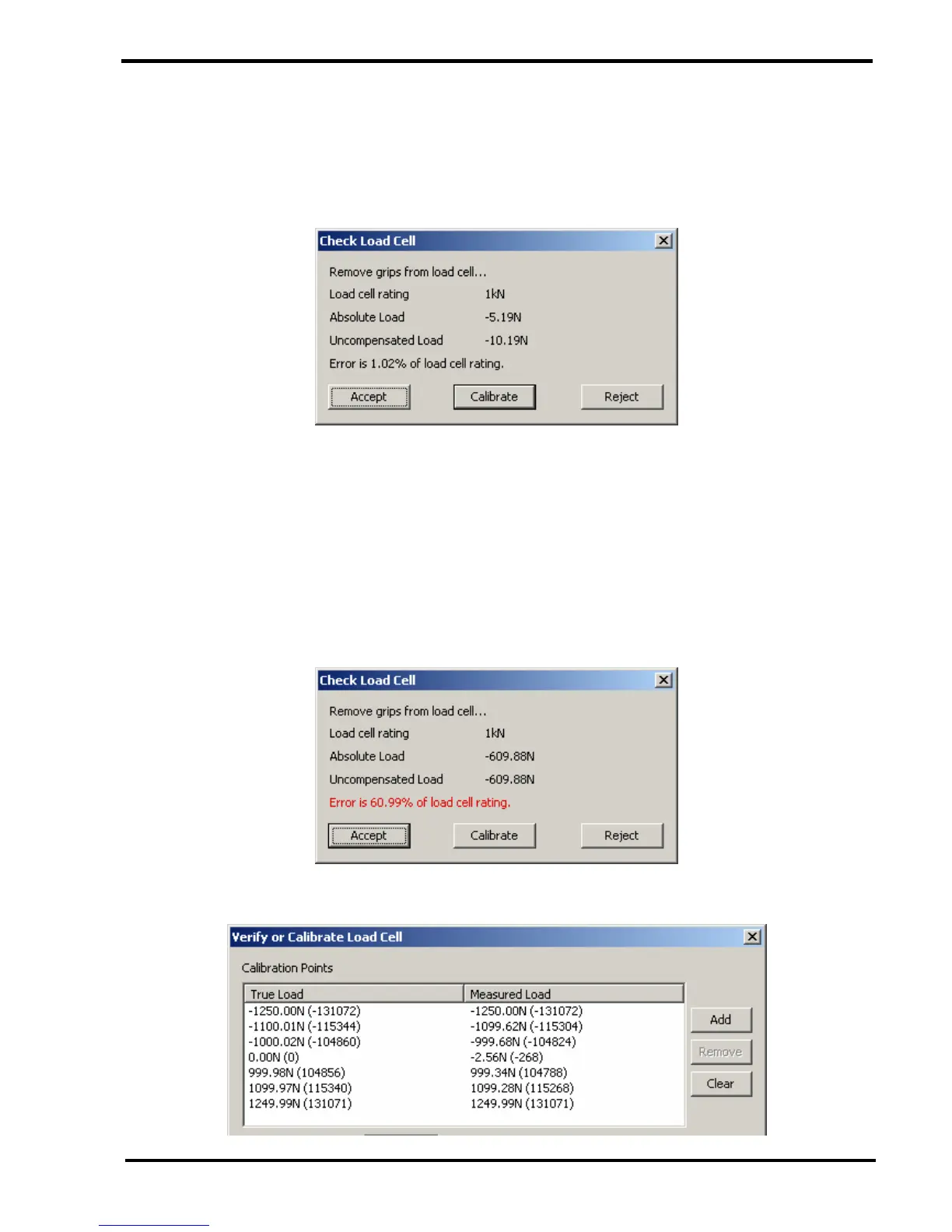
Note that the "Absolute Load" value and "Uncompensated Load" value will be the same
on a "New Unconfigured" loadcell because there are NO calibration data points.
However, the "Absolute Load" value and "Uncompensated Load" value will NOT be the
same after the loadcell has been calibrated because it contains calibration data points.
11 Check that the Absolute Load Value is less than +/- 5% of the loadcell value when no
grips are fitted to the loadcell. A higher value than this indicates that the loadcell bridge
is not electrically balanced and this may be caused by an overload or other physical
damage.
12 Make a note of the Absolute Load value, e.g. -5.19N as shown above.
13 If the Absolute Load Value is more than +/- 5% of the loadcell value a warning will be
displayed as shown below. This would indicate that the loadcell may have been slightly
overloaded but not enough for this to be stored in the overload history.
14 Click on the CALIBRATE button to display the "Verify or Calibrate Loadcell" screen.



 To Next Page