LS SERIES SERVICE MANUAL
ISSUE 4.0 NEXYGEN PLUS 3 DIAGNOSTICS 3
13.3 Setting the Machine Type and Serial Number
This procedure is only required during initial installation or if the Motor Drive PCB has been
replaced.
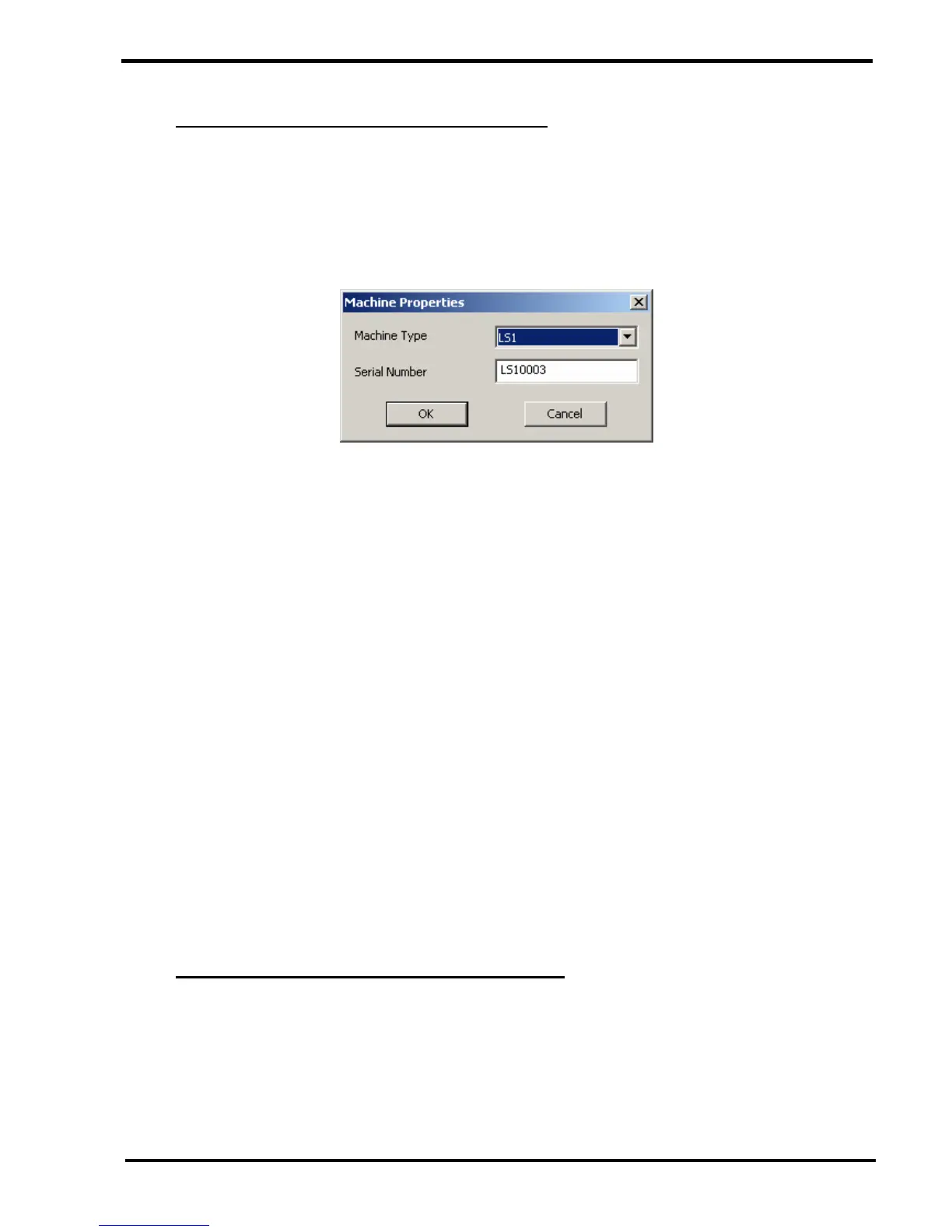
1 Select the "Machine Properties" option then click on the OK button to display the
"Machine Properties" screen.
2 Select the required machine using the top drop down box that lists the machine types
applicable to the embedded code version.
Note that the FT1 requires different embedded code than the other machine types.
3 Enter the required Serial Number into the Serial Number field.
4 Click on the OK button to close the "Machine Properties" screen. This stores the values
into EEPROM on the Motor Drive PCB.
5 Click on the OK button to close the "Engineer Options" screen.
6 Right mouse click on the software console and select "Disconnect".
7 Wait until the software console re-connects. This allows the software console to read the
stored values from the EEPROM on the Motor Drive PCB.
8 Right mouse click on the software console and select "About".
9 Check that the Machine Type and Serial Number are reported correctly.
13.4 Changing the Loadcell Value and Serial Number
This should only be required if the loadcell EEPROM has been accidentally erased.
1 Select the "Load cell Properties" option then click on the OK button to display the
"Loadcell Properties" screen. This screen also provides links to other screens that allow
the loadcell to be calibrated as shown later.



 To Next Page