Chapter 6 Server function and P2P service
6-16
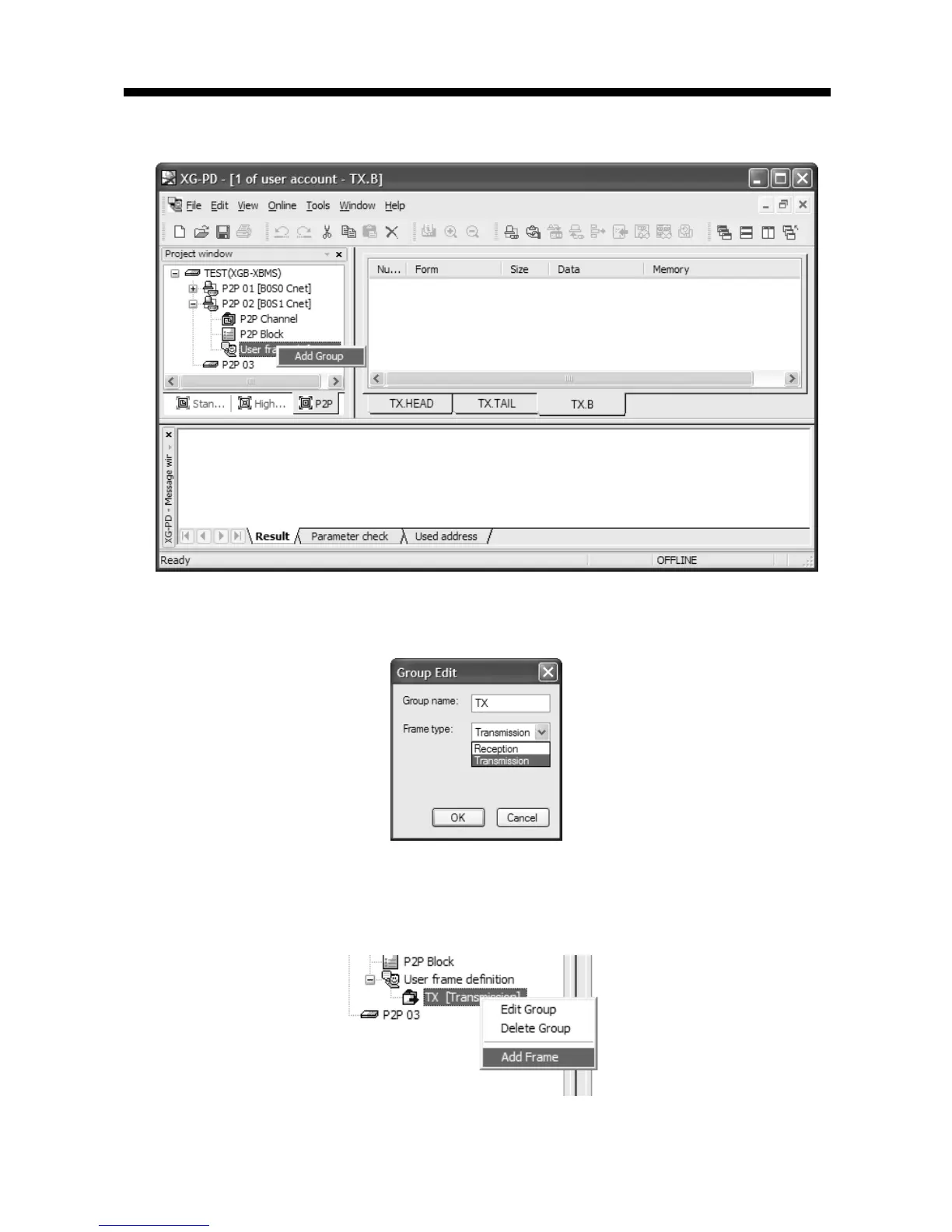
First, add group of transmission frame
[Figure 6.2.19] Transmission frame group add screen
If group edit window shows like the following, insert group name and select frame type
“Transmission”.
[Figure 6.2.20] transmission frame group setting screen
You can register diverse frame about each group. For this, select group to register transmission
frame and click right button of mouse and add frame.
[Figure 6.2.21] transmission frame add setting screen



 To Next Page