Network Video Recorder User Manual
114
11.6 Configure Sensor Alarms
Purpose:
Set the handling action of an external sensor alarm.
11.6.1 Configure Alarm Input
Step 1 Go to System> Event>Normal Event>Alarm Input
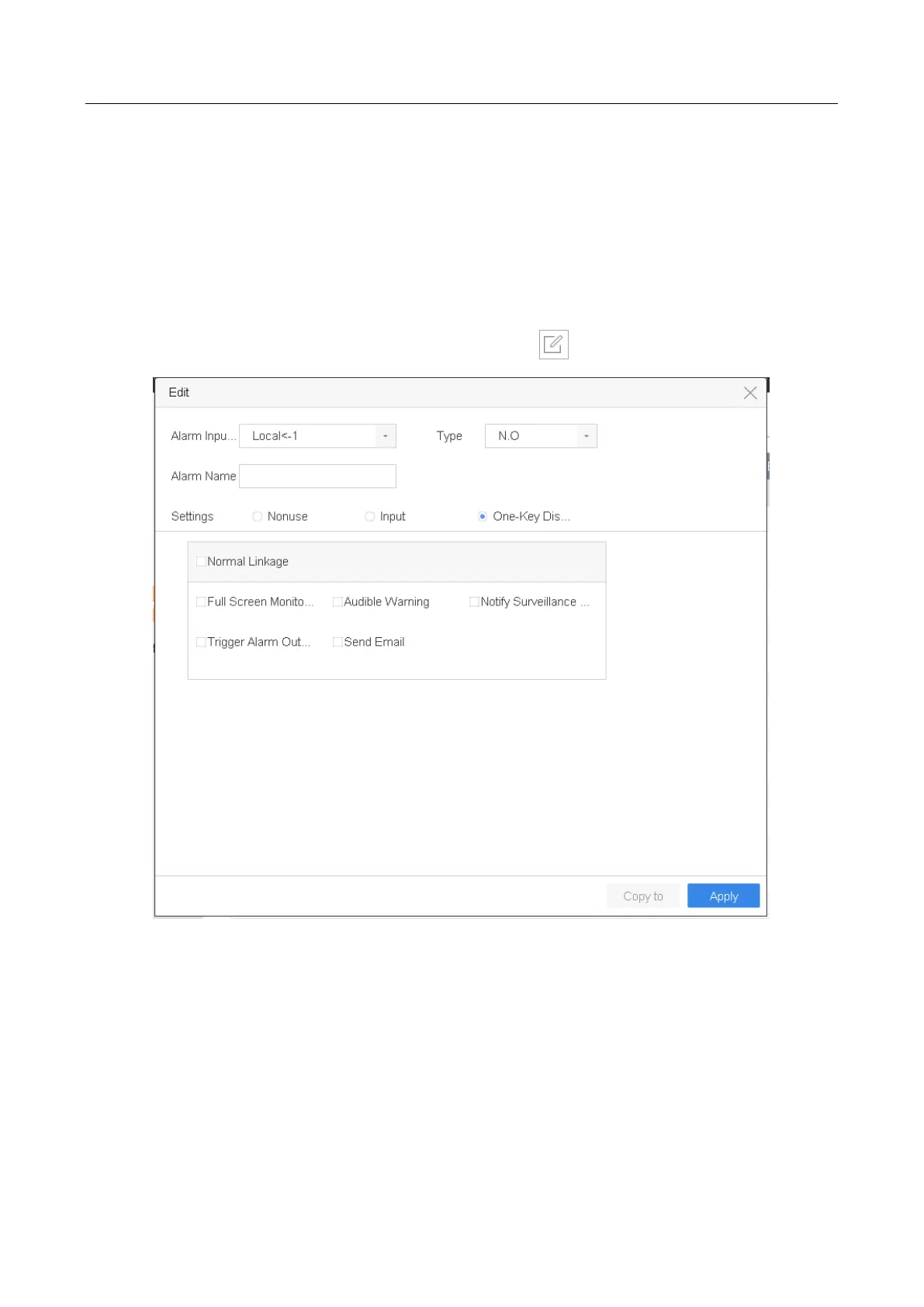
Step 2 Select an alarm input item from the list and click .
Figure 11-6 Alarm Input
Step 3 Select the alarm input type to N.C or N.O.
Step 4 Edit Alarm Name.
Step 5 Select Input.
Step 6 Set the arming schedule. Refer to Chapter 11.1 Configure Arming Schedule.
Step 7 Set the linkage actions. Refer to Chapter 11.2 Configure Alarm Linkage Actions.
Step 8 Click Apply and follow the message box to reboot device to take effect the settings.








 To Next Page