Network Video Recorder User Manual
48
Chapter 4 Camera Settings
4.1 Configure OSD Settings
Purpose:
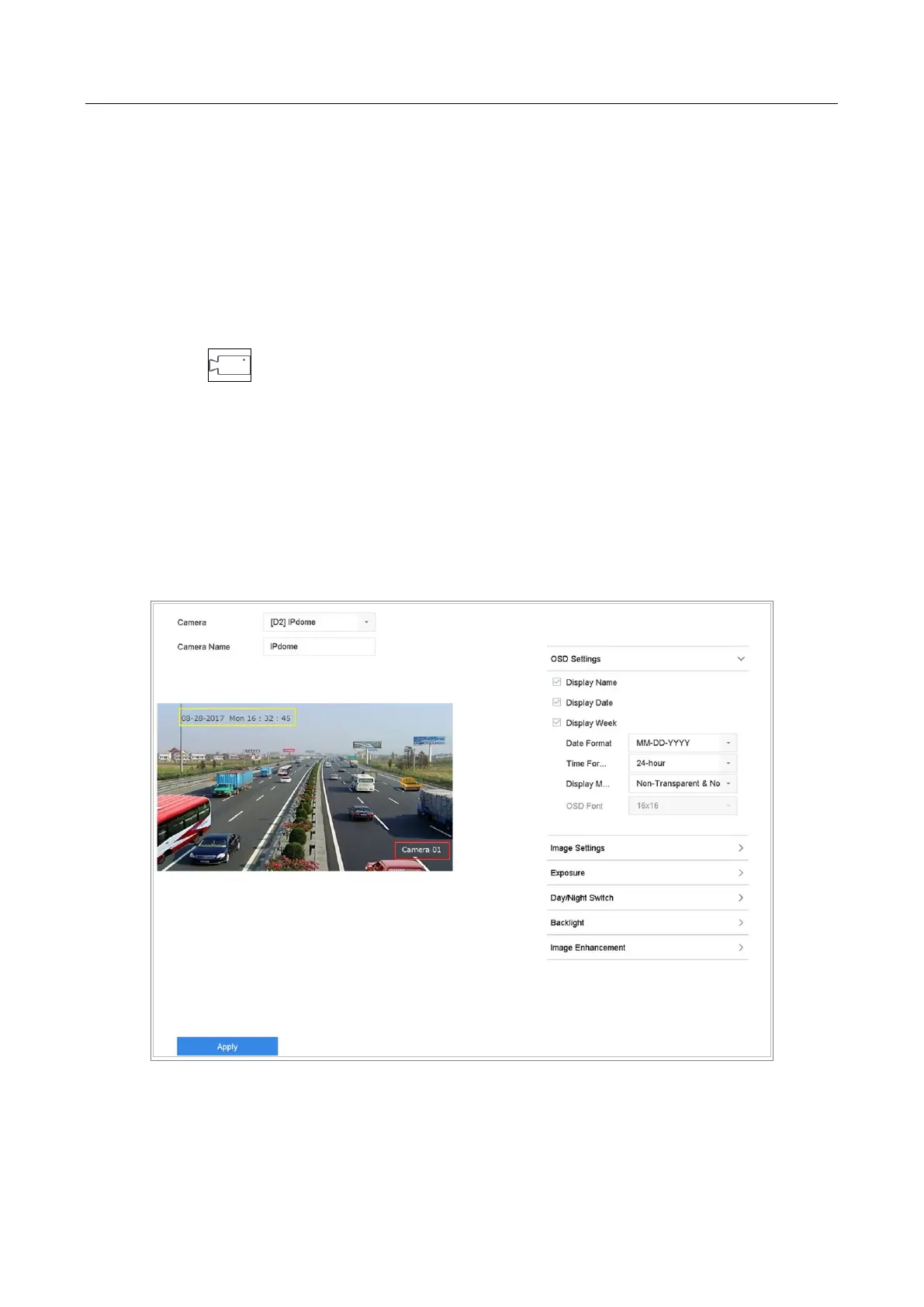
You can configure the OSD (On-screen Display) settings for the camera, including date/time,
camera name, etc.
Step 1 Click on the main menu bar.
Step 2 Click Display.
Step 3 Select the camera from the drop-down list.
Step 4 Edit the name in the Camera Name text field.
Step 5 Check the checkbox of the Display Name, Display Date and Display Week if you want
to show the information on the image.
Step 6 Set the date format, time format, and display mode.
Figure 4-1 OSD Configuration Interface
Step 7 You can use the mouse to click and drag the text frame on the preview window to
adjust the OSD position.








 To Next Page