Network Video Recorder User Manual
79
7.9 Configure Picture Capture
Purpose:
The picture refers to the live picture capture in continuous or event recording type.
Step 1 Go to Storage > Capture Schedule > Advanced.
Step 2 Set the picture parameters.
Resolution: set the resolution of the picture to capture.
Picture Quality: set the picture quality to low, medium or high. The higher picture quality results
in more storage space requirement.
Interval: the interval of capturing live picture.
Step 3 Go to Storage > Capture Schedule.
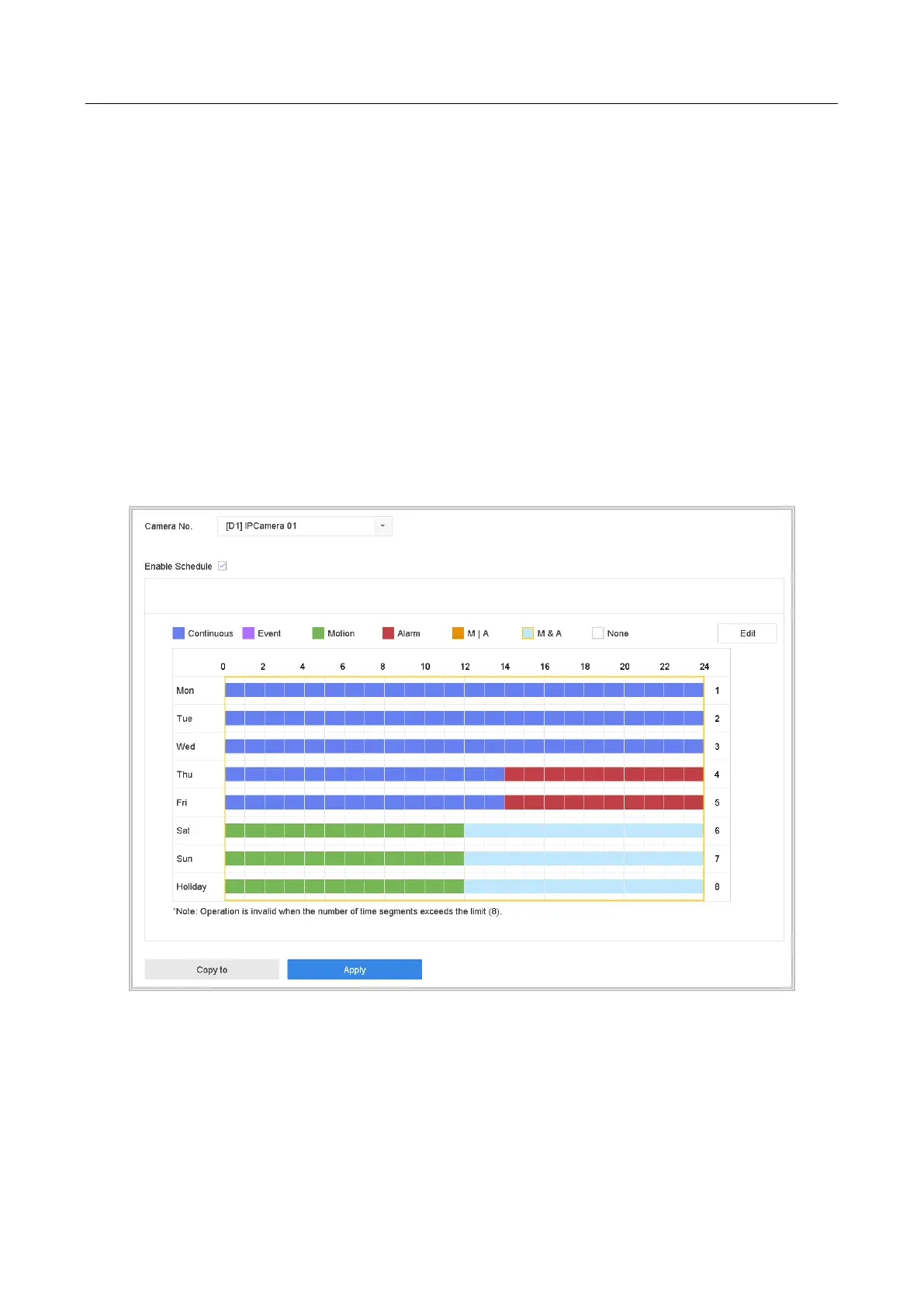
Step 4 Select the camera to configure the picture capture.
Figure 7-10 Set Picture Capture Schedule
Step 5 Set the picture capture schedule. Refer to Chapter 7.4 Configure Recording Schedule
for details.








 To Next Page